ZyXEL Communications PLA450 Series User Manual
Page 12
ENGLISH
12
.
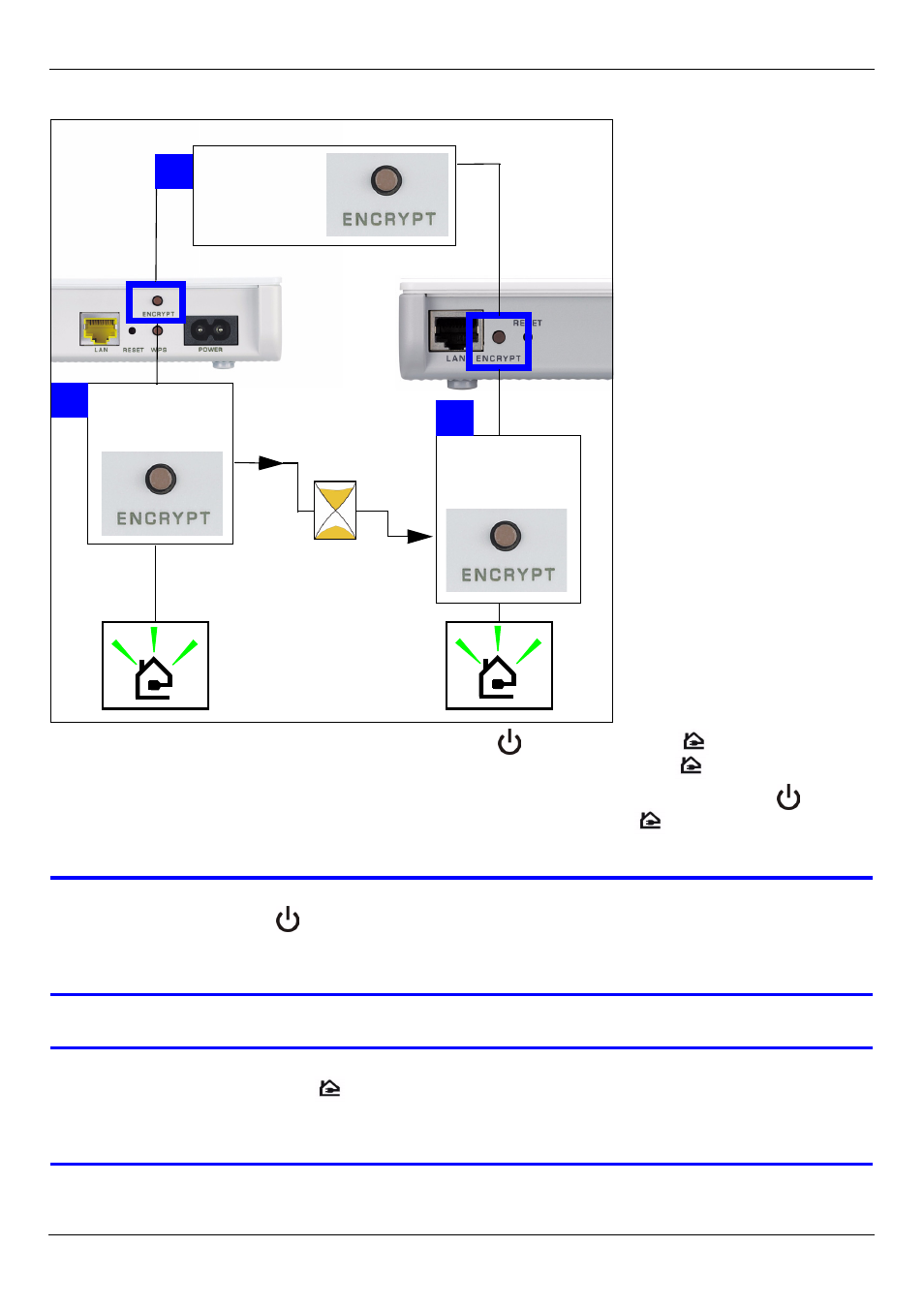
4 While the devices are connecting, the power (
) and HomePlug (
) lights blink. Also
several times all lights blink at the same time and the HomePlug (
) light shows red.
5 Wait for about one minute while your powerline devices connect. The power (
) light is
steady when the ENCRYPT process times out, the HomePlug (
) light is steady if you
have a successful connection.
V
If the power (
) light does not blink, you have probably pressed the
ENCRYPT button for too long. Try again, pressing the ENCRYPT button for
1~2 seconds.
V
If the HomePlug (
) lights on both powerline devices do not light up, the
powerline devices are not connected. Repeat steps 2 and 3 in this
section. If that doesn’t work, see the User’s Guide for more suggestions.
120 SEC.
PRESS
2 SEC.
WITHIN
PRESS
10 SEC.
A
B
C
B
C
PRESS
2 SEC.