Apotop DW09 Wi-Reader User Manual
Page 16
Advertising
萬國科技
15
4.
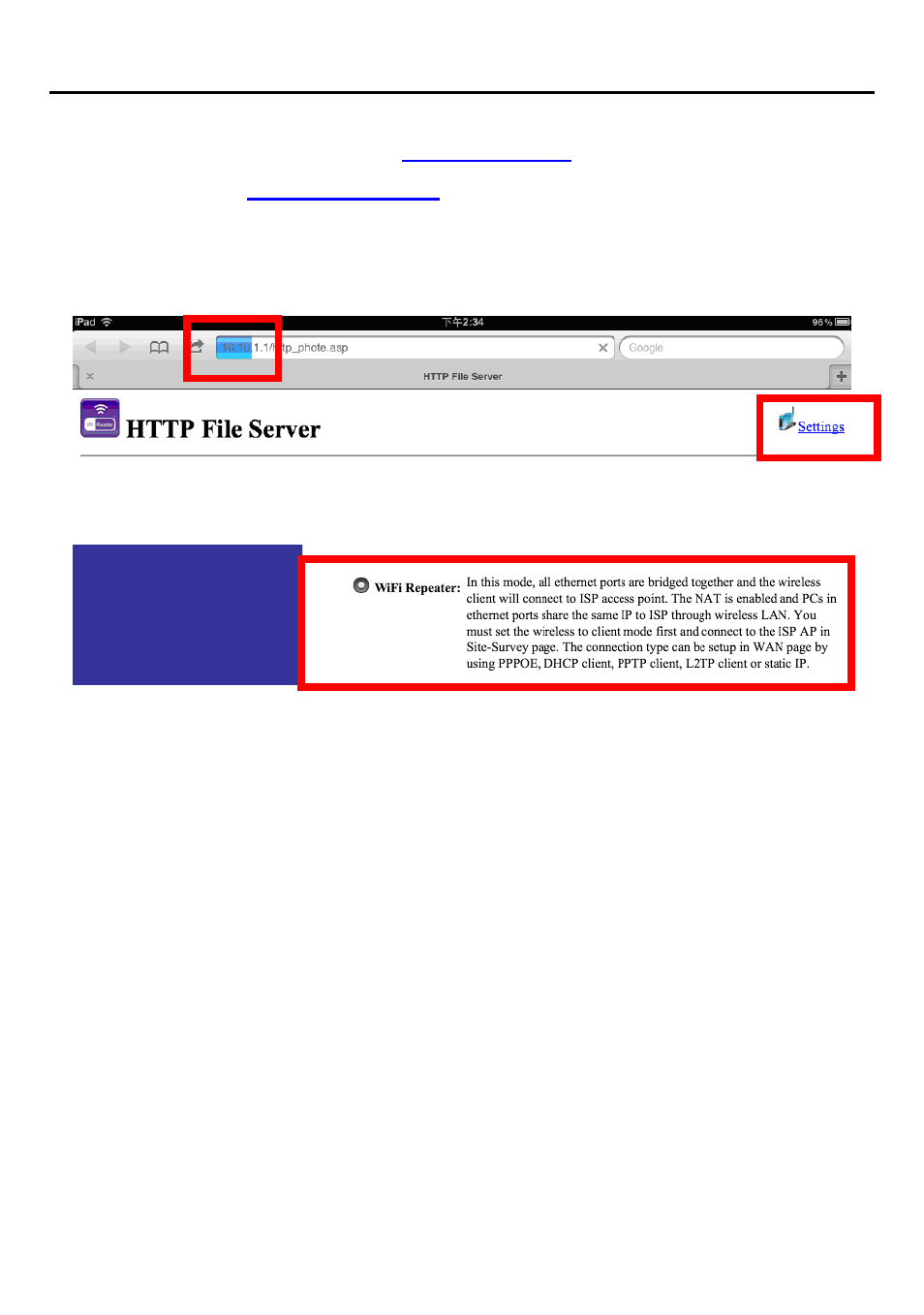
在瀏覽器地址列中輸入
Enter:
in URL-address.
5.
請進入畫面右上角的
Settings
。
The following screen will show up and click
“Settings”
on
Up-right corner.
6.
請選擇
WiFi Repeater
並點按
Nex
t。
Refer to the following Web U/I and click
“Next”
.
7.
為了同時使用
Wi-Reader
的讀卡功能,在
LAN Interface Setup
中不需要更新
IP Address
以及
Subnet mask
。請直接點按
Next
。
LAN Interface Setup In order to use storage function of
Wi-
Reader, you don’t need to update the IP addresses,
subnet mask for Wi-
Reader. Please click “Next” directly to
skip it.
8.
在
WAN Interface Setup
,請使用預設值
”DHCP Client”
並點按
Next
。
WAN Interface Setup. Please keep it in
“DHCP Client”
and
click
“Next”
directly to skip it.
Advertising