Lenco EB-900 User Manual
Page 7
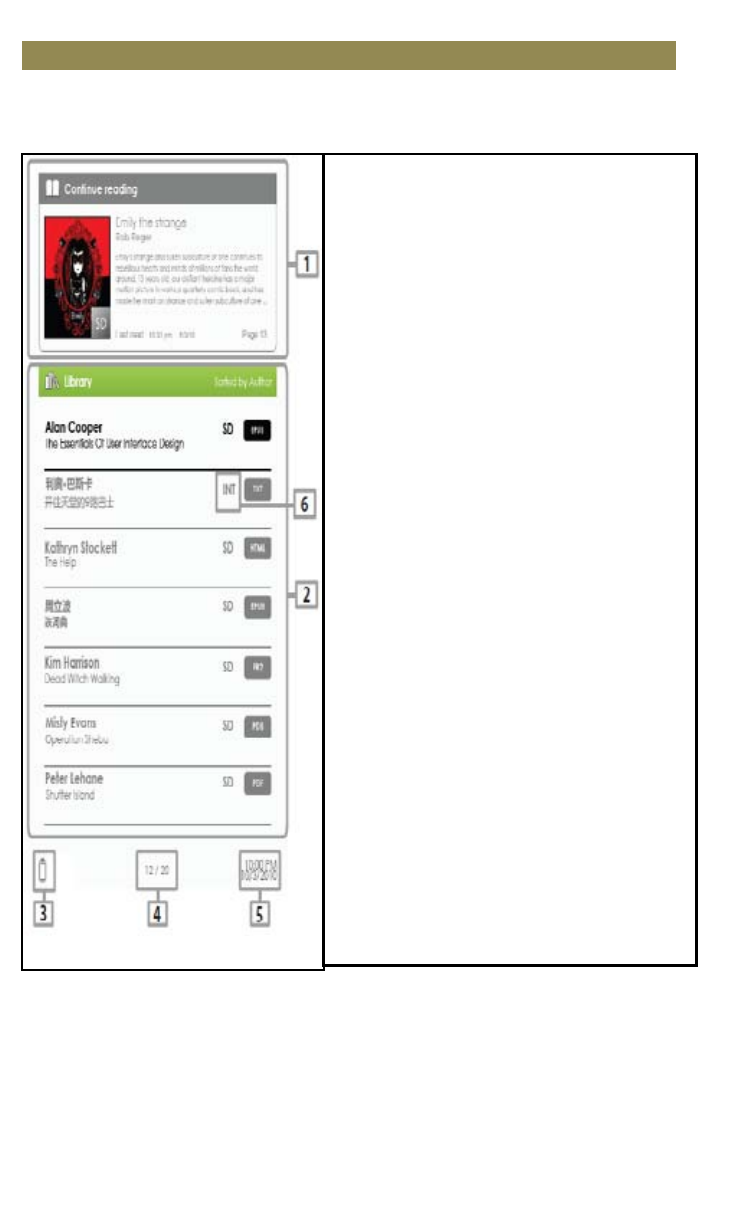
Starting from the home screen
When the Reader is turned on, you will enter the home screen.
•
•
•
•
•
Library
•
•
Battery Indicator
•
•
Page Number
•
•
Time & Date
•
•
•
•
•
1. Continue Reading
-displays the page of the last
read book. Press the <OK>
button to open the last read
page.
2. Library
-displays the list of books
available. Move the cursor to
desired book and press the <OK>
button to open it.
3. Battery Indicator
-displays the battery status
during operation.
4. Page Number
-displays the current page
number and total available
pages.
5. Time & Date
-displays the current time and
date, you can set this from the
[Settings].
6. File Directory
- indicates the location where the
file is stored. SD means stored on
the SD card, INT meansstored in
the internal memory.
Getting Started
5