3 air change, Controller setting – BINDER FED 53 User Manual
Page 19
FED (E2) 02/2015
page 19/55
5.3 Air change
Opening the air flap in the exhaust duct serves to adjust the
air change.
Without connecting a suction plant:
•
If the air flap is open and the fan is operating, fresh air
comes in via aeration gaps.
•
If the air flap is completely open, the spatial temperature
accuracy can be negatively influenced.
Figure 5: Adjusting the air flap
6.
Controller setting
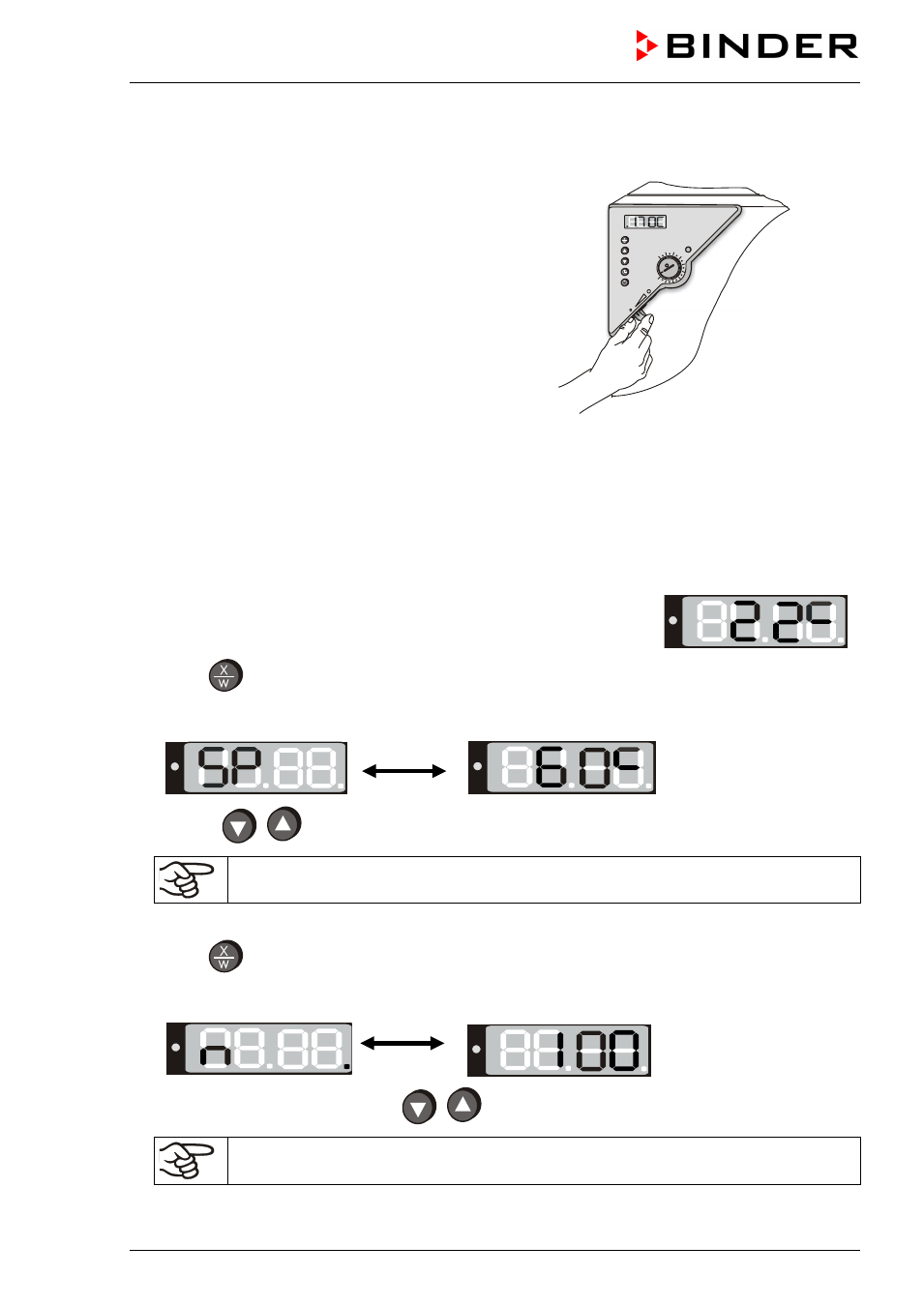
6.1 Display / entry of temperature and ventilation set-points (without ramp
function)
The unit is operating, the controller is in normal display (actual value
display). The actual temperature value (example: 22 °C) is displayed:
1. Press
button
The display shows alternately “
SP” and the previous temperature set-point (example: 60 °C):
2. With the
buttons enter a set-point value between 0 and 300.
The desired temperature set-point can be selected in a temperature range from 5 °C
above room temperature up to 300 °C.
Wait 2
seconds until the entered temperature value
is
taken over
(display flashing once).
3. Press
button to proceed to the fan speed entry.
The display shows alternately “
n” and the previous fan speed set-point (example: 100%):
4. Set the desired fan speed with the
buttons.
The fan speed can be set to a value between 0% and 100%.
Wait 2 seconds until the entered value is taken over (display flashing once).