BINDER MK 53 User Manual
Page 46
MK (E2.1) 10/2014
page 46/73
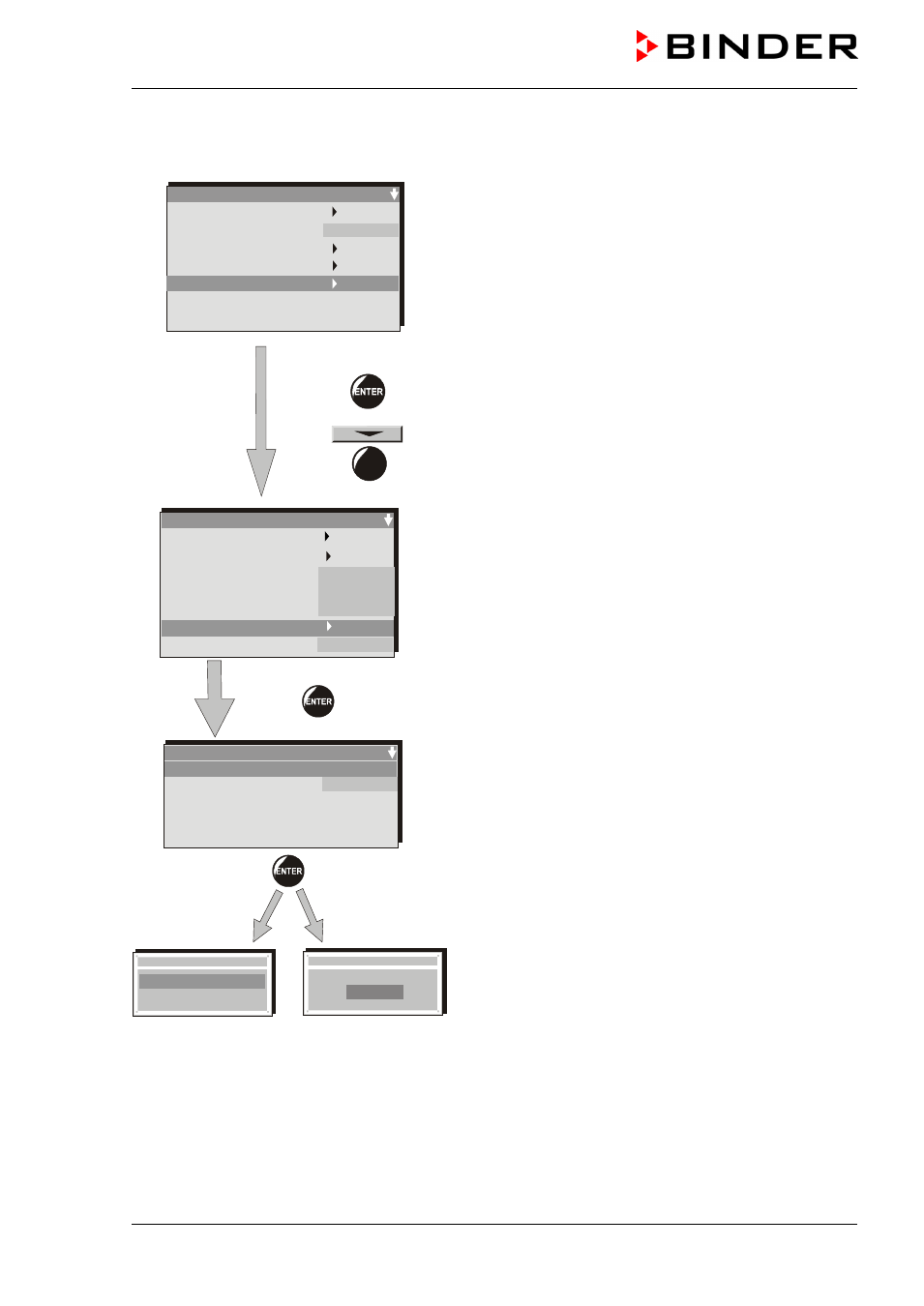
Checking and setting the safety controller set-point type and safety controller set-point:
Unlock the keyboard locking (option, chap. 14.3).
Grundeinstellung
User-settings
Instrument data
Contrast
Displ. Power down
Contin. operation
User Level
Safety control. Act + 100,8 °C
Safety control. Set. + 105.0 °C
29
User level code no.
1 (factory setting)
4 x
User Level
Date and time
Summer time
Language
Temperature unit
Buzzer
Safety controller
User-code No.
English
°C
1
Active
Safety Controller
Setpoint type
Setpoint
+ 105.0
Limit
Sollwert Art
Grenzwer
Offset
Setpoint
+0105.0
Sollwert Art
Grenzwer
Offset
Setpoint type
Limit
Offset
In the menu “User Level” select the submenu “Safety controller”.
•
Select the safety controller set-point type “Limit” or “Offset” in the field “Setpoint type”
•
Enter the value for “Limit” or “Offset” in the field “Setpoint”.
Lock afterwards the keyboard locking (option, chap. 14.3).
For temperature disturbances see alarm indications, chap. 12.