Installation & usage, 1 battery installation, 2 battery charging – BIXOLON SPP-R400 User Manual
Page 12: 2-1 using battery charger, Spp-r400 3. installation & usage
Rev. 1.02
- 12 -
SPP-R400
3. Installation & Usage
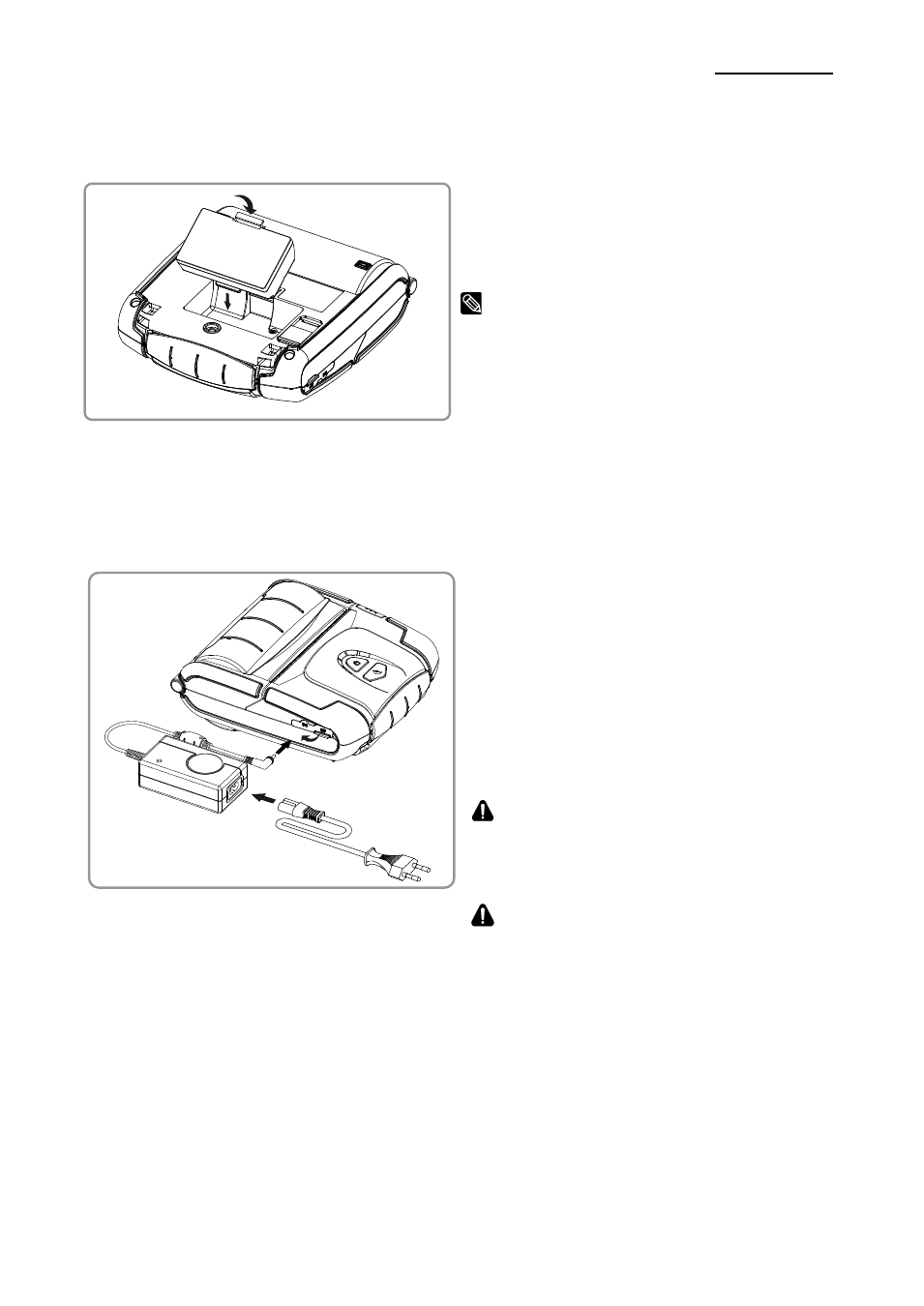
3-1 Battery Installation
1) Insert the battery on the rear side of the
printer, aligning the battery hook properly.
2) Push the battery into the slot until a
snapping sound is heard.
NOTE
As the battery is not charged at the time of
purchase, charge the battery before use.
3-2 Battery Charging
3-2-1 Using Battery Charger
1) Turn off the printer power.
2) Connect the power cord ② to the
battery charger ①, and then connect
AC power.
3) Open the external interface cap in the
direction of ③.
4) Connect the battery charger to the power
connector.
CAUTION
The printer may be seriously damaged if a
battery charger not provided by BIXOLON is
used. BIXOLON is not liable for such damage.
WARNING
Turn off the power before charging the battery
for the printer.
①
②
③