2-2 using single battery cradle (optional), 2-3 using vehicle charger (optional), Spp-r400 – BIXOLON SPP-R400 User Manual
Page 13: Rev. 1.02
Rev. 1.02
- 13 -
SPP-R400
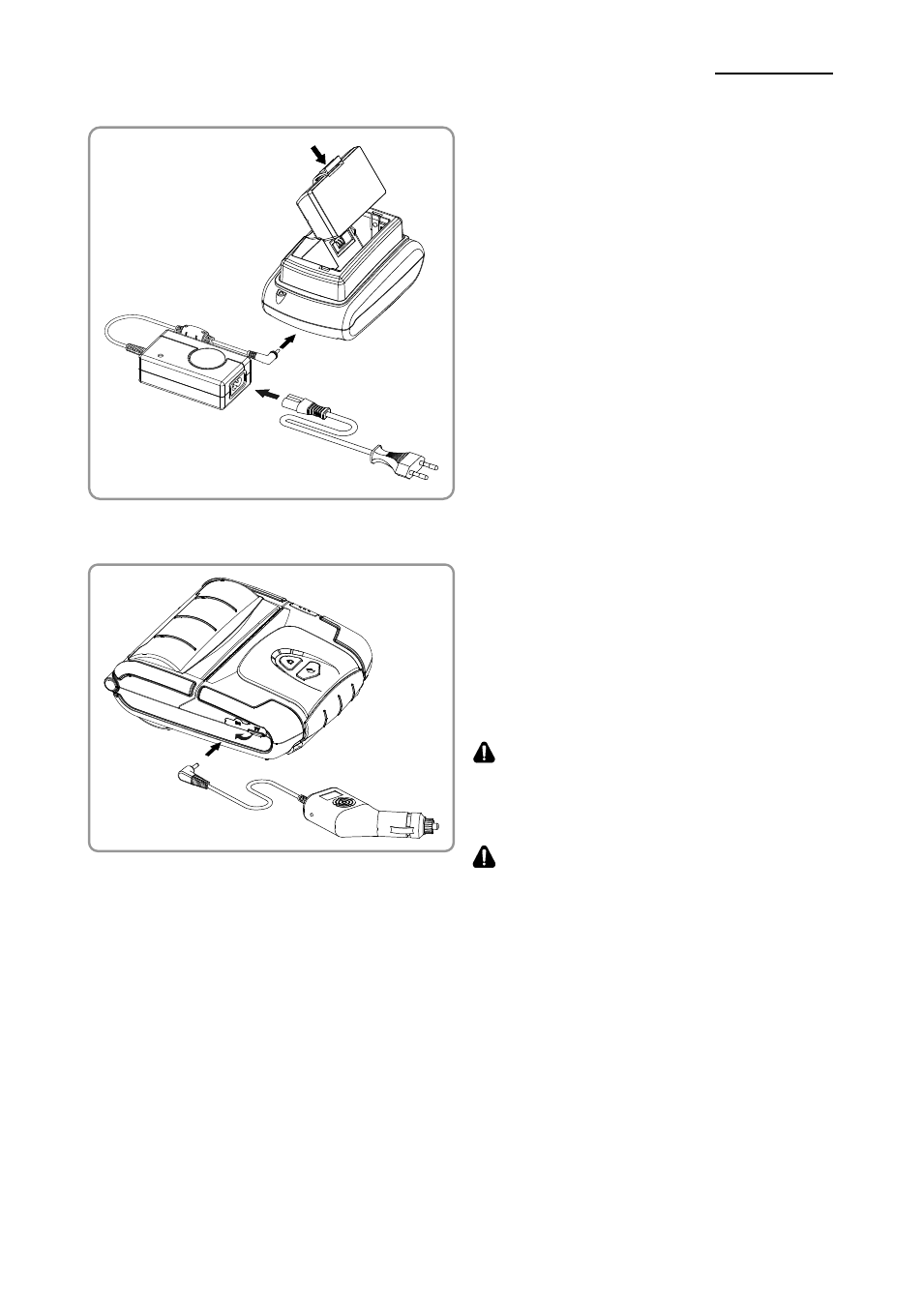
3-2-2 Using Single Battery Cradle (Optional)
1) Connect the power cord② to the battery
charger ①.
2) Connect the battery charger ① to the
power connector of the single battery
cradle ③.
3) Plug the power cord ② into an electrical
outlet.
4) Insert the battery ④ into the battery
holder ③ until a snapping sound is
heard.
3-2-3 Using Vehicle Charger (Optional)
1) Turn off the power to the printer.
2) Connect the vehicle charger ① to your
car’s cigarette lighter jack.
3) Open the external interface protection
cap in the direction of ②.
4) Connect the vehicle charger to the power
connector.
CAUTION
The printer may be seriously damaged if a
battery charger not provided by BIXOLON is
used. BIXOLON is not liable for such damage.
WARNING
Turn off the power before charging the battery
for the printer.
①
②
①
②
③
④