Input fields, Input masks, Information fields – d&b D80 User Manual
Page 25
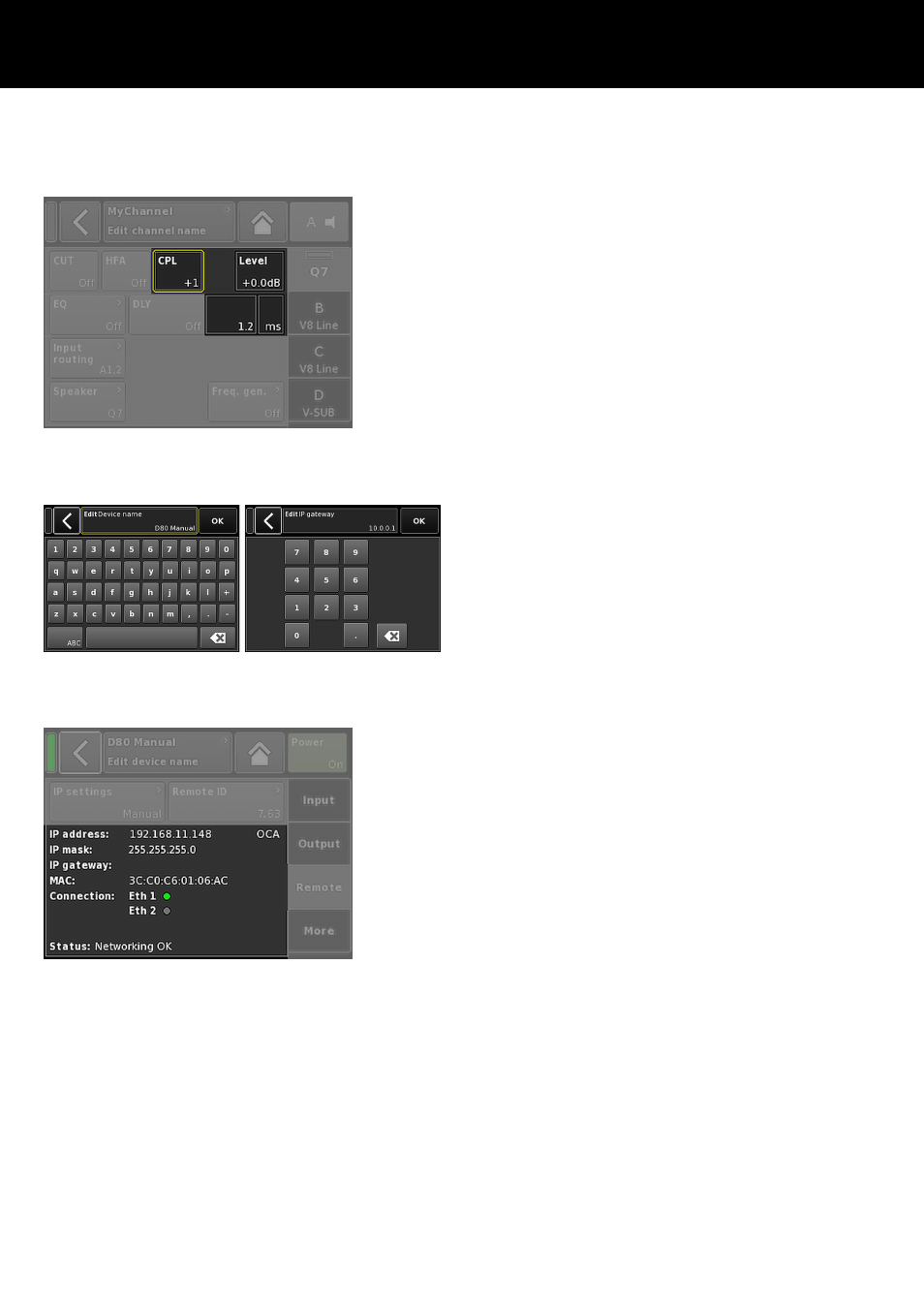
5.3.3. Input fields
Properties:
–
The top left of the button shows the field name while the
bottom right shows the value. The value can be edited.
–
Select the value by tapping the button on screen or pushing
the encoder.
–
Edit the value by turning the encoder.
Note: The set value will be applied directly.
5.3.4. Input masks
Properties:
–
Appears automatically anytime you need to enter data to
define a particular function. The input mask provides you with
an alphanumeric or numeric keypad to enter, for example, a
device name or a channel name (alphanumeric keypad) or an
IP address (numeric keypad).
–
Selection and editing is performed using the touch screen or
turning and pushing the encoder.
5.3.5. Information fields
Properties:
Non-selectable/non-editable field for information purposes only.
d&b D80 Manual 1.9 en
25