Channel pane, Level indicator – Dan Dugan Sound Design E-1 User Manual
Page 32
Dugan Models E-1 and E-1A User Guide
32
Channel Pane
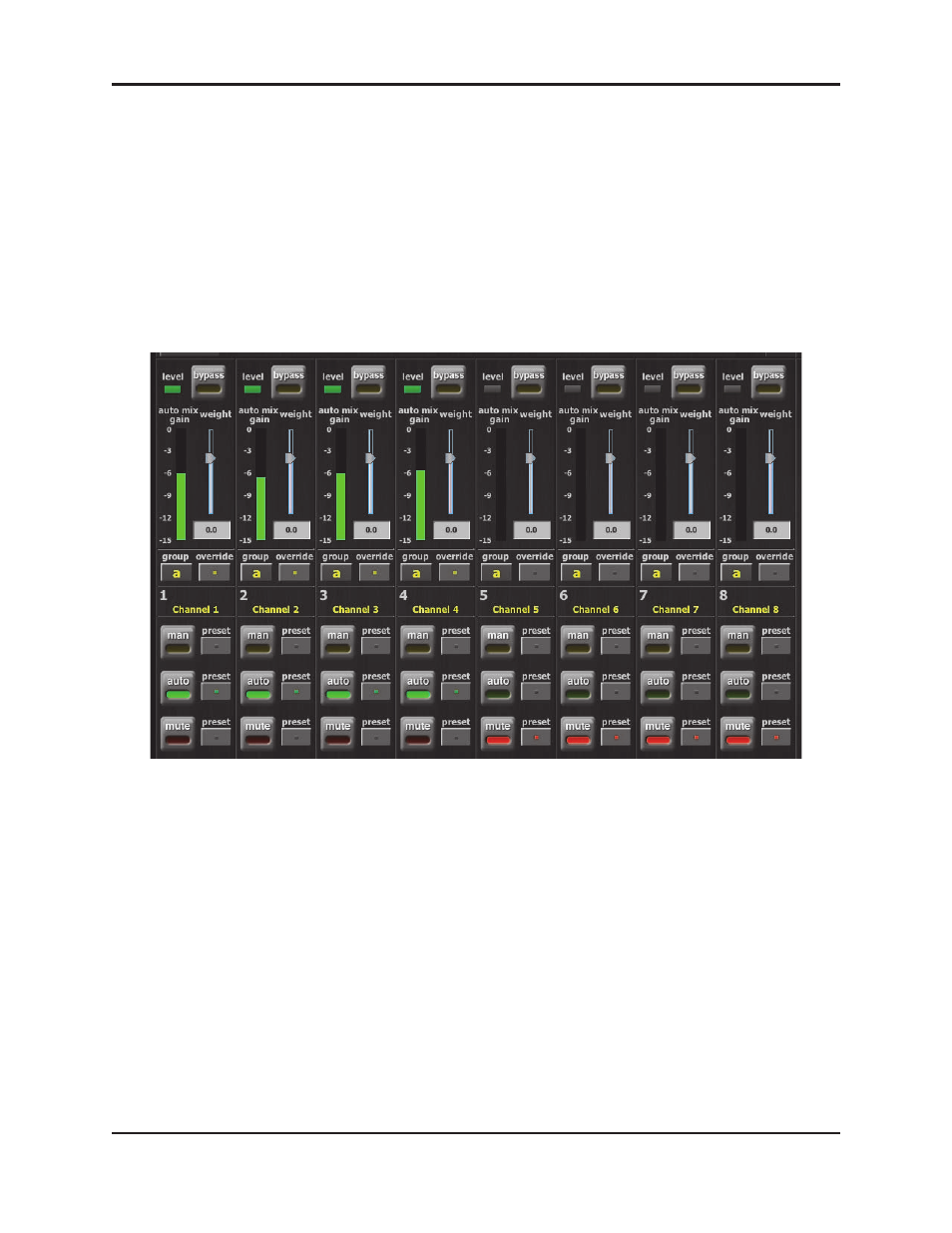
The Channel Pane contains the controls and indicators for each channel. Channels
are always in one of three modes:
man
,
auto
, or
mute
. The active channel mode illu-
minates. All transitions are made with a smooth, rapid fade. Select a channel mode
by pressing the individual mode buttons or the Master
PRESET
button.
Figure 4-3 shows a typical system: channels 1–4 in
auto
with ambient noise
,
and chan-
nels 5–8 in
mute
.
Figure 4-3 Channel Pane
Level Indicator
Each channel has a
level
LED that lights green when the audio level is adequate for
automatic mixing. It should remain green when no one is talking.
•
If the level indicator blinks, raise the console’s channel input gain.
•
If the level LED lights red, lower the console’s channel input gain until it stays
green at all times.