Charging, Pairing – Etymotic etyBLU2 Headset User Manual
Page 7
6
Charging
The etyBLU2 headset comes with a rechargeable lithium polymer
battery. Charge the headset for at least one hour before first use.
Charging time from empty: 2-3 hours
80% charge: 1 hour
Charging with the USB connector (included)
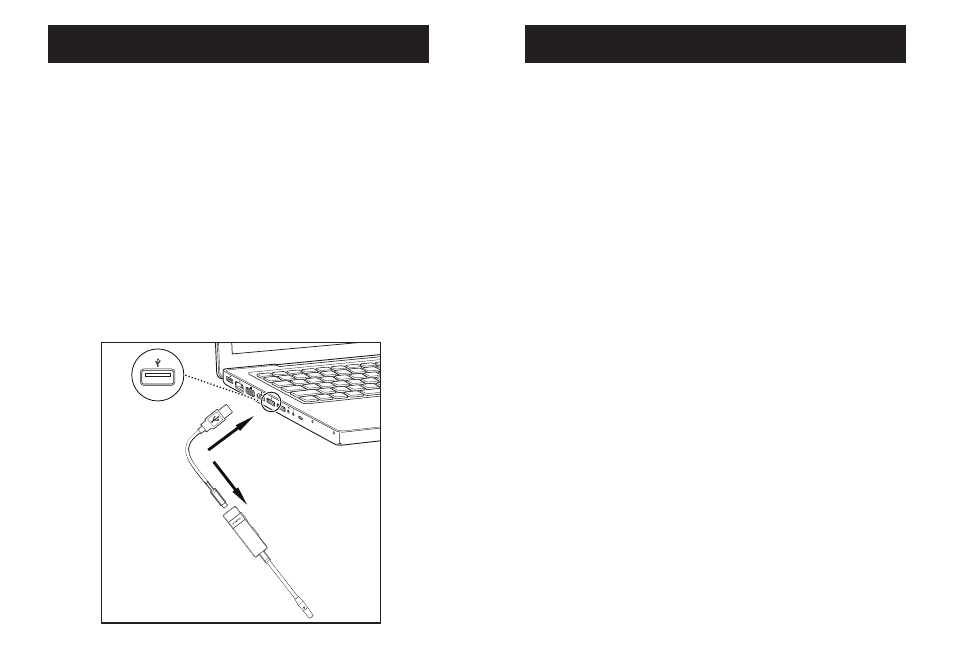
• Plug the micro USB connector into the etyBLU2 headset as shown.
• Plug USB end of the charging cable into a computer USB port.
• The solid yellow LED will indicate that the headset is charging.
• When charging is complete the yellow LED turns blue.
7
Pairing
Pairing varies by device
The etyBLU2 headset is discoverable for five minutes after
Power On.
•
Turn the phone OFF and then back ON.
•
Turn on the mobile phone’s Bluetooth function.
•
Press and hold the Multi-Function Button (MFB) for 5 seconds.
•
The blue LED will flash rapidly when ready for pairing.The
etyBLU2 stays in pairing mode for 5 minutes.
•
Activate the search for BT and/or audio devices on the phone.
•
When the etyBLU2 is found, the phone will display
“etyBLU2.” Scroll to it and press OK to confirm pairing.
•
If a passkey/password is requested, enter 0000.
Note: Bluetooth transmitter pairing varies. For best results,
consult the user instructions for the specific device being paired
with the etyBLU2. Some mobile phones require a security setting
change for automatic headset-phone pairing.