Add clip notes comments, Add clip notes, Comments – Adobe Premiere Pro CS3 User Manual
Page 400
ADOBE PREMIERE PRO CS3
User Guide
394
6
Click
OK to export a PDF file for Clip Notes comments.
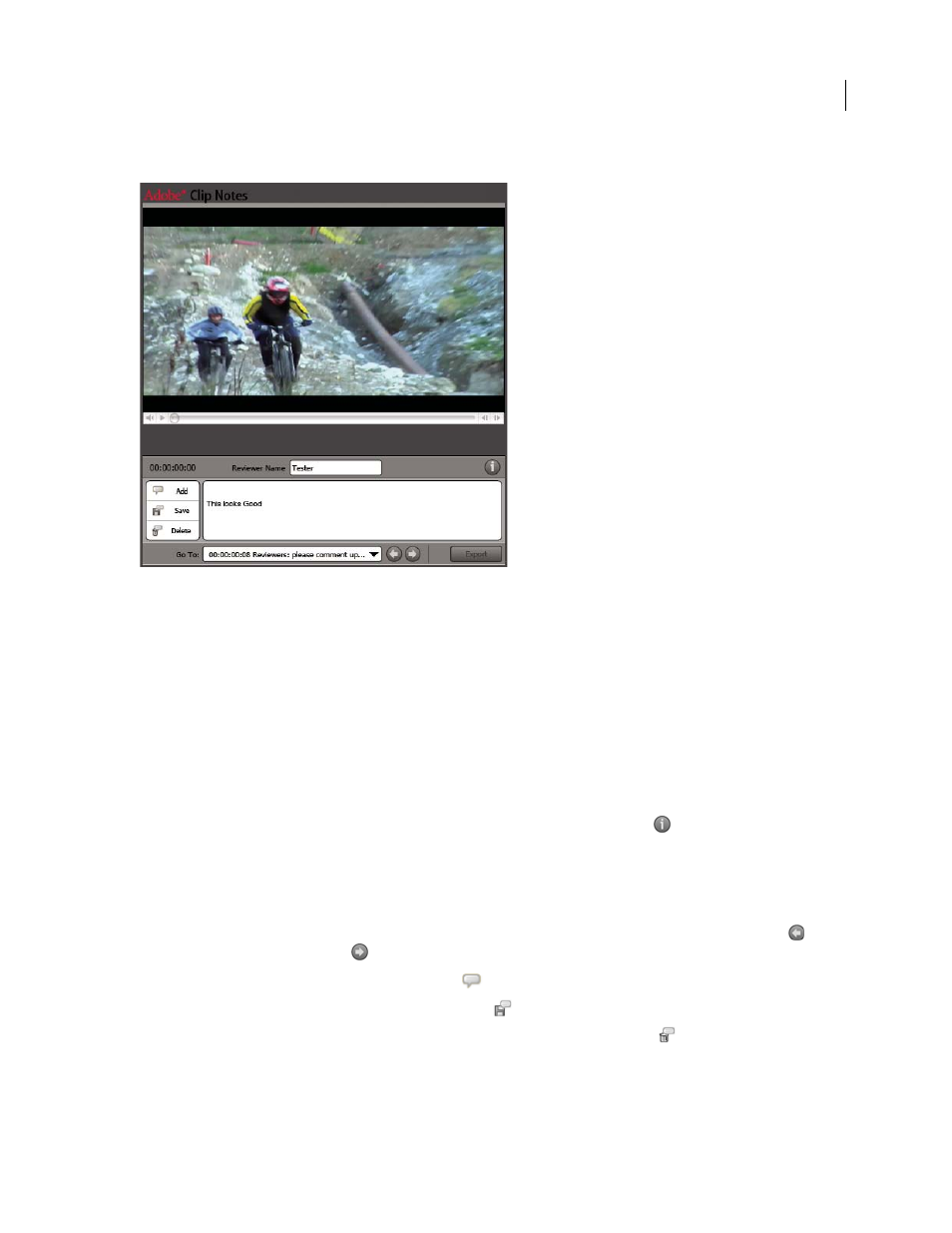
Adobe Clip Notes PDF file as it appears in Adobe Reader
See also
Sending work for review using Clip Notes
Add Clip Notes comments
1
Open the Clip Notes PDF file in Adobe Acrobat Standard, Acrobat Professional, or Adobe Reader (version 7.0.5
or later).
2
If prompted, specify your preference in the Manage Trust For Multimedia Content dialog box. If prompted for
a password, enter the password and click
OK. If prompted with an Instructions dialog box, read the instructions and
click
OK.
Note: You can view the instructions at any time by clicking the View Instructions button
.
3
Enter your name in the Reviewer Name field. This name will appear in your comments.
4
Navigate to frames and add comments to them:
•
To navigate to a specific frame, use the media player’s playback controls.
•
To move to another comment, choose it in the Go To menu, or click the Go To Previous Comment button
or Go To Next Comment button
.
•
To add a comment, click the Add Comment button
and enter your comment.
•
To save your comments, click the Save Comment button
.
•
To delete a comment, go to the comment and then click the Delete Comment button
.
April 1, 2008