Installation, Chapter 2 : installation – Analog Way Studio Scan XTD620 User Manual
Page 6
Chapter 2 : INSTALLATION STUDIO SCAN XTD 620
PAGE 6
Chapter 2 : INSTALLATION
• Table Top Mounting : The STUDIO SCAN XTD 620 can be used directly on a table: the unit is equipped with 4 plastic
feet.
• Rack Mounting :
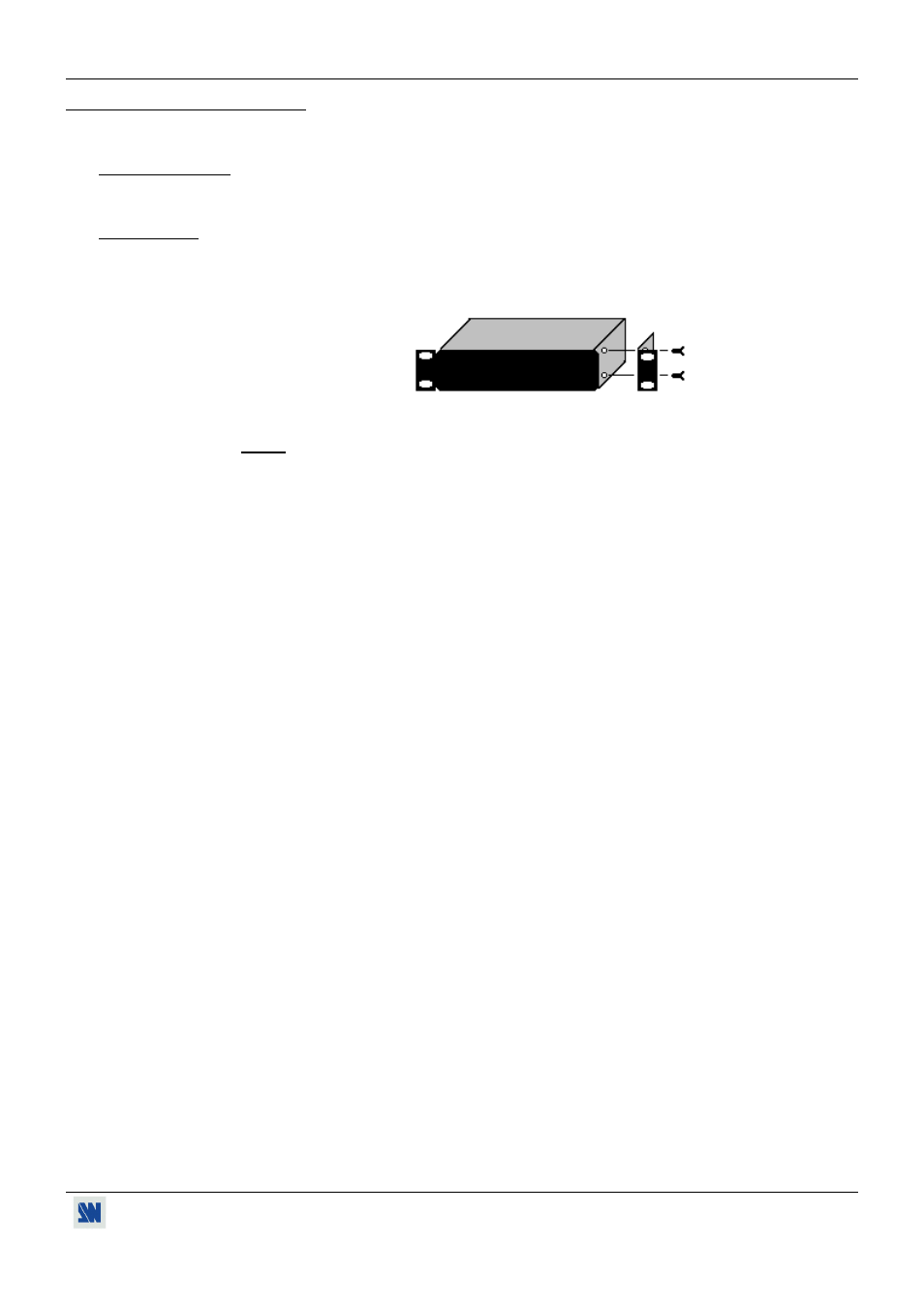
The STUDIO SCAN XTD 620 is compatible with a 19" enclosure . Please follow the instructions
below to install the STUDIO SCAN XTD 620 into a 19” rack :
• Screw the supplied 19” brackets to the sides of the STUDIO SCAN XTD 620.
• Put the STUDIO SCAN XTD 620 into the rack.
NOTE : The 19” front panel screws are not included.
• The openings in the top cover and in the rear panel are for cooling. Do not cover these
openings.
• Be sure that no weight is added to the STUDIO SCAN XTD 620 in excess of 2 kg (4.4 lbs.).
• The maximum ambient operating temperature must not exceed 40°C (104°F).
• The rack and all mounted equipment in it must be reliably grounded to national and local
electrical codes.