Projection setup – Awind WP-820 User's Manual User Manual
Page 27
Advertising
27
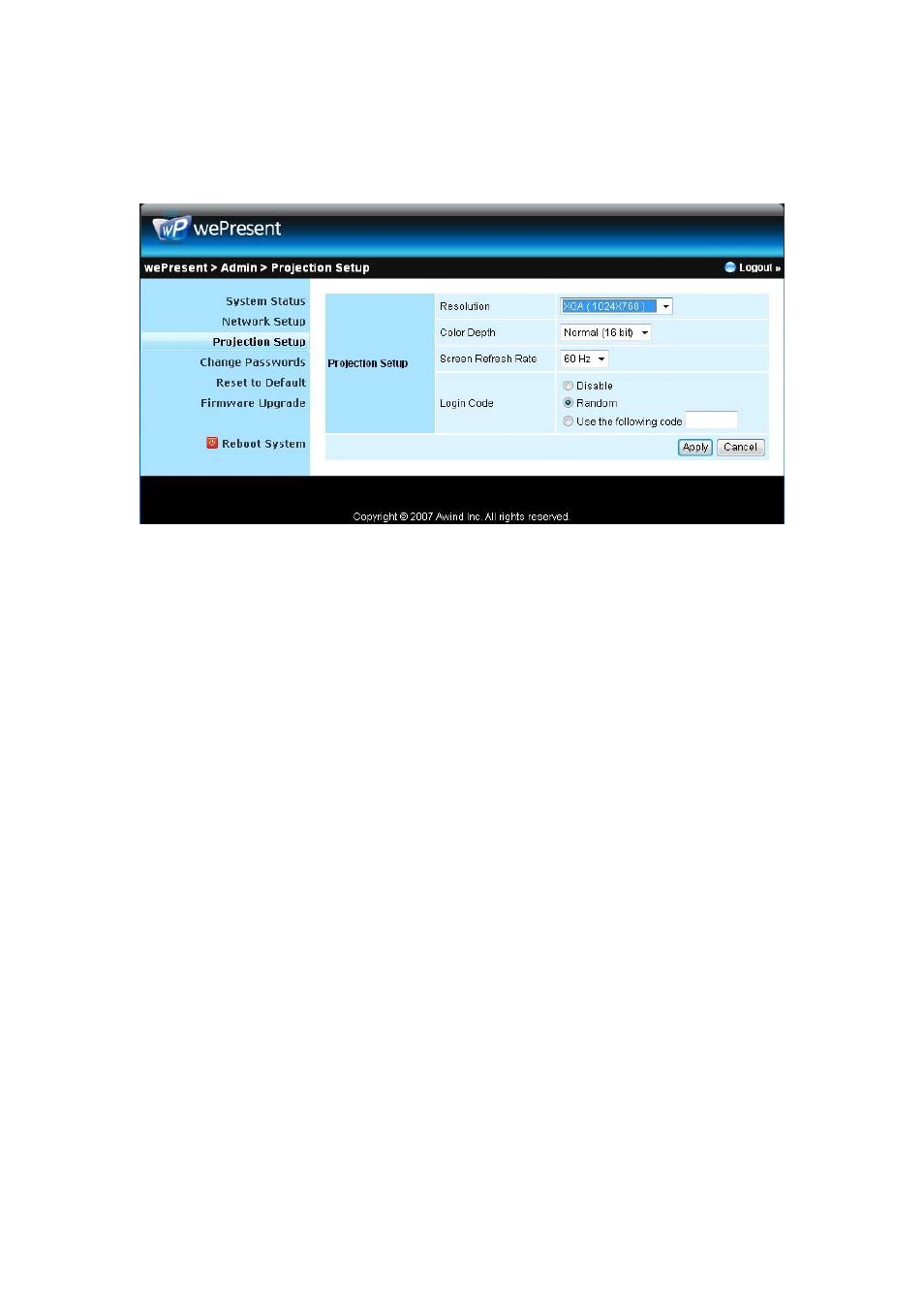
Projection Setup
Click [Projection Setup] button
♦ <Resolution>: 1024*768, 1280x768 and 800*600.
♦ <Color Depth>: provide
wePresent
output with 16bit or 32 bit
color depth. It depends on your PC settings.
♦ <Screen Refresh Rate>: This is VGA output refresh rate, provides
60 Hz and 75Hz to suit for different kinds of projectors.
♦ <Login Code>: You can select “Disable”, “Random”, or “Use the
following code” to set a specified 4-characters Number.
♦ <Apply>:Confirmation and Save modifications
♦ <Cancel>: Cancel all the modifications
Advertising
This manual is related to the following products: