Chapter3 connecting mdvr, User manual, 4 remote controller – Bolide SVR9000s MO User Manual
Page 11: 1 the device installation
User Manual
8
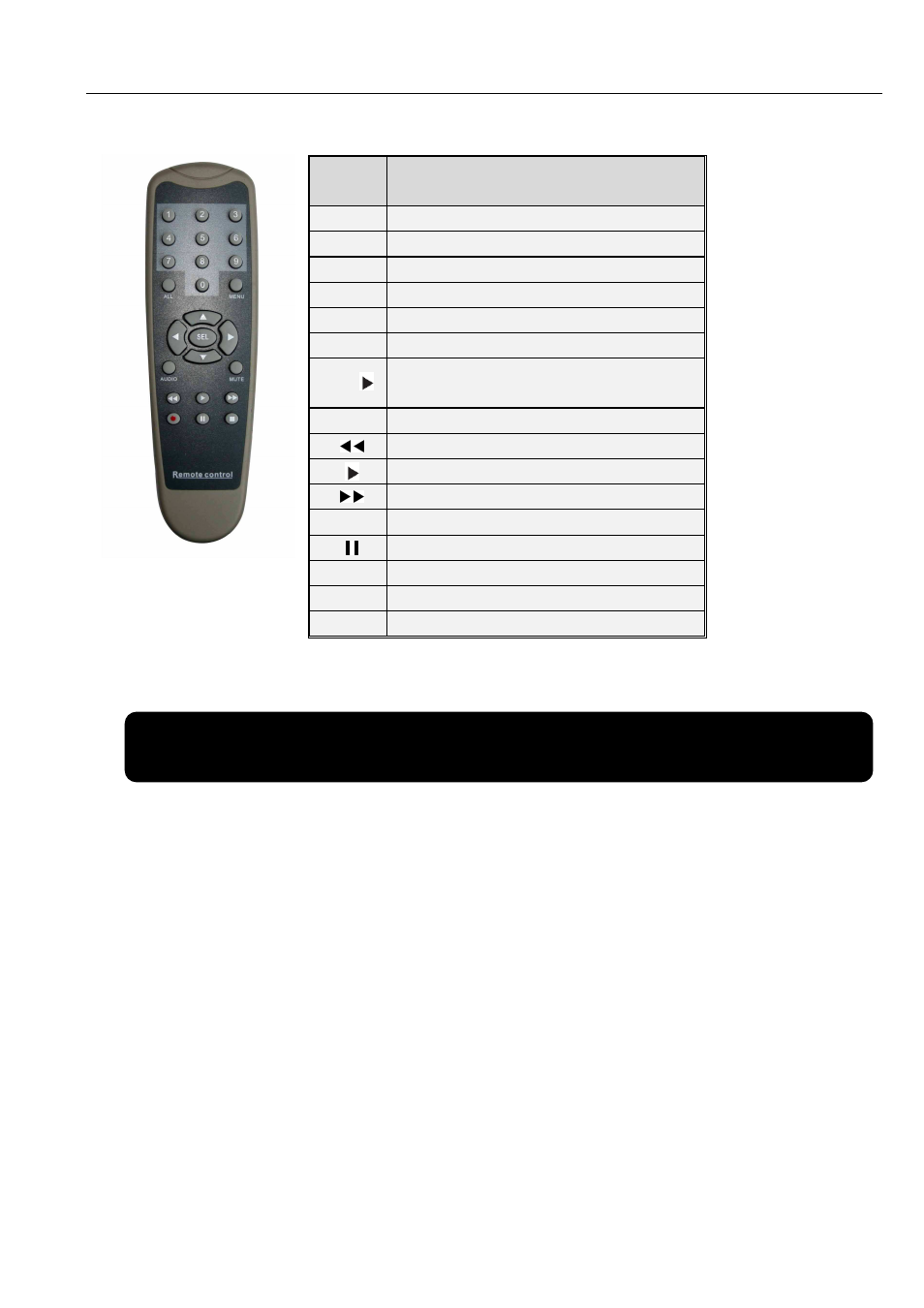
2.4 Remote Controller
Chapter3 Connecting MDVR
3.1 The device installation
Installation mode for the device includes horizontal installation and rack installation.
1. Horizontal installation: Place the equipment on a stable installation surface horizontally, and then tighten
it to the surface through four screws.
2. Rack installation: When limited space lead the equipment to not install horizontally, user can adapt
rack installation to mount on the side and wall of car.
Depart the device from anti-vibration rack before installing,
And then please follow the below steps to install the device:
1. Loosen three screws on the front panel
Key
Key
Key
Key
title
title
title
title
Key Function
Key Function
Key Function
Key Function
1-4
Channel select CH1~CH4; numeric key
Channel select CH1~CH4; numeric key
Channel select CH1~CH4; numeric key
Channel select CH1~CH4; numeric key
0、
、
、
、5-9
numeric key
numeric key
numeric key
numeric key
ALL
Multiple CH display
Multiple CH display
Multiple CH display
Multiple CH display
Menu
Enter Main Menu / Exit
Enter Main Menu / Exit
Enter Main Menu / Exit
Enter Main Menu / Exit
▲
▲
▲
▲
Up direction arrow
Up direction arrow
Up direction arrow
Up direction arrow
▼
Down direction arrow
Down direction arrow
Down direction arrow
Down direction arrow
◄ /
Left/right
direction
arrow,
Left/right
direction
arrow,
Left/right
direction
arrow,
Left/right
direction
arrow,
Decrease/increase parameter value
Decrease/increase parameter value
Decrease/increase parameter value
Decrease/increase parameter value
SEL
Select/Edit key
Select/Edit key
Select/Edit key
Select/Edit key
Rewind key
Rewind key
Rewind key
Rewind key
Search / Play key
Search / Play key
Search / Play key
Search / Play key
Fast Forward Key
Fast Forward Key
Fast Forward Key
Fast Forward Key
●
Rec. Key
Rec. Key
Rec. Key
Rec. Key
Pause Key
Pause Key
Pause Key
Pause Key
■
Stop Key
Stop Key
Stop Key
Stop Key
Audio
Testing
Mute
Testing