3 config mdm | modem utilities – Comtech EF Data CDM-710G User Manual
Page 143
CDM-710G High-Speed Satellite Modem
Revision 1
Web Server Interface
MN-CDM710G
7–13
7.3.3.3 Config Mdm | Modem Utilities
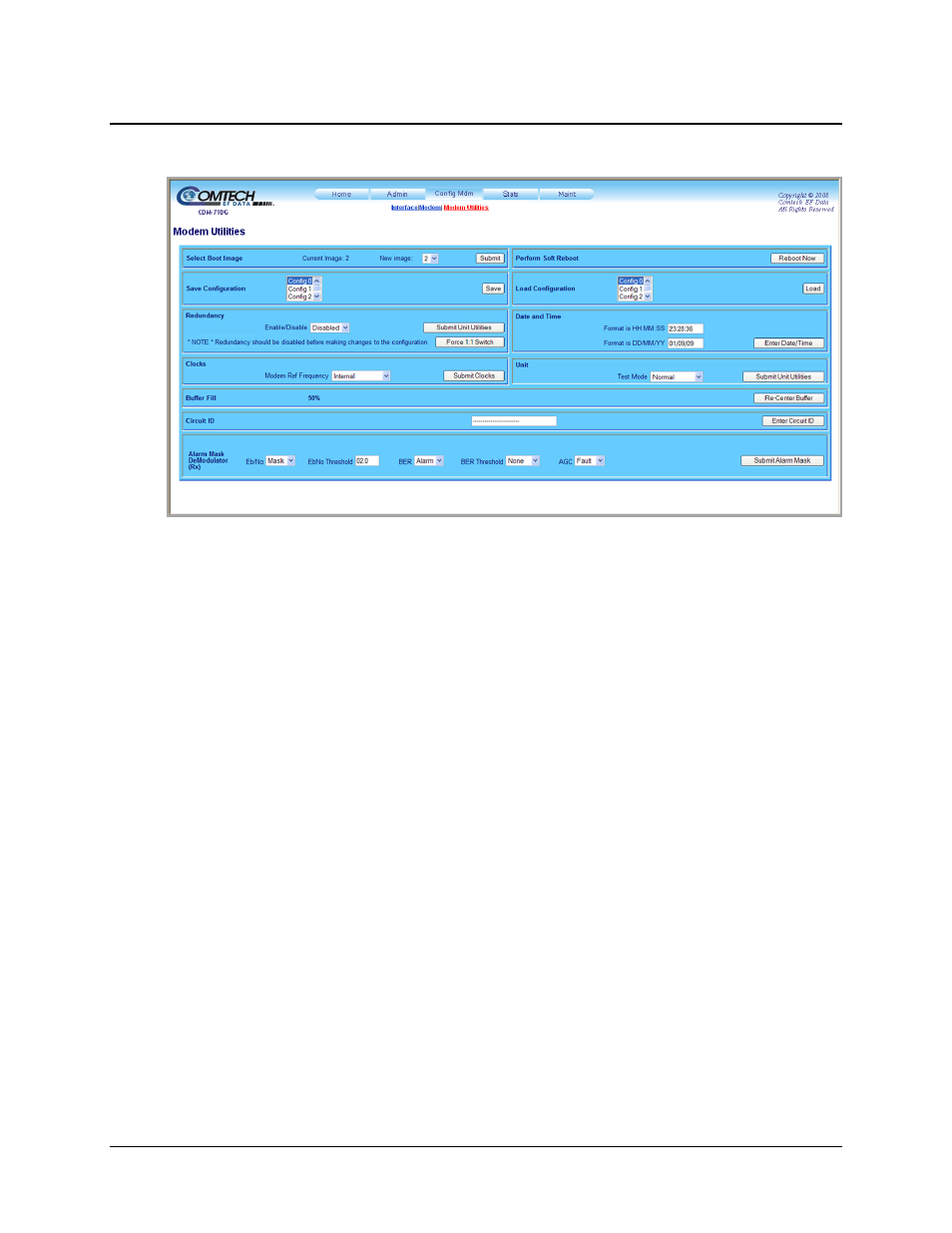
Figure 7-9. Config Mdm | Modem Utilities page
Use the ‘Config Mdm | Modem Utilities’ page (Figure 7-9) to perform the following Modem
Utilities tasks:
• Selecting the Boot Image;
• Performing a Soft Reboot;
• Saving and Loading Configurations;
• Setting up Redundancy Operation;
• Setting the Date and Time;
• Setting the Clock Mode;
• Selecting the Test Mode;
• Re-centering the Buffer;
• Assigning a Circuit ID;
• Setting the Rx Alarm Masks.
Once the desired configuration settings have been made in each section, click the action tab
provided in that section (e.g., [Submit], [Save], [Load], etc.) to save those changes.
For details pertaining to the configuration parameters available on this page, refer to Chapter 6.
FRONT PANEL OPERATION.