33 pgmⅢ programmable ethernet control system – CREATOR CR-PGMIII User Manual
Page 40
CREATOR CHINA 2011-03
WWW.CREATOR1997.COM
33
PGMⅢ Programmable Ethernet Control System
◆
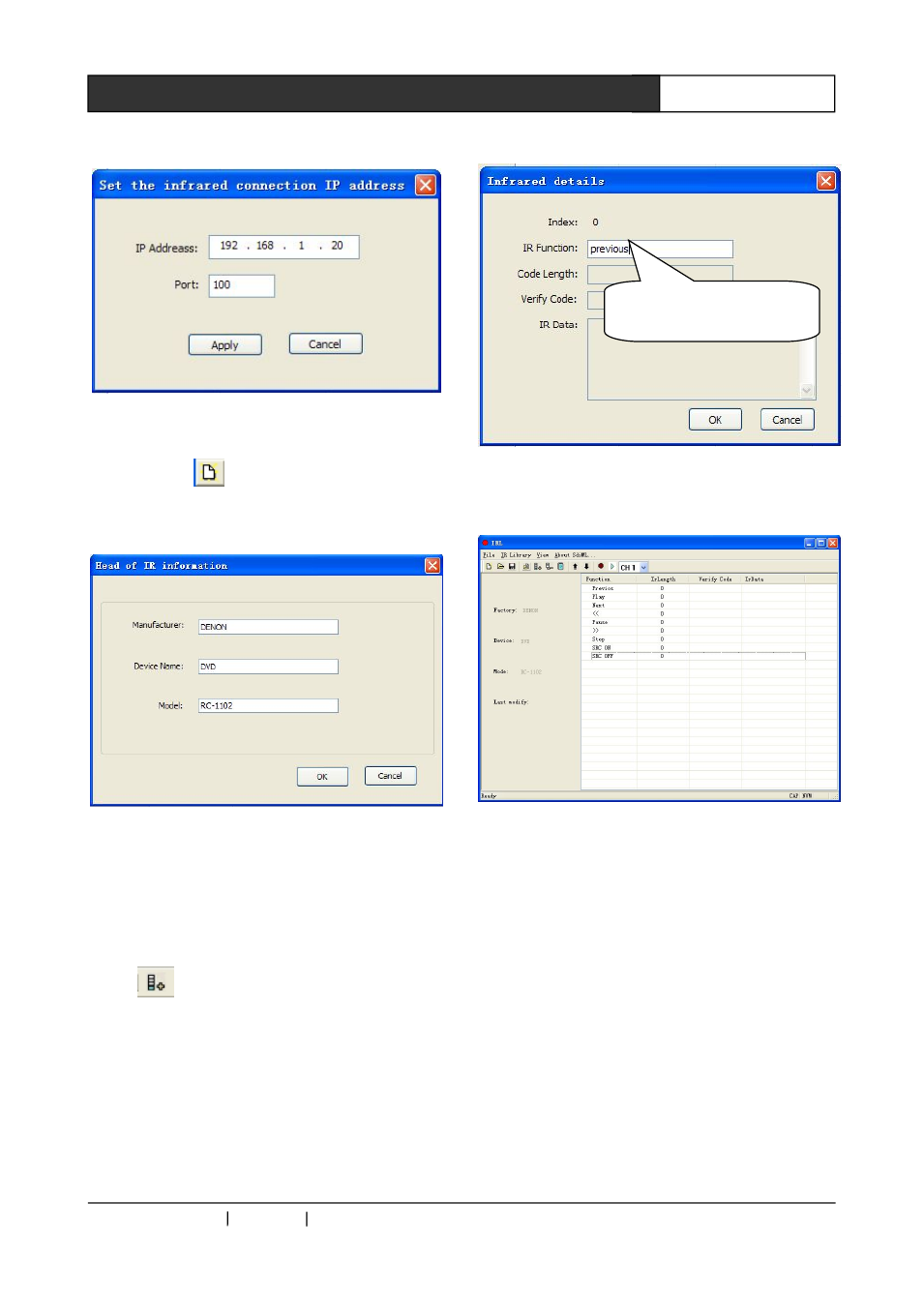
Built new IR file
Click the icon
on the tools bar, or click “File”
– “New” to build a new file. Fill in the relevant
information in the pop up dialog:
Click OK to finish
◆
Add control buttons
We need to add the control buttons to the newly
built blank file. Taking the DVD control as the
example:
Click
or click “IR Database”—”Add IR
Control Code” to bring out a pop out dialog. A
name of the button should be assigned for easy
deification.
Following the above mentioned procedures to
add other IR codes.
◆
Choose the IR output channel
This is to select the channel through which
the IR Control codes will be sent out from
the CR-PGMIII.
Click the CH1 on the tools bar to bring out the
drop down menu. There are 8 channels available
for option, as shown in the following image:
Only button name needs
to be changed here