Heart rate indicator – Cybex 625A Arc Trainer User Manual
Page 71
Cybex Arc Trainer 625A/625AT Owner’s Manual
71
Heart Rate Indicator
Contact Heart Rate – Lightly hold hand grips on the handlebar ensuring that hands are clean and
contact both the front and back sensors of each grip. A heart rate will display in typically 30 seconds
or less.
Factors that interfere with heart rate signal:
•
hand lotions
•
oils or body powder
•
excessive dirt
•
excessive movement
•
body composition
•
hydration
•
too loose grip
•
too tight grip
•
resting or leaning on grips
Wireless Heart Rate – To use this feature, a Polar® compatible heart rate transmitter belt (not
included) must be worn.
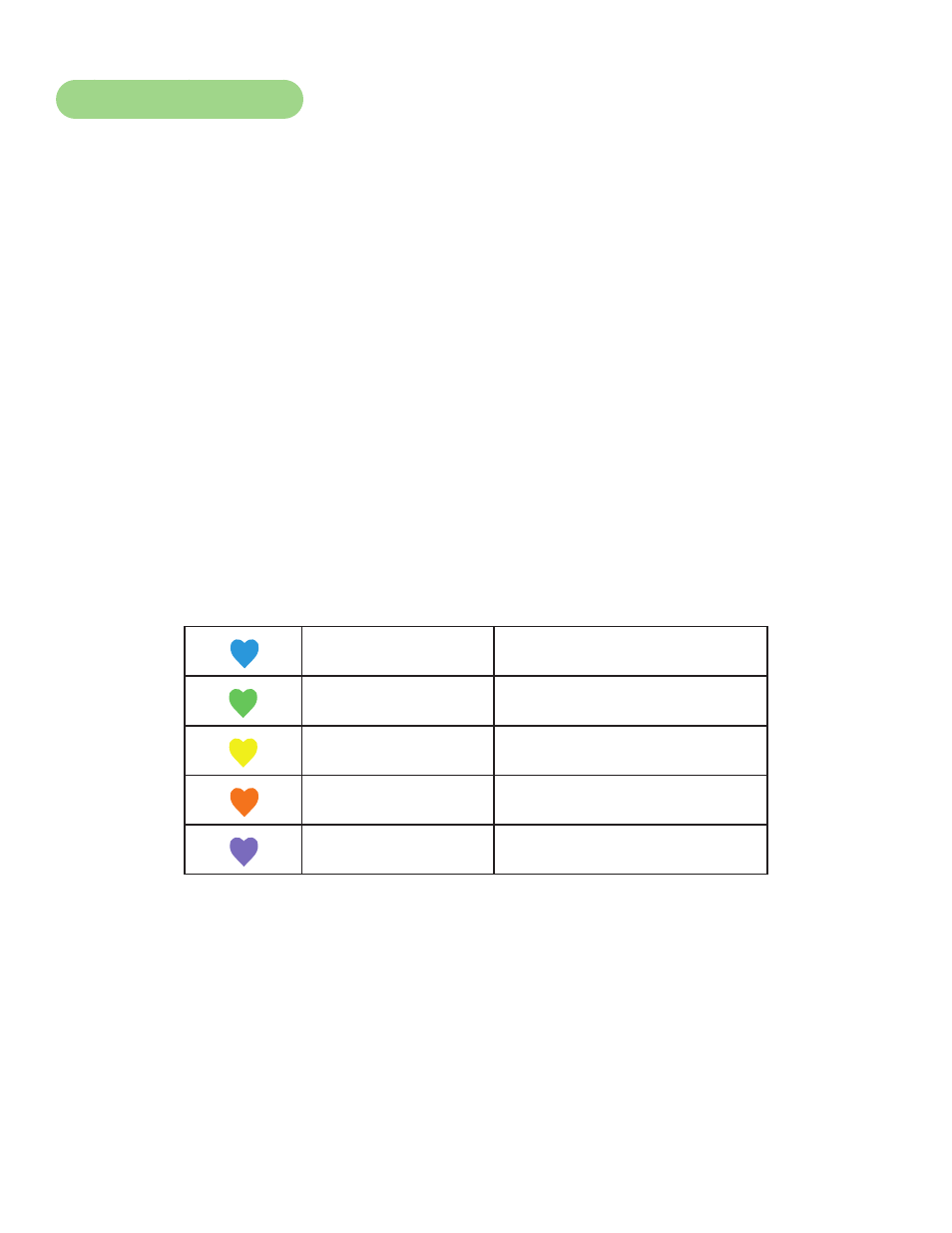
Once the actual heart rate is determined, the LED to the right of the Data Readouts is blinking to the
displayed BPM and the Heart LED lights up. The color of the light represents a scale of low to high
target heart rate.
Blue
0 –
69 BPM
Green
70 – 93 BPM
Yellow
94 – 119 BPM (Fat Burn Zone)
Blood Orange
120 – 169 (Cardio Zone)
Magenta
170 and higher