Loop-back test with fiber, Conducting the venus 1500 software test – Daktronics Fiber Optic Communication User Manual
Page 13
Advertising
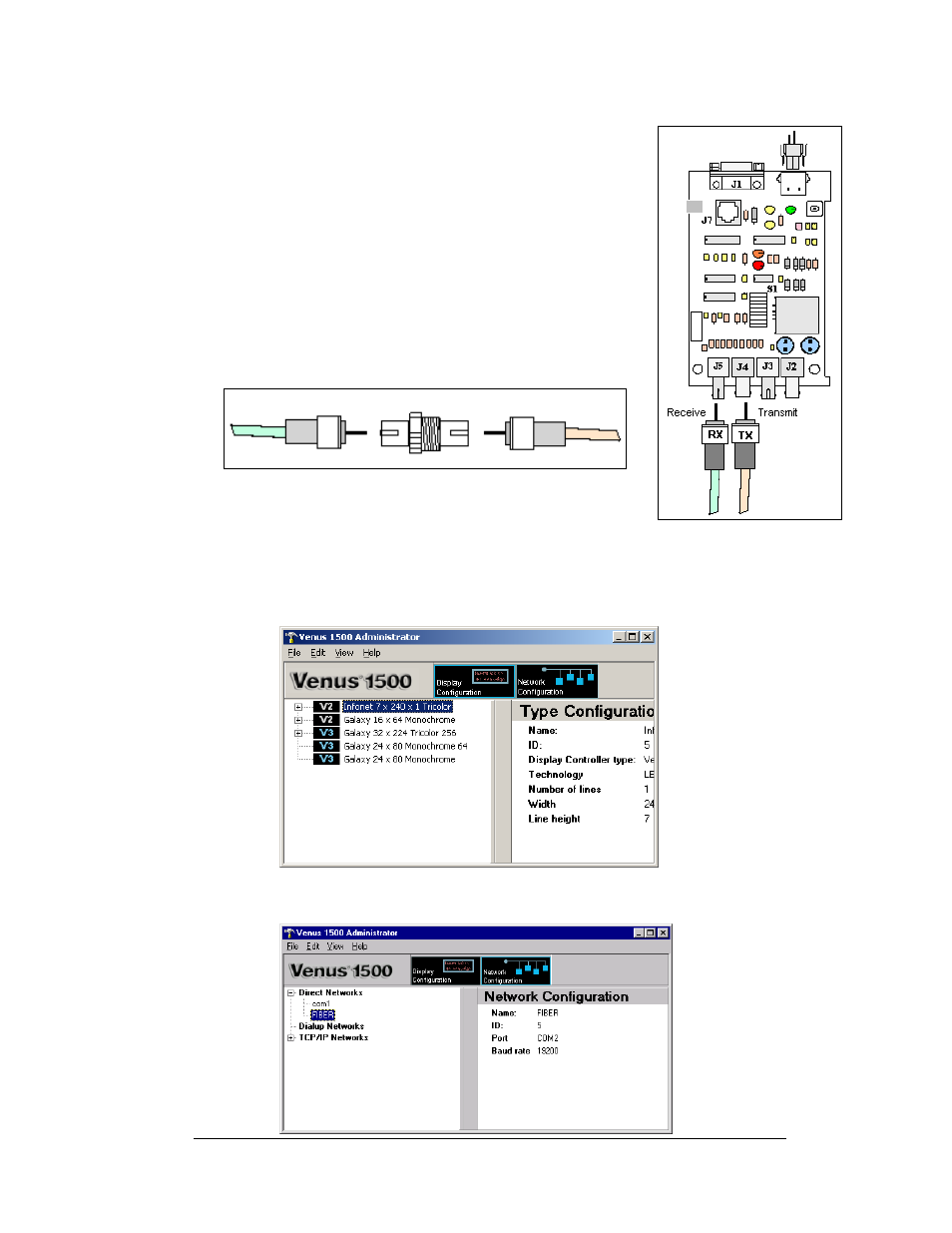
Loop-Back test with Fiber
Fiber Optic Communication Manual
9
1. Locate the fiber optic board in the signal termination
enclosure.
2. Label the fiber ends connected to the board and carefully
remove them as shown in
3. Connect the ends into the fiber splice (Daktronics part# P-
4. When the fibers are connected, perform the loop-back test
using the Venus 1500 software as described in
Conducting the Venus 1500 Software Test
Figure 11: Fiber Optic Board
Figure 12: Connecting TX and RX Fibers with Fiber Splice
Conducting the Venus 1500 Software Test
1. Open Venus 1500 Administrator.
2. Click on Network Configuration and open the direct network by clicking on the
[
+]
in front of Direct Network.
Advertising