2 4000 series digital billboard overview, What has changed, What stayed the same – Daktronics 4000 Series Digital Billboard User Manual
Page 8: Display label, 4000 series digital billboard overview
2
Introduction
Figure 1: Daktronics Drawing Label
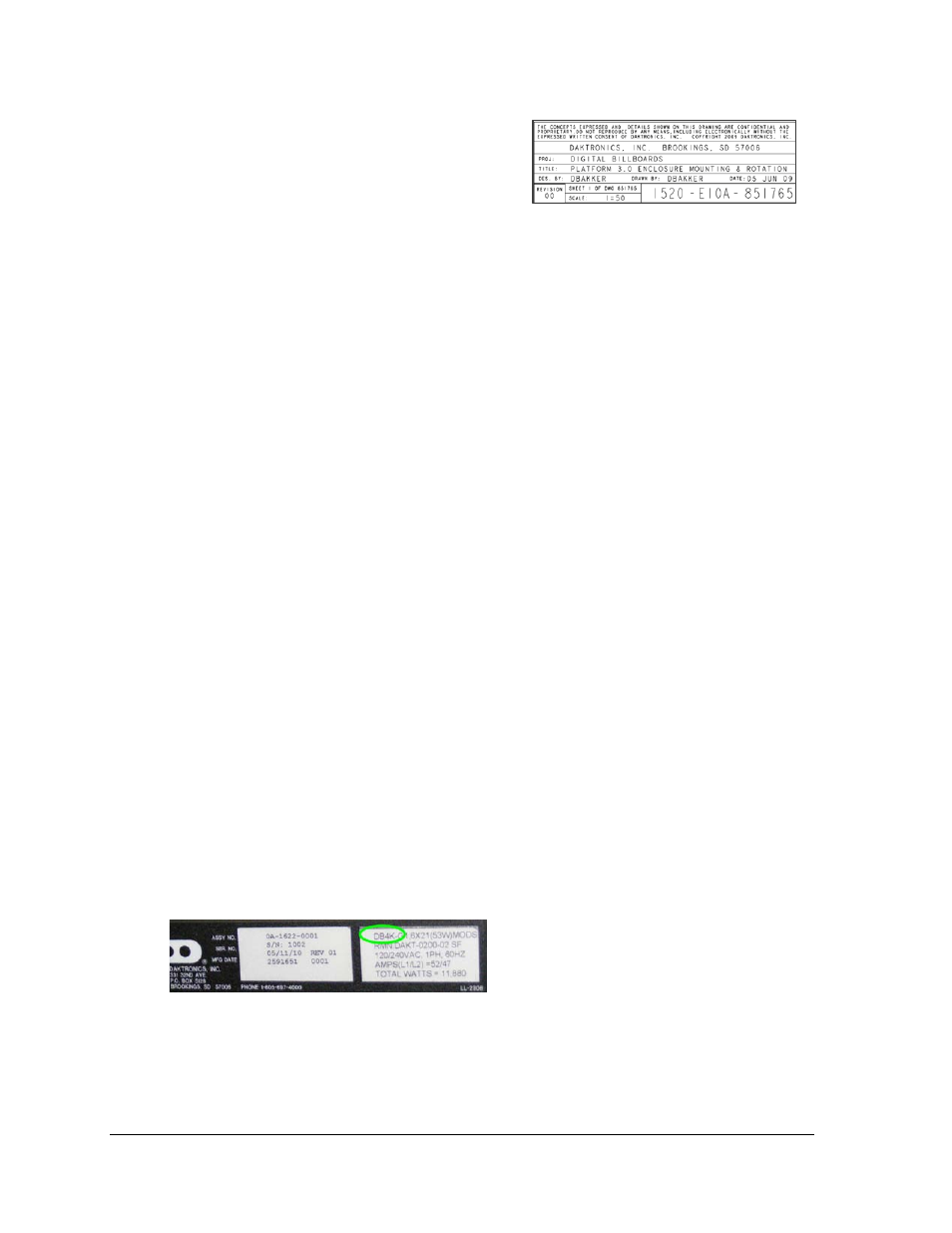
Figure 2: Display Label
Figure 1 illustrates a Daktronics drawing label.
The drawing number is located in the lower-
right corner of a drawing. This manual refers to
drawings by listing the last set of digits and the
letter preceding them.
In the example in Figure 1, the drawing would
be referred to as Drawing A-69945.
All references to drawing numbers, appendices, figures, or other manuals are presented in
bold typeface, as shown above.
1.2 4000 S eries Digital B illboard Overview
What has C hanged
•
Hinged doors, capable of being lifted off the hinge
•
Cabinet-mounted fans, which can be removed without tools
•
Completely sealed modules
•
SATA cables replace ribbon cables
•
ProLink Routers replace Multi-Line Controllers
•
VIP-4060 in remote enclosure
What S tayed the S ame
•
Cabinet is the same as 2000 and 3000 series
•
Mounting plates, splice key, pick points (for lifting the display), power entry point, and
the remote enclosure are the same as the 3000 series.
Dis play L abel
Hinged doors are easily identifiable features of the 4000 series. Another way to identify the
4000 series is to check the label on the back of the display, next to the power entrance. It
should read “DB4K.” Refer to Figure 2.