Logix 3400iq digital positioner calibration – Flowserve 3400IQ User Manual
Page 20
Logix 3400IQ Digital Positioner FCD LGENIM3403-00 – 11/07
Logix 3400IQ Digital Positioner Calibration
Re-Cal Button:
Calibration of the Logix 3400IQ digital positioner is very straightforward. The Re-Cal button will perform a
stroke calibration procedure, but the DIP switches are no longer used. The parameter CONTROL_FLAGS
must be configured over the fieldbus network prior to using the Re-Cal button. Once the positioner is
properly configured, press and hold the Re-Cal button for five seconds. The Re-Cal button is only
operational when the FVPTB is in OOS mode.
Stroke Calibration: To perform a stroke calibration, complete the following steps:
•
Set the Transducer block to OOS.
•
Ensure the positioner is configured correctly. Refer to previous section.
•
Check the Periodic Update box under the Custom tab, in the Transducer block window.
•
Ensure air supply and valve tubing matches configuration.
•
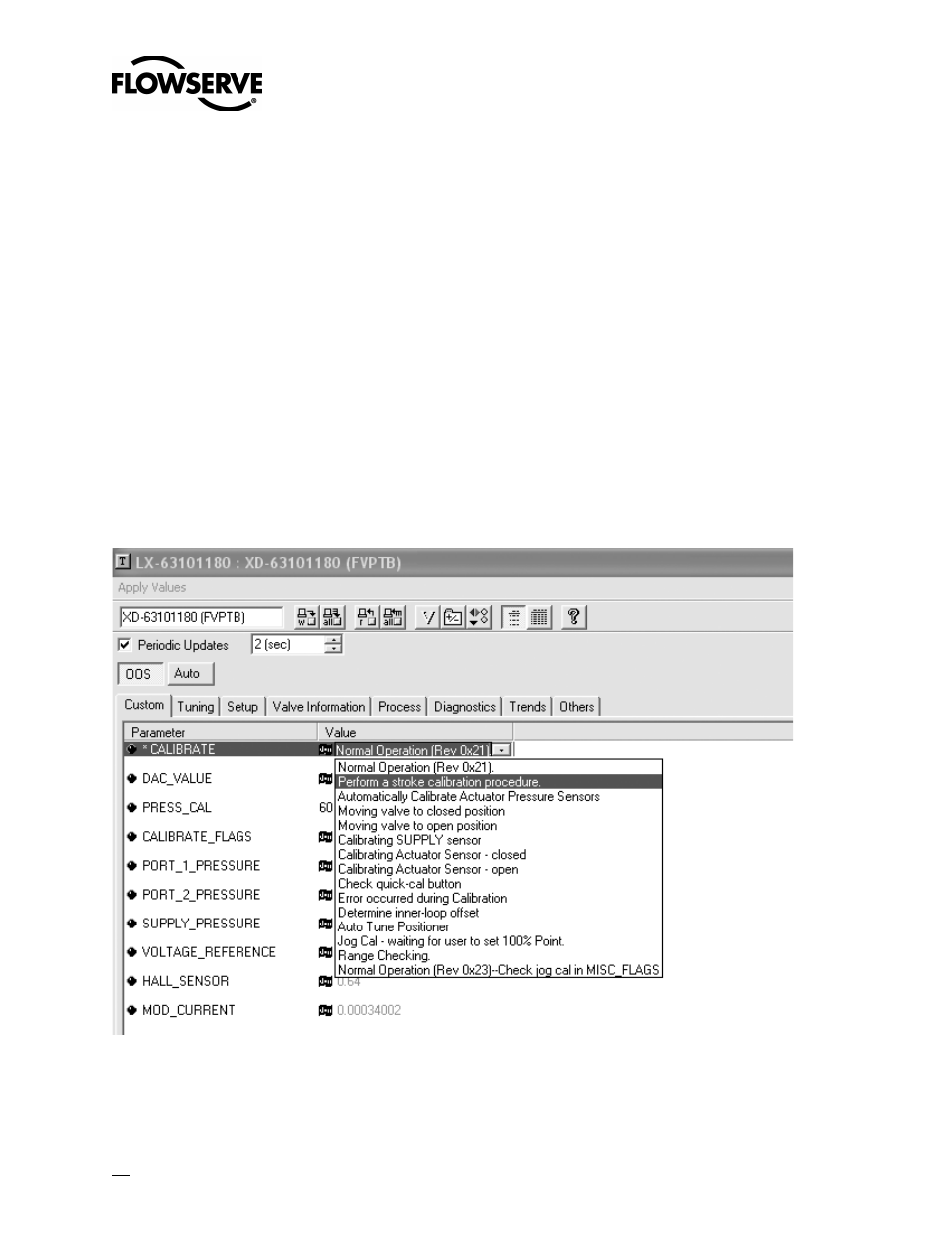
Select Perform a stroke calibration procedure option under the CALIBRATE parameter in the NI
Configurator.
•
Click the Write Button.
The valve should now go closed, open, then to a mid-stroke position for a few seconds. CALIBRATE will
return to normal operation at the completion of the calibration process.
Figure 13: Calibration Window
20