2 receiver, Receiver – IDK OPF-H1000D User Manual
Page 14
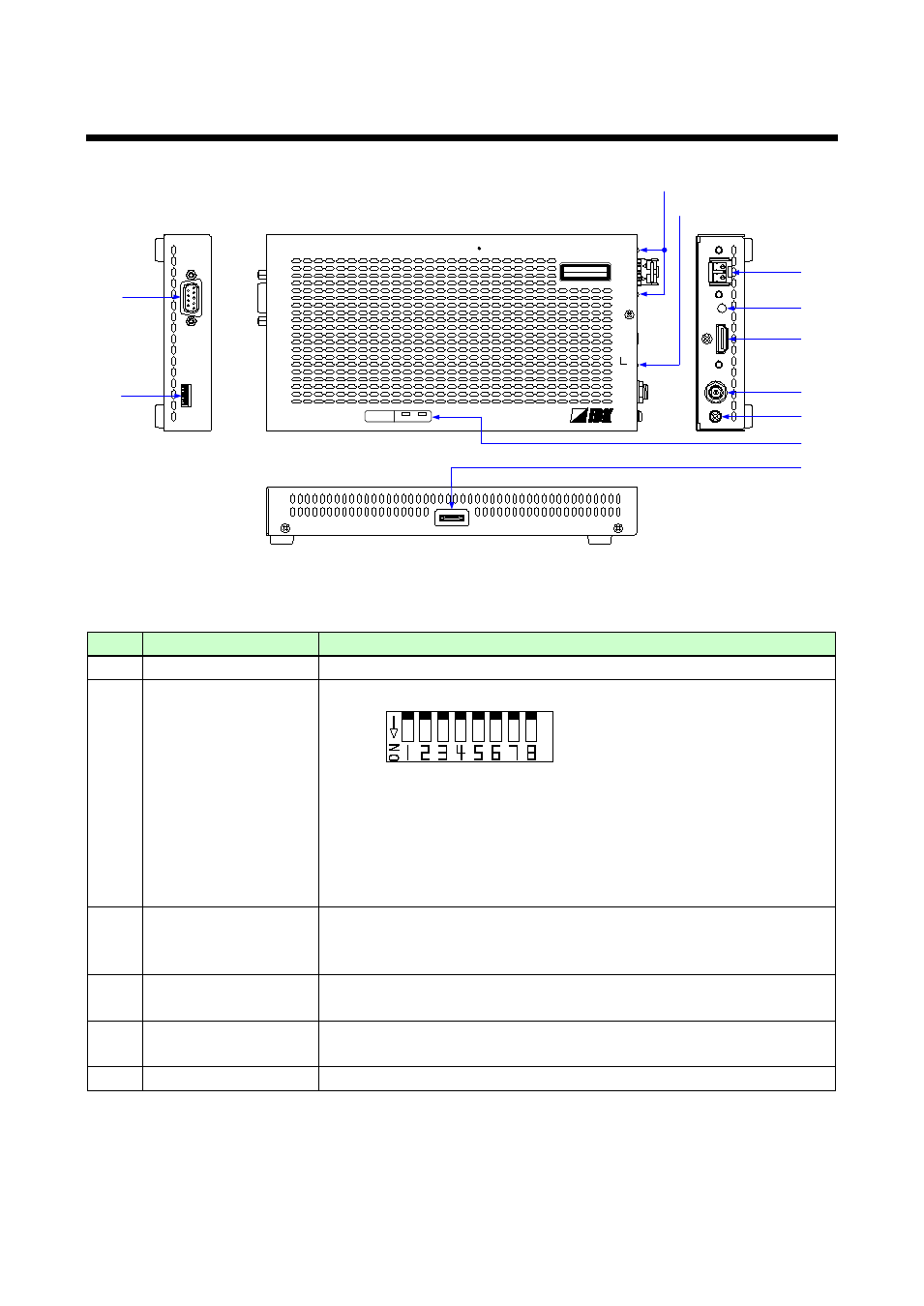
OPF-TH1000D/OPF-RH1000D User’s Guide
14
4.2 Receiver
RS
-232
C
FG
DC
5
V
3
A
POWER
STATUS
HDCP
HDMI OUTPUT
Rx
OPTICAL DAISYCHAIN Rx for HDMI
OPF-RH1000D
RX
OPTICAL
TX
SIGNAL
DIP SW
CLASS 1 LASER PRODUCT
クラス 1 レーザ製品
①
②
④
⑦
③
⑤
⑧
⑥
⑨
⑩
⑪
Panel drawing (Receiver)
#
Part name
Description
①
RS-232C port
Port for RS-232C signals (only output)
②
DIP Switches
Sets the receiver.
1.
Setting RS-232C communication mode
OFF: Communication mode [Default]
ON: Setting mode (9600 bps)
2.
Setting audio output
OFF: Output [Default]
ON: Not output
③
I/O connector for
extension
I/O connector of digital optical signals for extension. Connected to the
transmitter using a fiber optic cable.
Connected to another receiver for Daisy Chain connection.
④
LED for checking
transmitted or received
Lights in green when valid code is transmitted (Tx) or received (Rx).
⑤
HDMI output connector Output connector for HDMI signals. Connected to a sink device, such as
LCD monitors.
⑥
HDMI cable fixing hole
Hole for the attached cable clamp to secure an HDMI cable.