MBM Corporation TRIUMPH 6660 User Manual
Page 24
- 24 -
IDEAL 4860
•
IDEAL 5260
•
IDEAL 6660
T
Programming
This control system enables you to store 99
programs with 99 programmable steps. One
step represents one measurement. After
entering the program numbers you are able to
change between several program steps with
the button
j
and
b
.
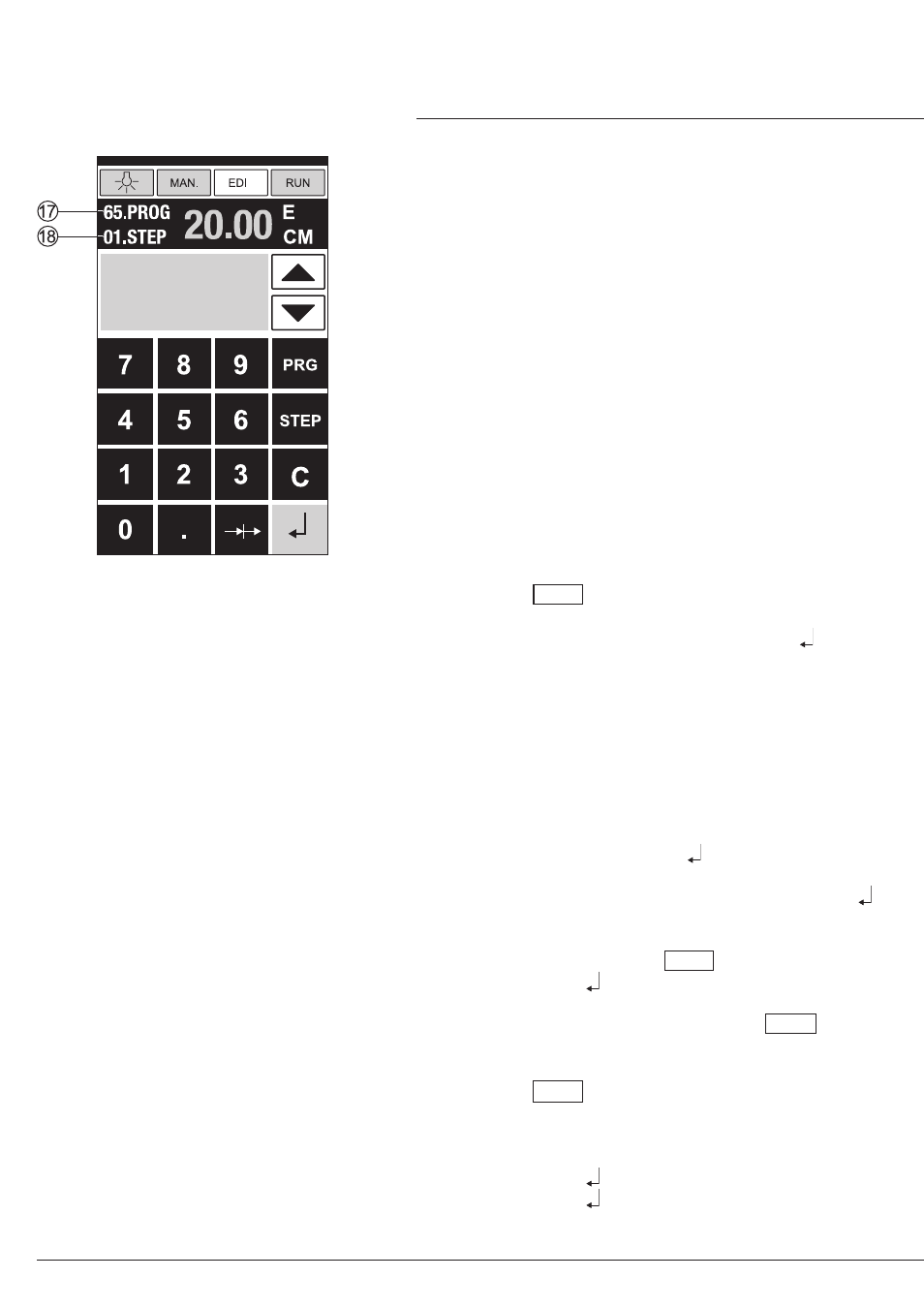
First figure on display
Q
= program number.
Second figure on display
R
= program step.
Smallest cutting measurement:
IDEAL 4860 3.50 cm/1.38 inch
IDEAL 5260 3.50 cm/1.38 inch
IDEAL 6660 2.50 cm/0.98 inch
Each program step corresponds to one
dimension. The indicated program step can be
overwritten at any time. These programs
remain stored when the machine is off.
Entering a program
•
Press EDIT "Load program no."
appears
•
Enter program number 01 ... 99, with
(Top number
Q
on display = program
number)
•
If measurement is shown on the display the
program is reserved, select another program
•
Program step "01 Step" 00.00
R
appears.
(Second figure on display
R
= program step.
•
Enter dimension, or move the backgauge to
the desired measurement with the
hand-wheel
E
•
Store the measurement ,next program step
appears.
•
Enter the next measurement and with Enter
store the measurement etc.
•
Should the entered program be required
immediately press RUN
•
Press Enter
•
Press START
•
Escape the program mode press MAN.
Cancel a program
•
Press EDIT
•
Scroll with PRG until "Delete program no."
appears
•
Enter Program number
•
Press Enter
•
Press Enter .
•
Operation
•