Measurement Computing eZ-PostView rev.2.0 User Manual
Page 103
eZ-Analyst
969795
Edit Menu 4-25
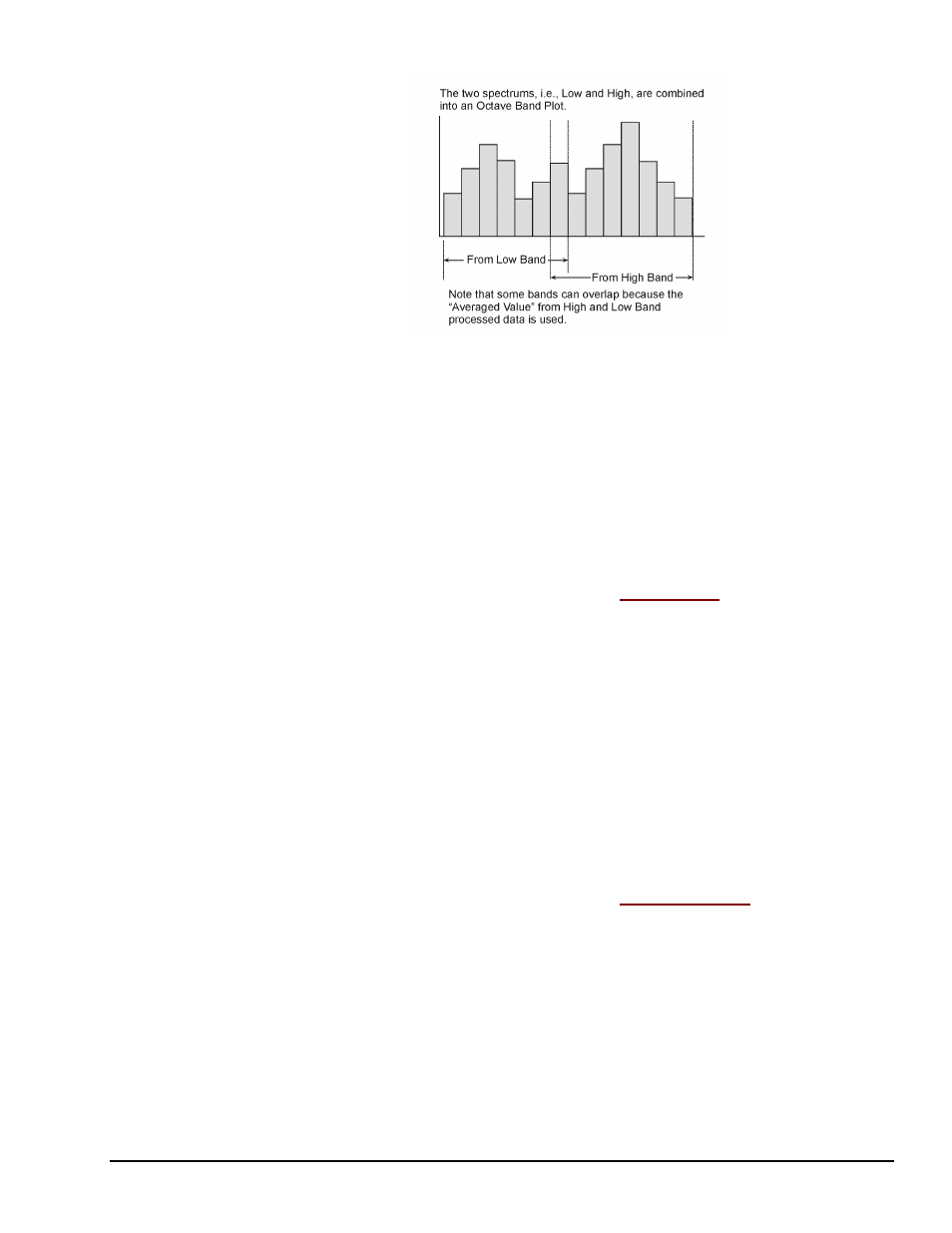
Octave Band Plot from Dual Band Processing
Dual Band processing provides the following benefits:
•
A wider range of octave band data with no increase in block size.
•
A much wider range of data, in comparison to the data from the Single Band
mode.
•
The use of buffered data means that High Band and Low Band data can be
captured simultaneously.
•
When compared to Single Band, the Dual Band processing mode produces more
stable, precise data, at a lower range of frequency.
Edit Menu > Configuration >
Octave Setup Tab:
Filter Panel
Weighting:
Used to select no filter or one of three to obtain a dB to frequency
contour that approximates that of the human ear. The contours (A,
B, and C) match human hearing at different sound intensities.
A Weighting: filters out more bass than do the B and C weights.
The A weight is used to eliminate inaudible sounds that occur at low
frequencies.
B Weighting: used to approximate the ear for medium loud
sounds.
C Weighting: used to approximate the ear at very high sound
levels.
Filter:
Provides the means to select Analog Filter or Digital Filter.
Edit Menu > Configuration >
Octave Setup Tab:
Bar Type Panel
Line:
Selecting “Line” sets the Octave Plot to appear in line format.
Solid:
Selecting “Solid” sets the Octave Plot to appear filled-in solid,
as opposed to a line plot.