Getting started, Main panel – Omnia Audio Omnia F/XE User Manual
Page 36
Advertising
34
| Section 5
Getting Started
Preset Editor includes panels which switch when a preset is being edited. There is the main panel and preset
settings
panel.
Main Panel
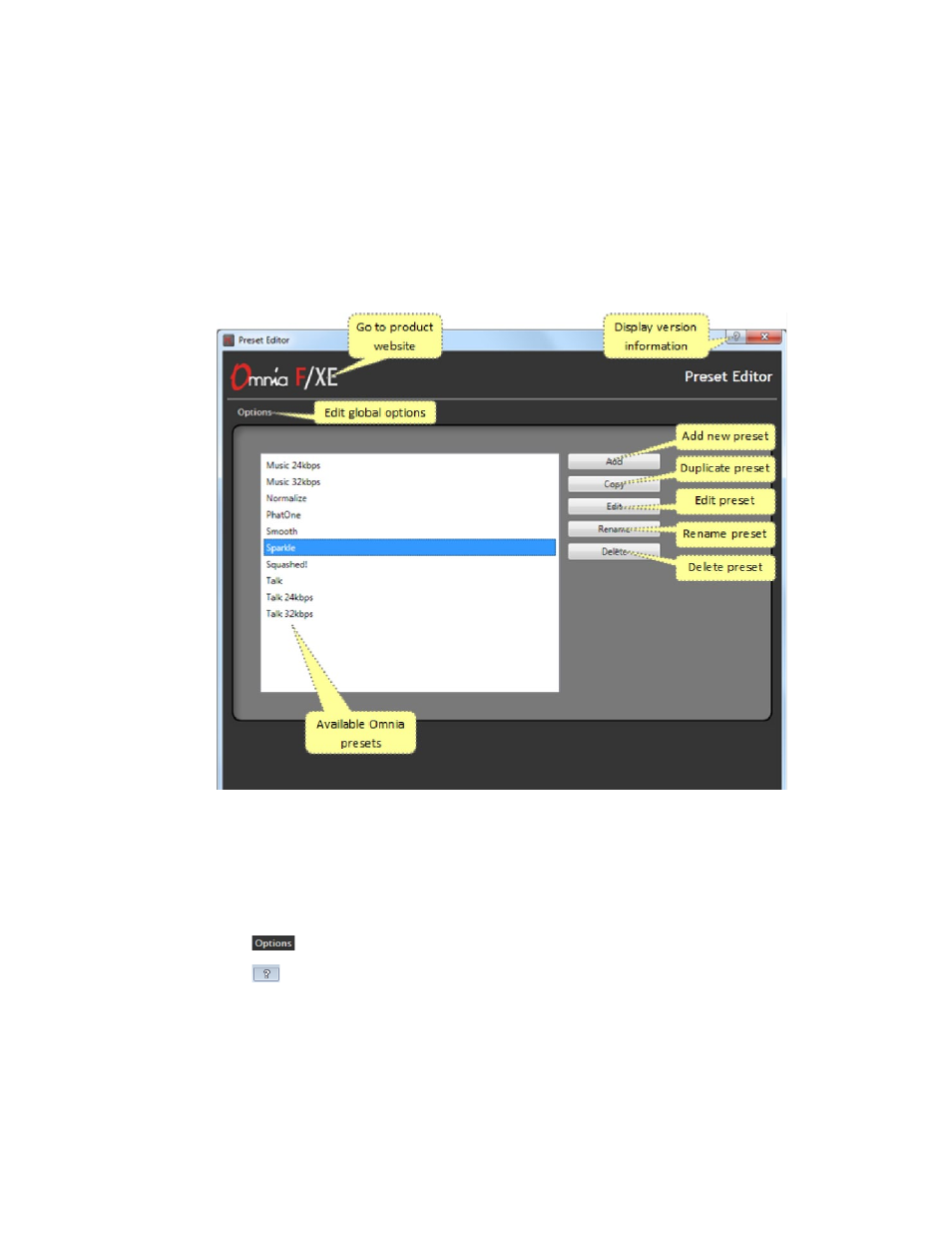
The Main Panel will show all processor presets currently saved on the local computer. Omnia F/XE initially
installs with a number of presets already available. The
Preset Editor
Main panel provides the following
controls for all configured presets:
♦
Add, copy, rename or delete the selected preset
♦
Edit the selected preset and open the preset settings panel
♦
Open global options
♦
The main window help button will show software version and license status for Preset Editor
Advertising