Remko fresh water station controller – REMKO EFS 25-35 User Manual
Page 24
Remove the terminal cover
DANGER!
Danger of death due to electric shock!
–
Disconnect the controller from the power
supply before removing the terminal cover.
–
Ensure that the power supply to the open
unit cannot be switched on inadvertently.
n
Loosen the screw
4
n
Remove the terminal cover
5
.
Attach the terminal cover
n
Position the cover
5
.
n
Tighten the screw
4
with a torque of 0.5 Nm.
Mount the housing
The controller is firmly fitted. This section should
be consulted only in service situations (changing
the controller).
√ The mounting location fulfils the required usage
conditions; for more information, see .
√ The mounting surface is vertical and enables free
mounting in an easily-accessible position.
DANGER!
Danger of death due to electric shock!
–
Before opening the housing, disconnect the
controller from the power supply.
–
Ensure that the power supply cannot be
switched on inadvertently when the
housing is open.
–
Do not use the housing as a drilling tem-
plate.
1.
If required, remove the terminal cover.
2.
Screw in the screw for the top mounting
opening
1
(Fig. 28) so that the screw head
has a distance of 5 ... 7 mm to the mounting
surface.
3.
Hook the controller on to the screw at the top
mounting opening and align it vertically.
4.
Mark the bottom mounting opening
2
through the controller housing.
5.
Remove the controller and prepare the
mounting hole for the bottom screw.
6.
Hook the controller to the top mounting
opening
1
and fix it through the bottom
mounting opening
2
with the screw.
7.
Attach the terminal cover.
2
1
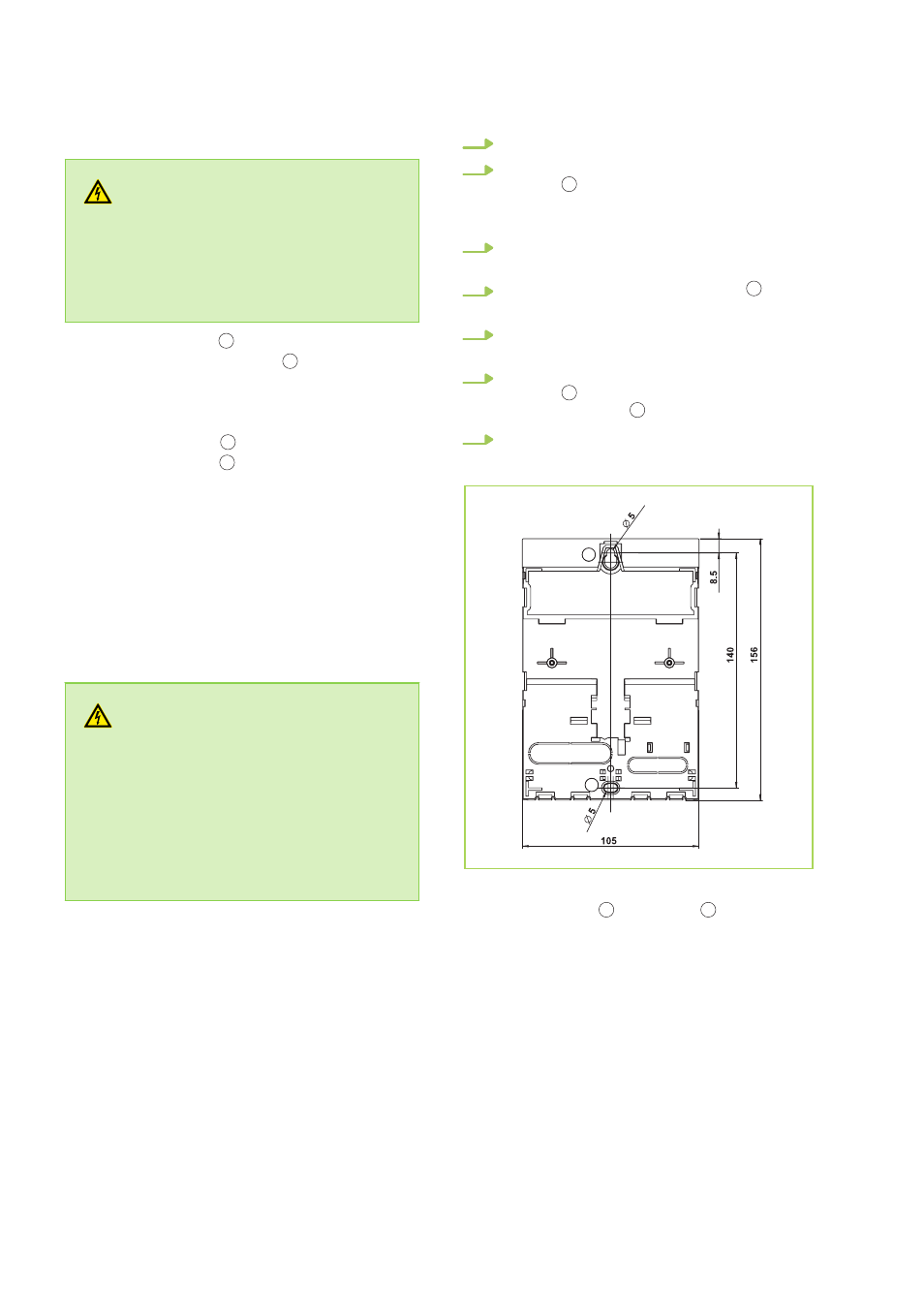
Fig. 28: Rear of the controller with the mounting
openings at the top
1
and bottom
2
REMKO fresh water station Controller
24