Using the remote control, Available range of the remote control, Inserting the batteries – Sim2 MICO 50 User Manual
Page 46
MiCO 50
8
Using the Remote Control
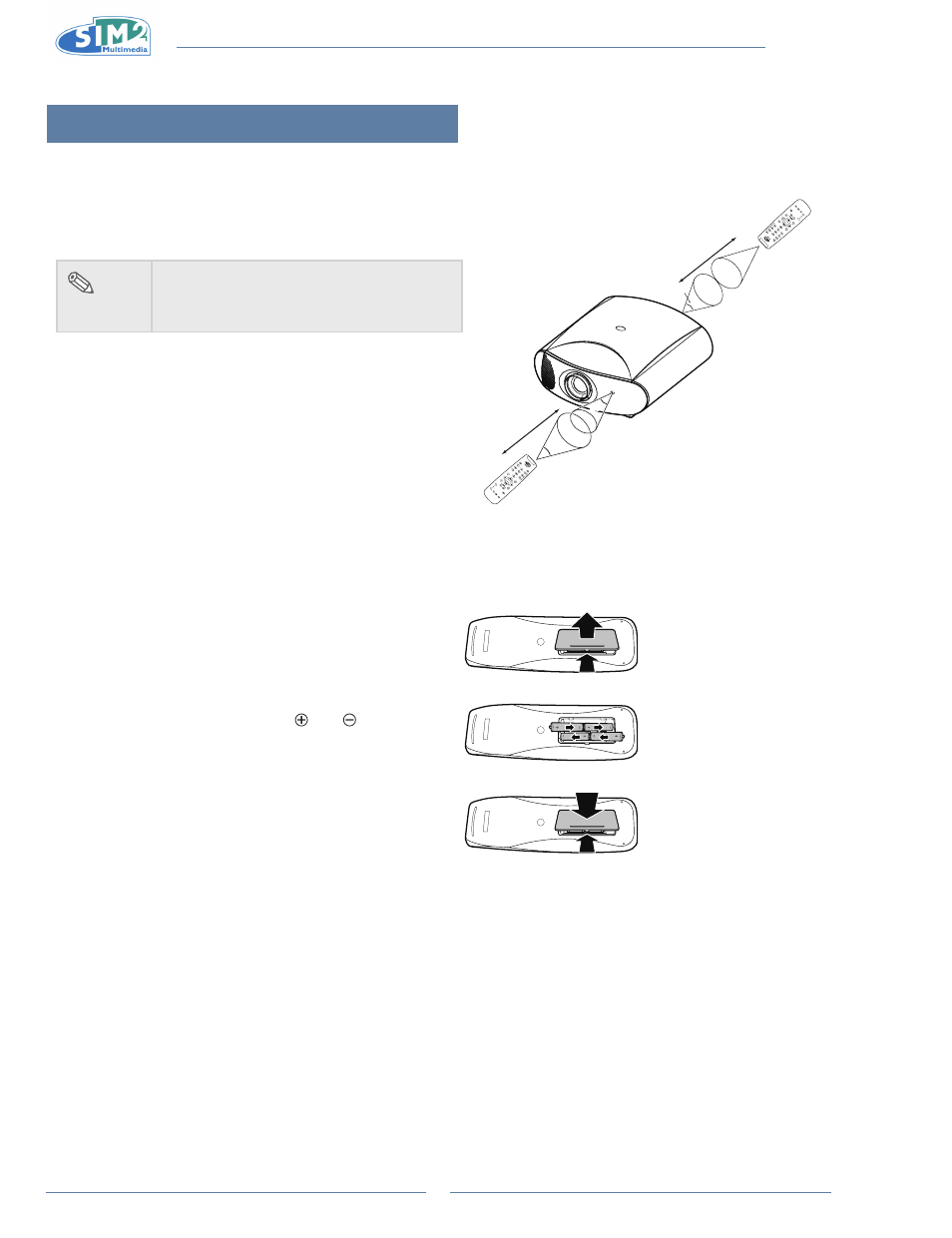
Available Range of the Remote Control
The remote control can be used to control the projector within
n
the ranges shown in the illustration.
note
The signal from the remote control
•
can be
reflected by the screen. Remote control
signal may vary according to usage.
When using the remote control:
Be sure not to drop it, or expose it to moisture or high
•
temperature.
The remote control may malfunction under a fluorescent
•
lamp. If that occurs, move the projector away from the
fluorescent lamp.
Inserting the Batteries
The batteries (four “AAA” size) are included in the package.
1
Press down the tab on the cover
and pull the cover towards the
direction of the arrow.
2
insert the included batteries.
Insert the batteries making sure the
polarities correctly match the and
marks inside the battery
compartment.
3
insert the lower tab of the cover
into the opening, and press down
the cover until it clicks in place.
30°
23'(7 m)
LIG
HT
F1
ZO
O
M
FO
CU
S
F2
30°
30°
23'(7 m)
LI
GH
T
F1
ZO
O
M
FO
CU
S
F2
25°