Easy to use function, Image menu, Easy to use functions 4 – Sim2 MICO 50 User Manual
Page 59: English, Selecting the picture display mode, Aspect function
English
MiCO 50
21
Easy to Use Functions
4.
image menu
You can adjust the projector's Image to your preferences with the following settings.
selecting the Picture Display Mode
This function allows you to modify or customize the picture display mode
to enhance the input image. Depending on the input signal, you can
choose “Anamorphic”, “Normal”, “LetterBox”, “Panoramic”, “Pixel to
Pixel”, more three user aspects.
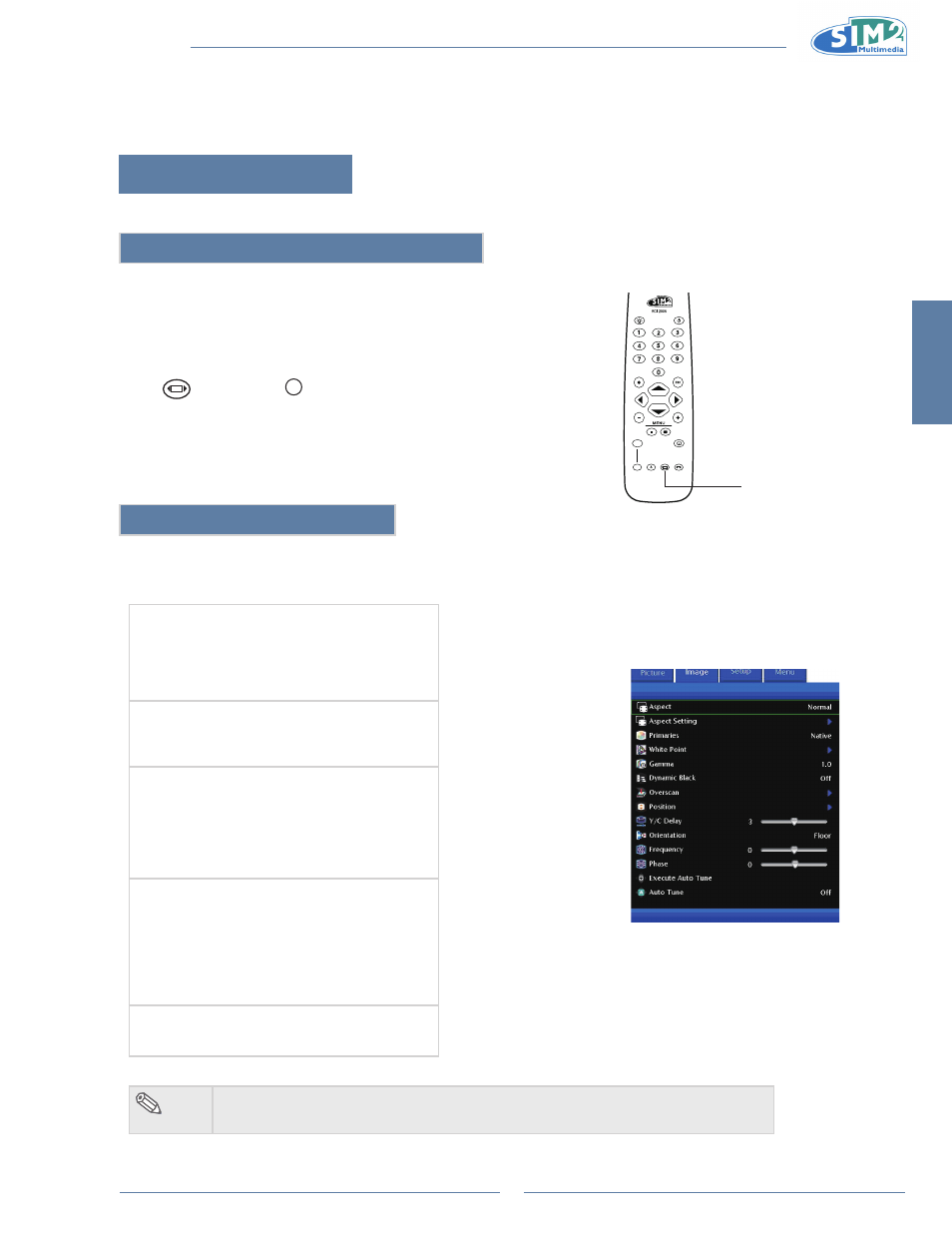
Press
on remote or
MENU
on keypad and select Aspect.
Aspect Function
The Aspect function enables you to control how the projector resizes the input image.
The following options are available:
normal
Resolution depends on the Input Signal
•
4:3 input scaled to fit display height
•
Width scaled to maintain 4:3 aspect ratio
•
Black bars on left and right (taking up 25% of the
•
whole display)
Anamorphic
Resolution 1920x1080
•
4:3 input is stretched to fit 16:9 display
•
Stretches entire image.
•
letterBox
Resolution 1920x1080
•
4:3 input scaled to fit display width
•
Height scaled to maintain 4:3 aspect ratio:
•
1440x1080
25% of the entire image on the top and bottom is
•
cropped.
Panoramic
Resolution 1920x1080
•
4:3 input is stretched to fit 16:9 display
•
With 4:3 input, the central ratio remains true to
•
scale, but the image is stretched to fit display
width.
1920x1080 input image is identical to the one
•
displayed in Anamorphic mode.
Pixel to Pixel
Resolution depends on the input signal.
•
Ouput resolution is equal to input resolution.
•
note
The User 1 & 2 are default on Anamorphic and User 3 is default on LetterBox.
•
LIGHT
F1
ZOOM
FOCUS
F2
Aspect Ratio