Sumix SMX-M7xx User Manual
Page 19
Installation and Update: Troubleshooter
19
SMX-M7xx Series USB2.0 Camera User Guide
●
Reconnect the camera.
●
Use other USB2.0 port of your computer - the problem might be due to the USB2.0
port malfunction.
●
Use another USB2.0 cable - the problem might be due to the USB2.0 cable malfunc-
tion.
●
Connect other SMX-M7x camera (if any) to the same USB2.0 port - the problem might
be due to the camera malfunction.
●
Disconnect the camera and restart your computer.
If any of the above steps did not help and the device is not recognized yet, try the
following:
1
Connect the problematical camera to the computer.
2
Open the Device Manager window (right-lick My Computer desktop icon, select
Properties, select Hardware tab, and then click Device Manager).
3
In Device Manager, double-click Universal Serial Bus controllers.
4
In Device Manager, select one of the following:
●
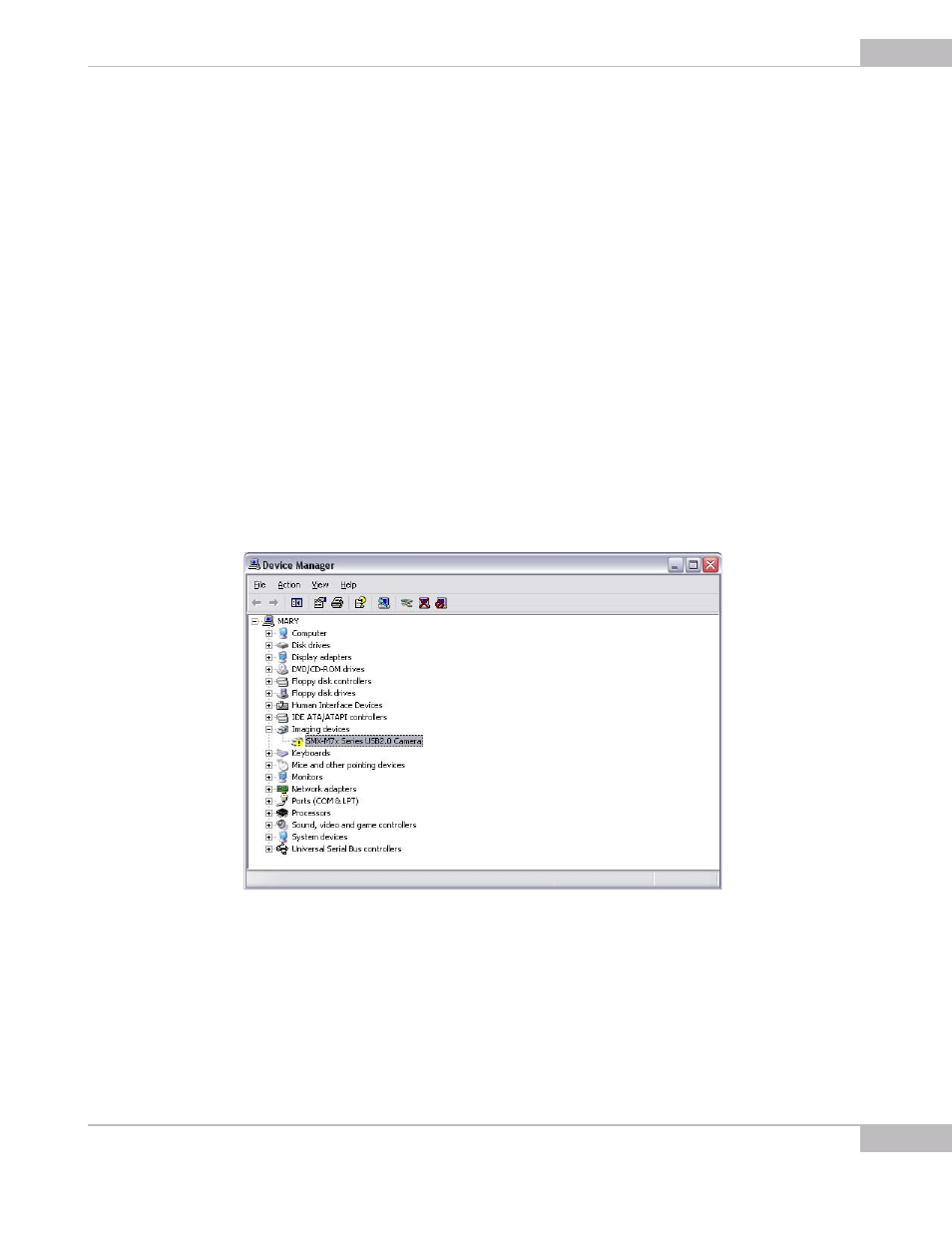
Imaging devices> SMX-M7x Series USB2.0 Camera with Warning status, if it is
available there:
Figure 2-16 Device Manager: the SMX-M7x camera with Warning status
●
Universal Serial Bus controllers> Unknown device: