Phone status and notifications, Status bar – TAG Heuer LINK User Manual
Page 30
30
English
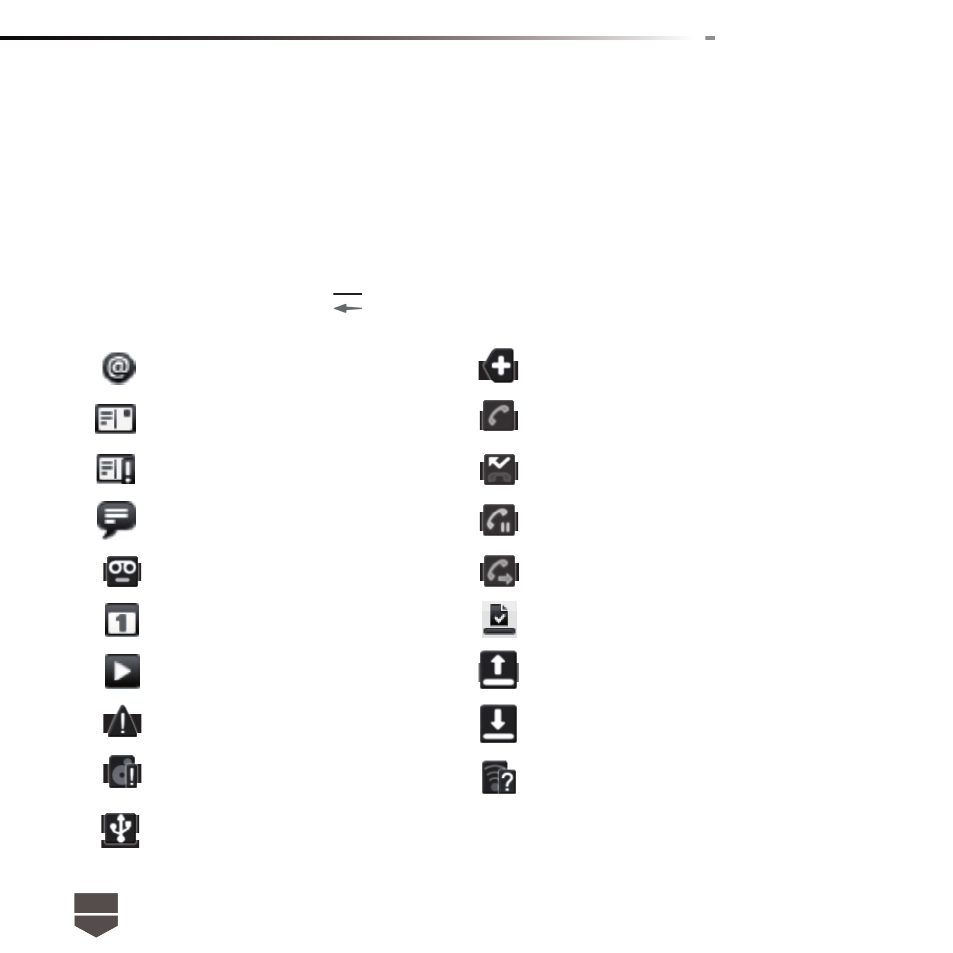
New email message
More ( not displayed ) notifi cation
New SMS / MMS
Call in progress
Problem with SMS / MMS delivery
Missed call
New instant message
Call on hold
New voicemail
Call forwarding on
Upcoming event
Content downloaded
Song is playing
Uploading data
Problem with sign-in / sync
Downloading data
Storage card is full
Wi-Fi is on and wireless networks are available
Phone connected to computer via
USB cable
PHONE sTATUs AND NOTIFICATIONs
Status bar
On the top of the phone screen is situated the status bar. The left side of the status bar displays
notifi cation icons while the right side of the status bar displays the phone status.
The bar can be pull down to indicate information, including call log, messages info, ongoing event or
notifi cations. To go back, press
to return to the home screen.