Teletronics IP-PBX Server User Manual
Page 6
6
1.2 Hardware Overview
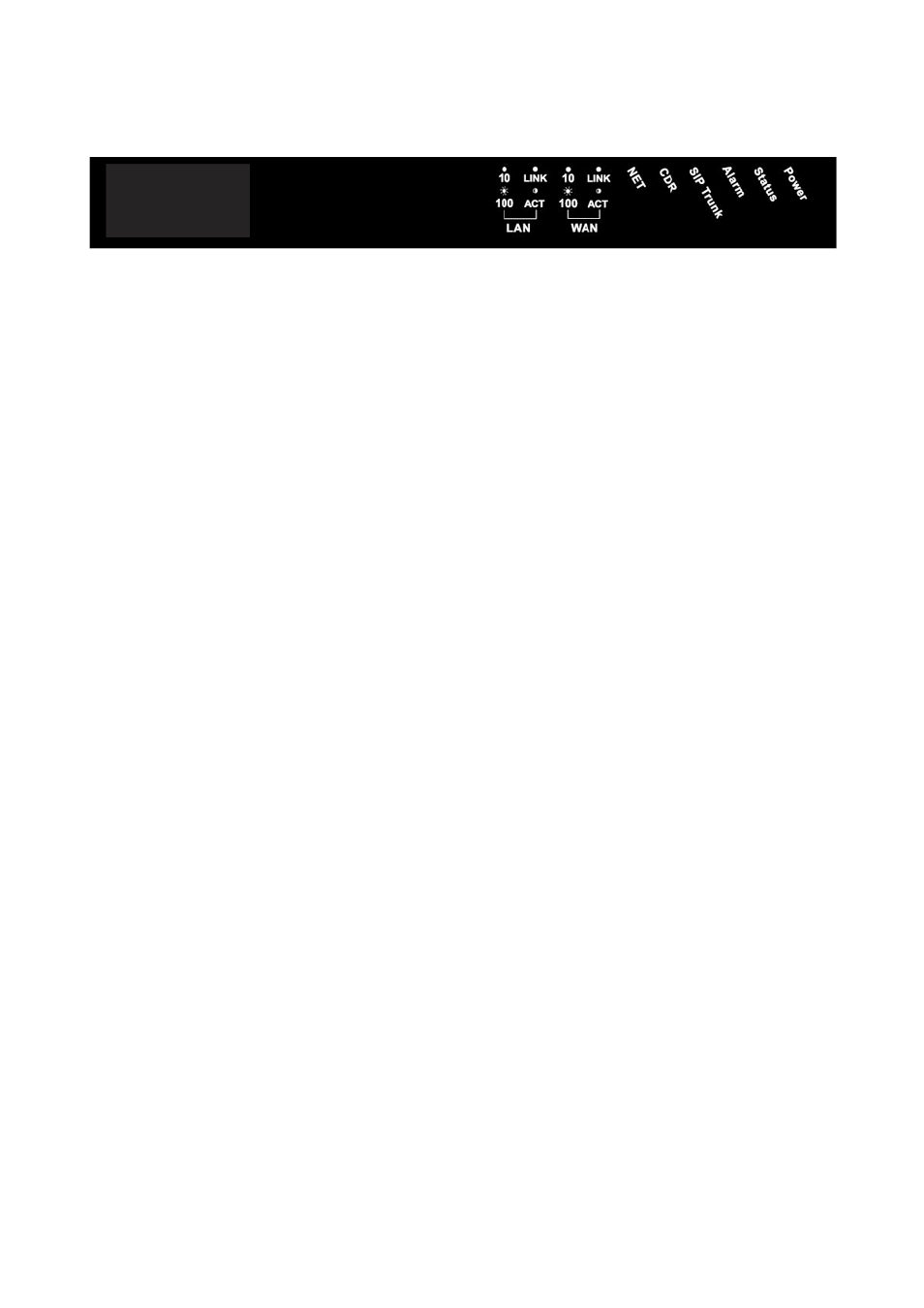
1.2.1 Front Panel and LED Indication
Power: Light on when EZLoop® IP-PBX Enterprise SIP Server is powered on.
Status: Light on when system is ready.
Alarm: Light Flash when system is upgrading software, please do not unplug power
when Alarm is flashing.
SIP Trunk: Light on when EZLoop® IP-PBX Enterprise SIP Server successfully
registered to all of the enabled SIP Trunks; Light flash when EZLoop® IP-PBX
Enterprise SIP Server failed to register to one of the enabled SIP Trunks; light off
when there is no SIP Trunk has enabled.
CDR: EZLoop® IP-PBX Enterprise SIP Server can output Call Detail Records to
external computer. User has to execute CDR program on computer, when EZLoop®
IP-PBX Enterprise SIP Server is ready to connect with CDR server and output data,
this indication will light on.
Note:
•
CDR Function can only work in local area network. Please prepare the CDR
server under LAN.
•
The CDR server is proprietary, for more information about CDR, please contact
with the sales person of .
NET: Display Network status. If WAN port of EZLoop® IP-PBX Enterprise SIP Server
is under Fixed IP mode, LCD will light on. If WAN port is under DHCP or PPPoE
mode, and EZLoop® IP-PBX Enterprise SIP Server succeeds in getting IP, LED will
be flashing. If WAN port is under DHCP or PPPoE mode, and EZLoop® IP-PBX
Enterprise SIP Server fails to get IP, LED will light off.
WAN
•
LINK/ACT: Light on when WAN port is connected to network. Flash when data is
transmitting or receiving.
•
10/100: Light on when network rate is 100 Mb/s, and light off when network rate
is 10 Mb/s.
LAN
•
LINK/ACT: Light on when LAN port is connected to network. Flash when data is
transmitting or receiving.
•
10/100: Light on when network rate is 100 Mb/s, and light off when network rate
is 10 Mb/s.