System time – Welltech WellBG 5800 V.1.0 User Manual
Page 10
Advertising
Welltech Computer Co., Ltd.
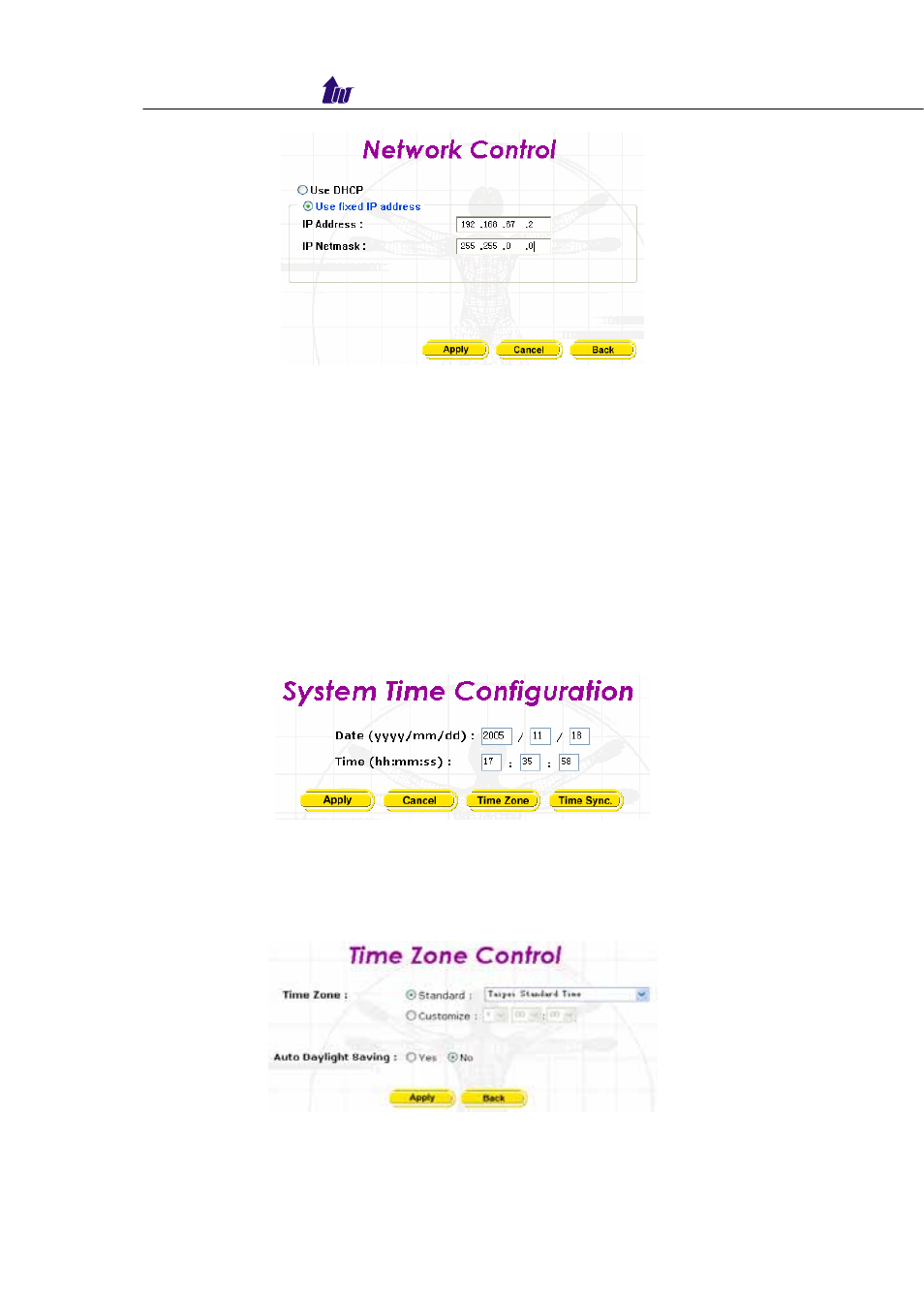
Figure 2.2-5
☺Note: Network control takes around 5-second to apply the new
network configuration. Please logon again with new IP
address after 5 seconds.
System Time
Step 1:
When relogon to the new IP address; the next is to setup
the system time zone. Click Control > System Time to
setup the system. Enter current date and time. Apply the
change by clicking Apply button as figure 2.3-1.
Figure 2.3-1
Step 2
: Time zone Setting
Standard
: Select the Standard option to setup the
system-predefined time zone as figure 2.3-2
Figure 2.3-2
Parameter:
Boarder Gateway 5800
- 10 -
Advertising