Monitor function, Basico peration, Press the [func/enter] or [vol/sql (set)] key – Alinco DJ-X2 User Manual
Page 16
2
BasicO
peration
16
2
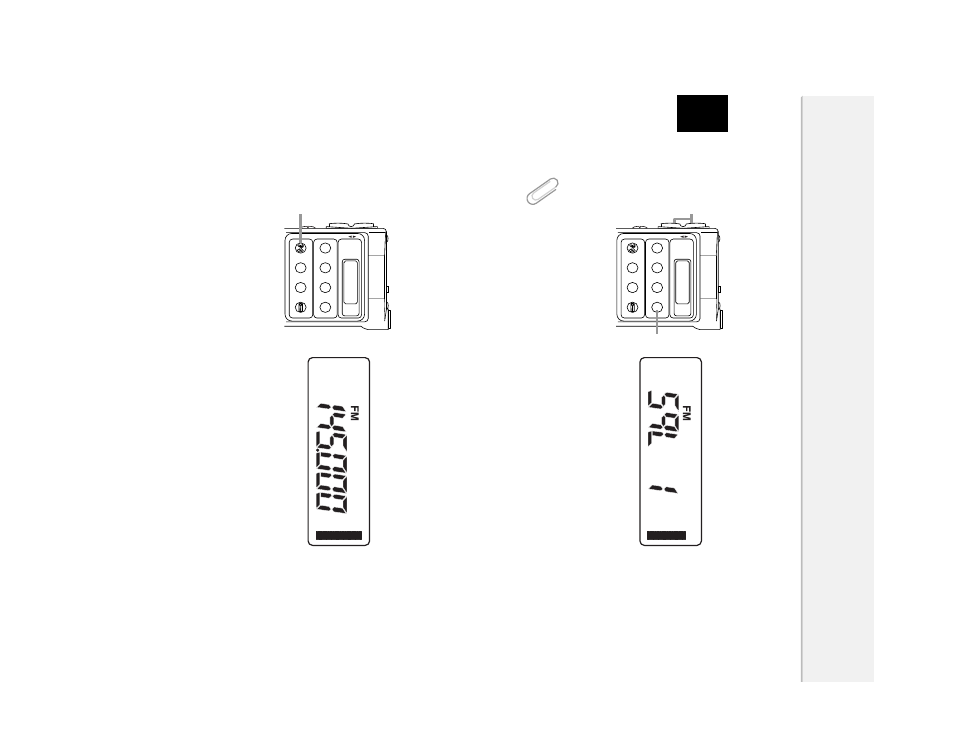
Adjust the squelch level by pressing [
▲
/
▼
] keys.
There are 6 squelch levels. (0-5) A higher squelch level requires a stronger
signal to unmute the squelch.
3
Press the [FUNC/ENTER] or [VOL/SQL (SET)] key.
Tip
To keep the squelch open, set the squelch level to 0.
■
Monitor Function
The monitor function temporarily unmutes the squelch. This is useful when the
desired signal is weak or intermittent.
1
Press the [MONI (SCRT)] key.
The DJ-X2 unmutes the squelch while the key is held down.
2
To return to the set squelch level, release the [MONI (SCRT)] key.
The preparation for receiving a signal has been finished. Now, try to adjust the
frequency and receive a signal.
Next section explains the three operating modes of the DJ-X2.
WIDE BAND COMMUNICA
TION RECEIVER DJ-X2
0.5
~
1000MHz
700 MEMOR
Y
CHANNELS
RX FREQUENCY
X2
V / P
/ M
1MHz
SCAN
VOL/SQL
M W
ANT
MODE
SET
MONI
10MHz
P
S
FUNC
SCR
T
BANK
STEP/SKIP
ENTER
DOWN
UP
BATTERY
・・
EXTERNAL
Lithium-ion
BATTERY INSIDE
1
WIDE BAND COMMUNICA
TION RECEIVER DJ-X2
0.5
~
1000MHz
700 MEMOR
Y
CHANNELS
RX FREQUENCY
X2
V / P
/ M
1MHz
SCAN
VOL/SQL
M W
ANT
MODE
SET
MONI
10MHz
P
S
FUNC
SCR
T
BANK
STEP/SKIP
ENTER
DOWN
UP
BATTERY
・・
EXTERNAL
Lithium-ion
BATTERY INSIDE
2
1