Eneo NXD-2030PTZ1080IR User Manual
Page 52
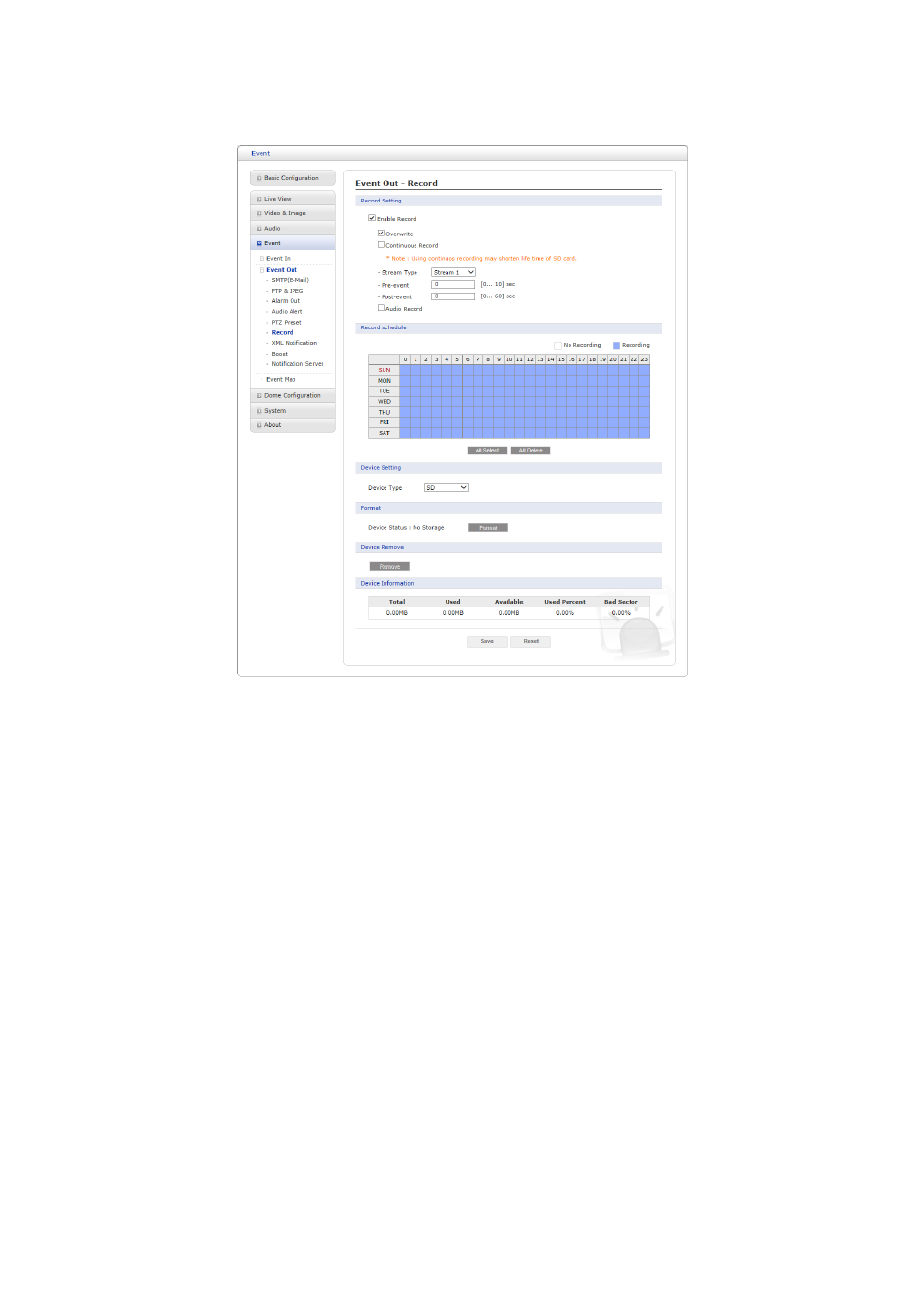
∇ Record
When the network camera detects an event, it can record the video stream onto the Micro
SD Memory (not supplied) or NAS (Network Attached Device) as a storage device. Check
the ”Enable Record” box to enable the service.
• Record Setting
– Overwrite: Click checkbox to overwrite the storage device; Continuous Record is
available when not using an SD card.
– Stream Type: You can select Stream 1, Stream 2, or Stream 3.
∗ Stream1: H.264 or MPEG-4 data
∗ Stream2: MJPEG data
∗ Stream3: H.264 or MPEG-4 data
– Pre-event: Enter pre-event time value for the storage device pre-recording.
– Post-event: Enter post-event time value for the storage device pre-recording.
• Record Schedule
You can set the weekly recording schedule for each day. Drag or click area by a box
unit at first. Clicking the block toggles the recording between on and off. Click the All
Select button to set a schedule for the entire week or a whole day, respectively.
• Device Setting
Select the device type to be recorded in the drop-down list. The screen changes
according to selection.
52