Configuring voice entities, Overview, Configuring a pots entity – H3C Technologies H3C MSR 5600 User Manual
Page 62: Configuration task list
52
Configuring voice entities
Overview
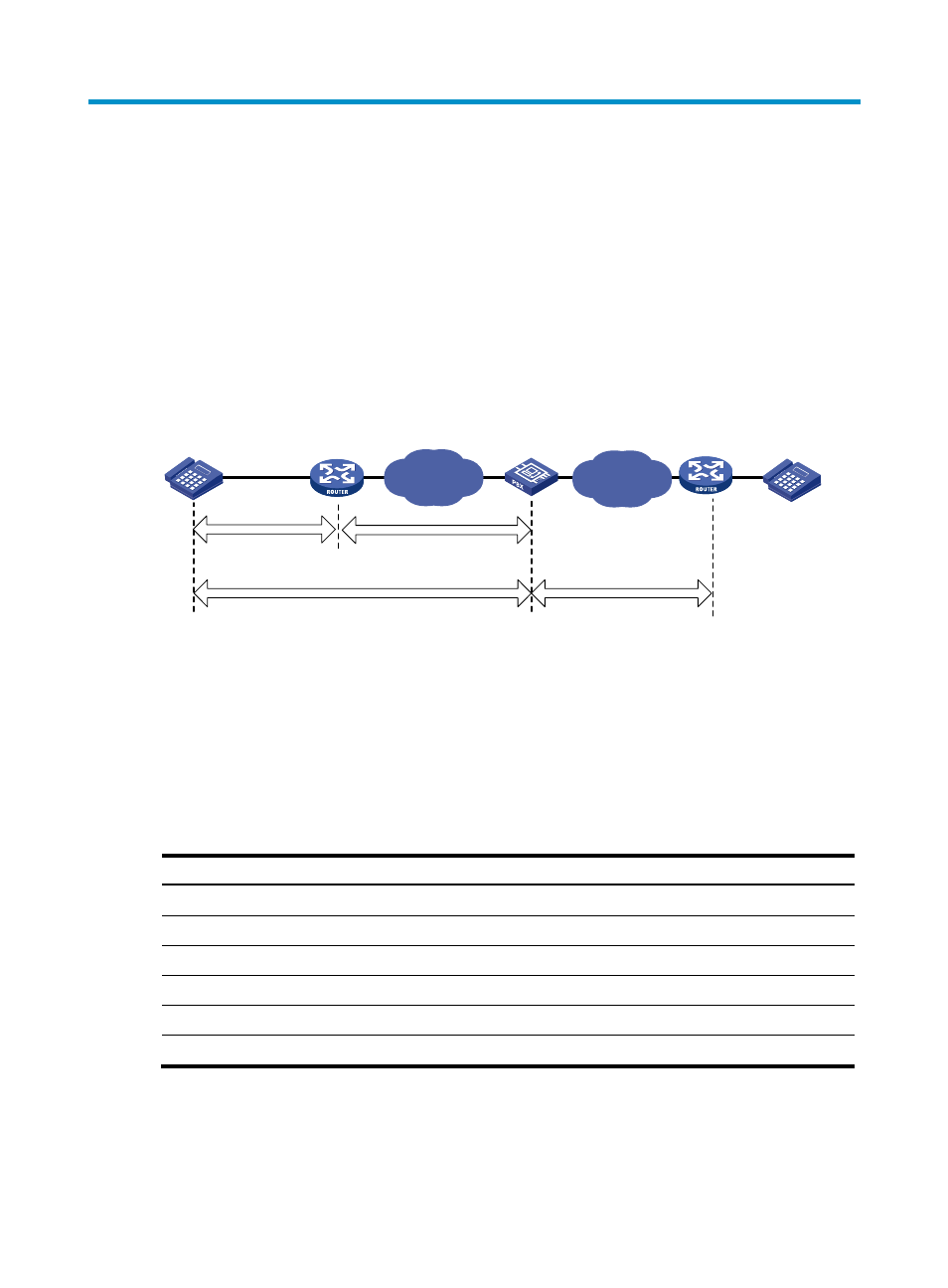
Voice entities include POTS and VoIP entities:
•
POTS entity—A local POTS entity connects to a local telephone and maintains local number
information. A trunk POTS entity connects to the PSTN and maintains call destination information.
•
VoIP entity—Connects to the IP side and maintains the called information such as the called
number and call destination.. A VoIP entity can use SIP to make VoIP calls.
Figure 23 Voice entities
Configuring a POTS entity
This section covers the procedures for creating and configuring a POTS entity.
Configuration task list
To configure a POTS entity, perform the following tasks:
Tasks at a glance
Creating a POTS entity and configuring basic parameters
(Optional.)
Configuring codecs for a POTS entity
(Optional.)
Configuring a POTS entity to register with the registrar
(Optional.)
Configuring DTMF for a POTS entity
(Optional.)
Enabling VAD for a POTS entity
(Optional.)
Configuring options related to dial program
PSTN
Router A
Router B
POTS entity
VoIP entity
IP
PBX
Local POTS
entity
Trunk POTS entity