System config web page – Grass Valley 8985FS v.1.3.2 User Manual
Page 42
42
8985FSP/FS — Instruction Manual
Configuration
System Config Web Page
Use
this
link
Use the System Config web page (
) to monitor and set
the following system configuration parameters for the module:
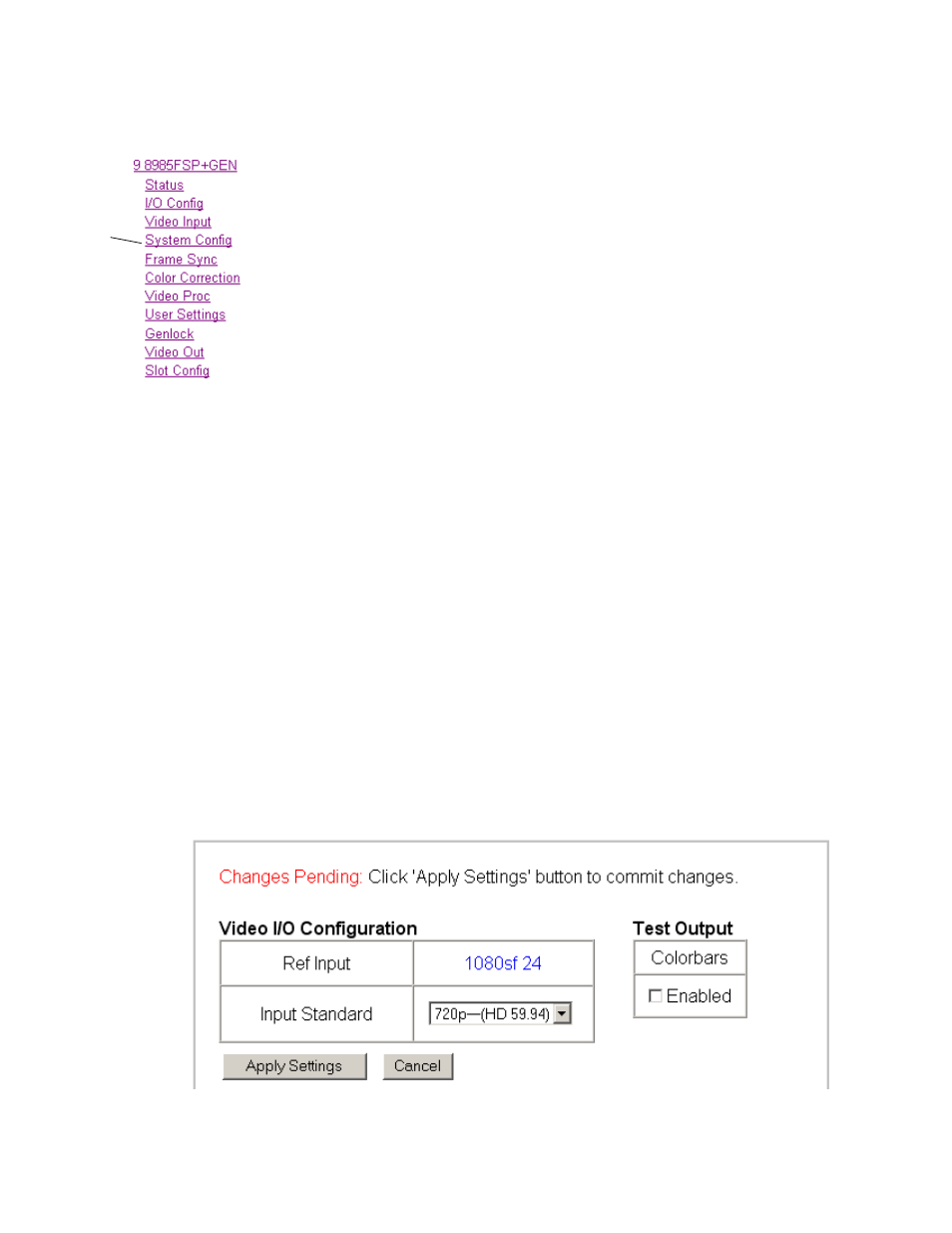
Video I/O Configuration
•
Ref Input
– the reference input standard selected on the Genlock web
) is reported in this read-only field.
•
Input Standard
– select the video input standard and frame rate selection
from the Input Standard pulldown from the following choices:
•
Auto – module will auto-sense input type
•
480i– (SD 59.94)
•
576i–(SD 50)
•
720p–(HD 59.94)
•
1080i–(HD 59.94)
•
720p–(HD 50)
•
1080i–(HD 50)
•
1080p–(HD 24)
•
1080sf–(HD 24)
Note
The input video standard must be set to the same frame rate (or compatible
frame rate as listed in
) as the reference input when the
input video is associated with the reference input in the Output Timing con-
trols for proper genlocking.
When a new selection is made in the
Inputs Standards
pulldown, a Changes
Pending message will appear (
). Click the
Apply Setting
s button to
make the change.
Figure 19. Changes Pending Message