Testing the connection – Grass Valley Maestro Master Control Installation v.2.4.0 User Manual
Page 400
400
MAESTRO — Installation and Service Manual
Section 14 — Maestro Content Manager Service Configuration
Testing the connection
You can verify the connection by adding a file to the Pending folder and
then monitoring the Completed folder.
Follow these steps to verify the connection:
1.
Select a channel in the Maestro Content Management Center (MCMC).
In this example Channel 1 will be used.
2.
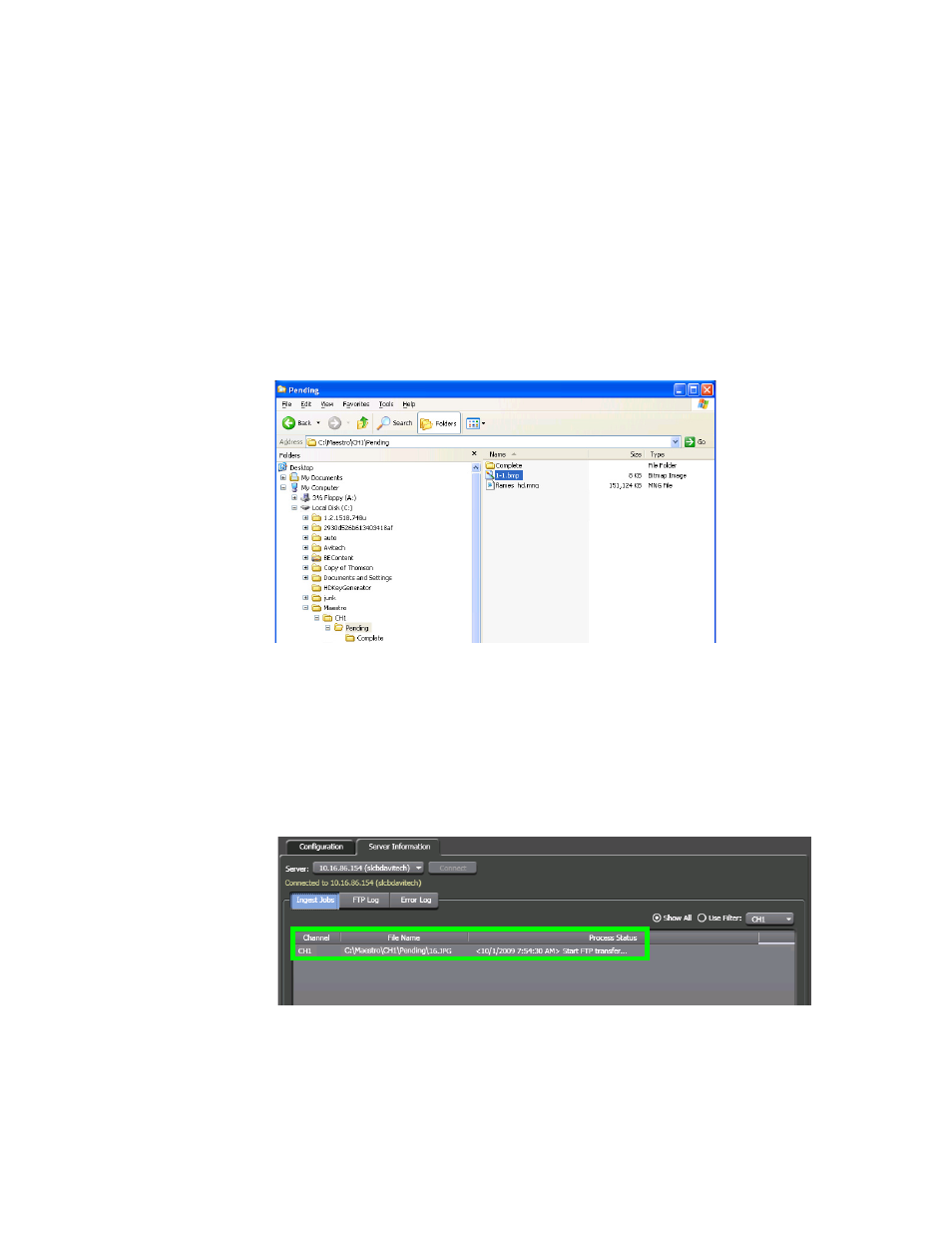
Add a file to the selected channel’s Pending folder. In this example 1-
1.bmp will be used (
Figure 295. The Pending Folder
•
The MCMC will monitor the Pending folder for the selected
channel. When the file is detected the conversion process will then
begin (
).
The file will be transferred to the associated frame processor via
FTP after it has been converted.
Figure 296. The File is Processed
•
The file will be placed in the Complete folder when the conversion
and deployment is completed (
- Concerto Routing Matrix v.1.7.6.1 Concerto Routing Matrix v.1.8.1 Concerto Routing Matrix v.1.7.5 Kayenne Installation v.4.0 Kayenne Installation v.3.0 Kayenne K-Frame Installation v.6.0 Kayenne K-Frame Installation v.7.0 Kayenne K-Frame Installation v.8.0 Karrera K-Frame S-Series Installation v.8.0 Karrera Video Production Center Installation v.6.0 Karrera Video Production Center Installation v.7.0 Karrera Video Production Center Installation v.4.1 Karrera Video Production Center Installation v.4.0 7600REF v5.0 7600REF v3.0.0.8 7600REF v5.0 Installation 7600REF v3.0.0.8 Installation 7620PX-5 Installation 2012 7620PX Installation 2012 KayenneKayenne v.2.0 v.2.0 Maestro Master Control Installation v.2.3.0 Maestro Master Control Installation v.2.0.0 Maestro Master Control v.2.3.0 7620PX 2012 7620PX-5 2012 7620PX 2008 MVMC 3G VMCR 3G 8900F GeckoFlex Frames Concerto Compact Routing System GPIO-4848 Jupiter Maestro Master Control v.2.2.0 Maestro Master Control v.2.0.0 Maestro Master Control v.2.4.0 Maestro Master Control Installation v.2.2.0 Maestro Master Control Installation v.1.5.1 Maestro Master Control Installation v.1.7