The control panels, 1ru panels – Grass Valley CRSC v.3.2 User Manual
Page 148
136
Tutorials
Products
The 5 port types are variations of “controlled” or “controlling”:
Controlling or Controlled
These port settings fix the direction of the router port to “controlling” or “controlled.” The port’s
connection for Tx and Rx
—
made during configuration
—
is static and does not change during
operation.
Dynamic
A dynamic port can be a controlling or controlled port depending on whether it is connected to
a master port or slave port. The port’s configuration is dynamic and can change during
operation.
Dynamic ports are typically assigned to VTRs.
Master or Slave
Any dynamic port connected to a “master” port will be changed to a controlled port. A “slave”
port is the opposite of a “master” port: any dynamic port connected to a slave port will be
changed to a controlling port.
The compact router applies logic to the port direction setting when a master port is connected
to a dynamic port. In this case, the machine at the dynamic port is always controlled and the
machine at the master port is always controlling.
Configuration
Configuring the ports of a machine control router requires CRSC.
The Control Panels
Control panels are optional if you have an automation system.
1RU Panels
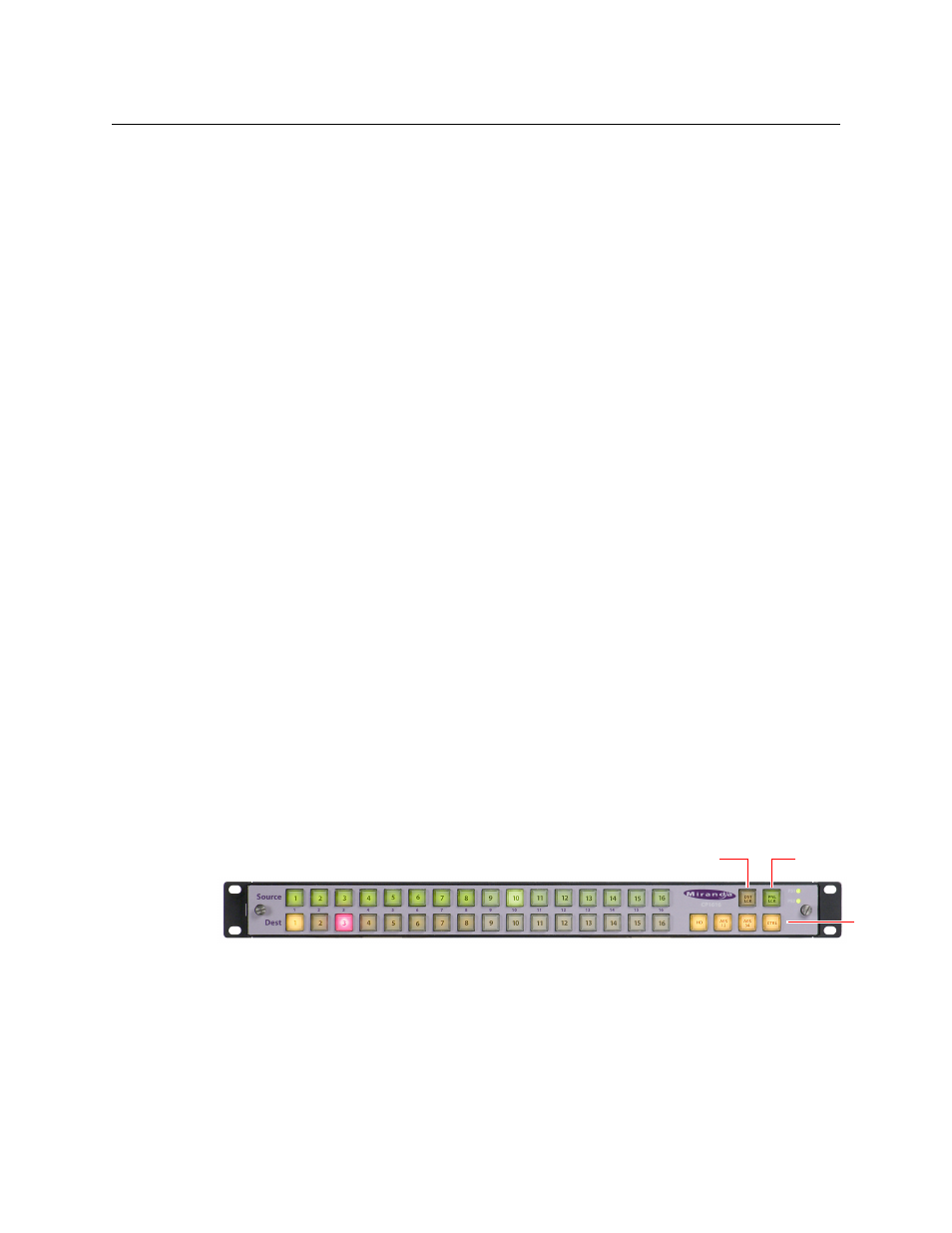
The CP1616 control panel has 38 buttons:
Fig. A-27: Front view of the CP1616 Control Panel
The CP1604 control panel resembles the CP1616, but it has 4 buttons in the lower row on the
left, instead of 16. The CP1602 has 2 buttons in the lower row on the left.
The CP0808 has 2 rows of 8 buttons at the far left.
In stand-alone systems, a CP1616 has 16 source selection buttons, 16 destination selection
buttons, the 2 lock buttons shown, and 4 level selection buttons (as shown).
Controlling
Master
Dynamic
Controlled
Slave
Panel Lock
Destination Lock
Level
Selection