How to perform a simple take in the table view – Grass Valley CRSC v.3.2 User Manual
Page 99
87
CRSC
User’s Guide
•
Machine control routers
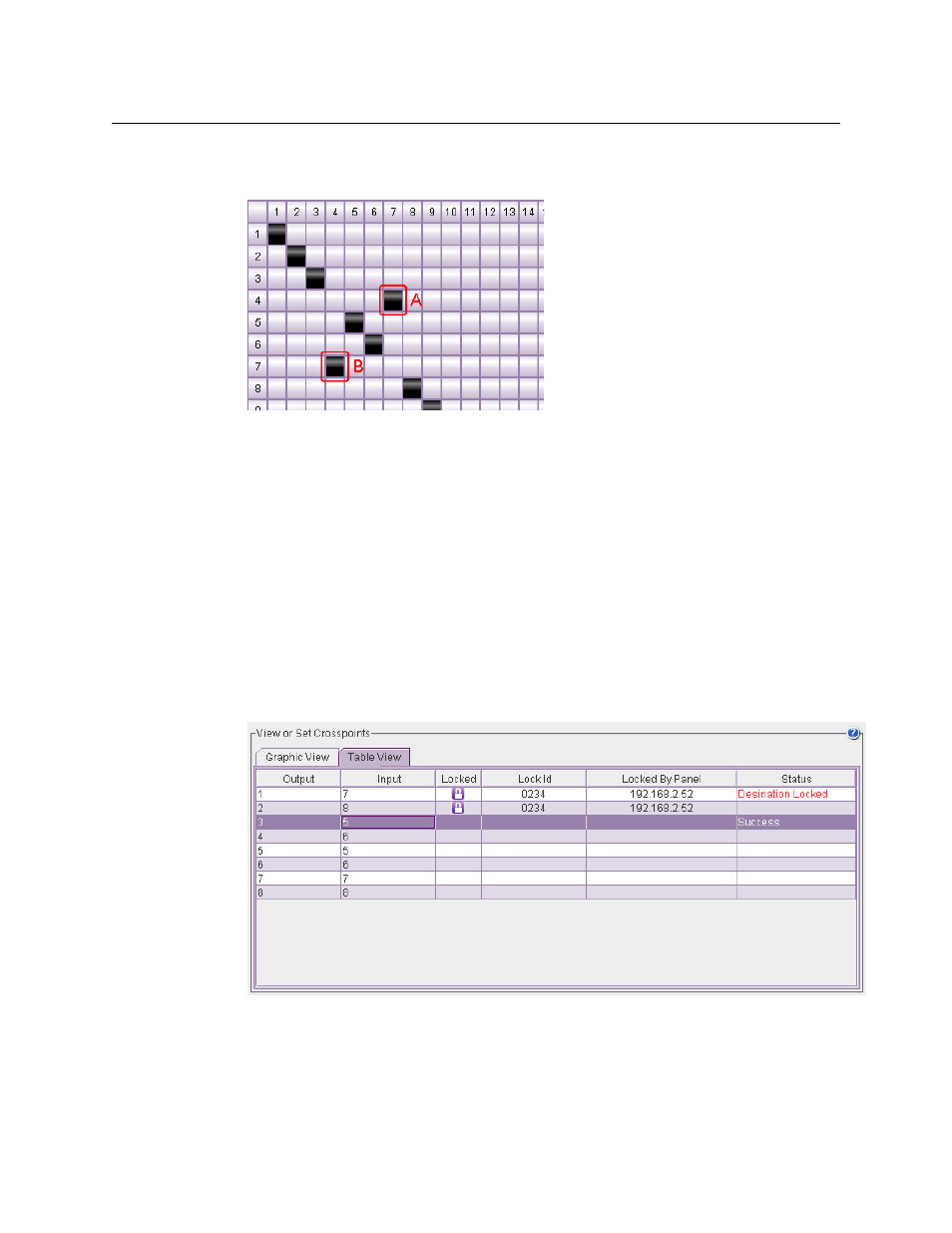
Machine control takes also occur in pairs (in the display):
However, how you choose the row and column affects the outcome.
If the two ports (in this example, ports 4 and 7) are dynamic ports, then clicking box A and
clicking box B give different results. Either way connects ports 4 and 7, but clicking box B
makes port 7 “controlled” whereas clicking box A makes port 7 “controlling.”
How to Perform a Simple Take in the Table View
•
For video routers, synchronous AES routers, and other audio routers, including the CR6464-
AES.
To perform a simple take, enter a port number in the input field of any output (row) of the
table. The status of the take appears in the ‘Status’ field of that row.
•
For asynchronous AES routers (which do not include the CR6464-AES)
To perform a simple take, enter an odd numbered port in the input field of any odd num-
bered output (row) of the table. The take status appears in the ‘Status’ field of that row:
The illustration above shows that input 5 was taken to output 3 (successfully). Because AES
signals are switched as stereo pairs, input 6 was switched also to output 4. Thus the pair (5,6)
was switched to pair (3.4).