4 web interface – SMA FLX Series User Manual
Page 31
3.3.4 Web Interface
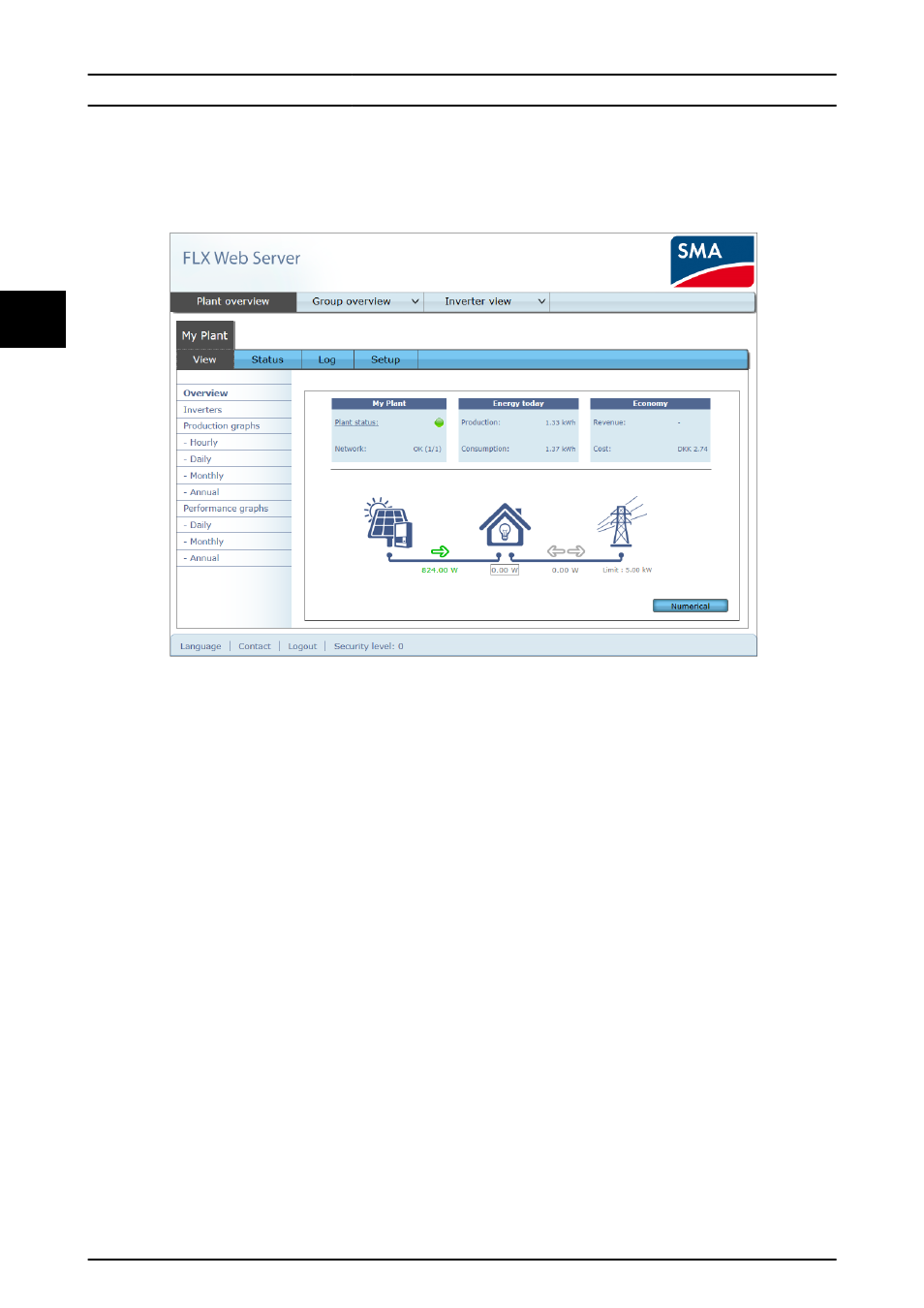
The web interface overview is structured as follows.
Illustration 3.19 Overview
1.
Plant name: Displays the current plant name:
•
Click on the plant name to display the
plant view.
•
Change the plant name at [Setup
→
Plant details].
2.
Group menu: Displays groups of inverters:
•
Inverters join group 1 by default.
•
Click on a group name to display the
group view, and a list of inverters in the
group.
•
Change the group name via [Setup
→
Inverter details] in the inverter view.
3.
Group members: Displays the inverter names in
the group currently selected. The default inverter
name is based on the serial number.
•
Click on an inverter name to display the
inverter view.
•
Change the name of the inverter via
[Setup
→ Inverter details] in the inverter
view.
4.
Main menu: This menu corresponds to the
inverter display main menu.
5.
Submenu: The submenu corresponds to the main
menu item currently selected. All submenu items
belonging to a particular main menu item are
displayed here.
6.
Content area: The main menu and submenus of
the web interface are identical to the menus in
the inverter display. The submenu content
displayed here corresponds to the submenu
selected: [Overview]. On some pages, a horizontal
menu is provided for improved readability.
7.
Footer: Options in the footer bar:
•
Language: Opens a pop-up window.
Click on the country flag to change the
language of the web interface to the
desired language for the active session.
•
Contact: Opens a pop-up window,
which displays SMA Solar Technology
AG contact information.
•
Logout: Opens the login/logout dialog
box.
•
Security level: Displays the current
security level as explained in the section
Security Levels.
Initial Setup and Start
30
L00410568-03_2q / Rev. date: 2014-06-20
3
3