SMA ST6-US User Manual
Page 51
Advertising
SMA America, LLC
Commissioning the Sunny Tower
Installation Guide
ST36-48US-IA-IUS112321
51
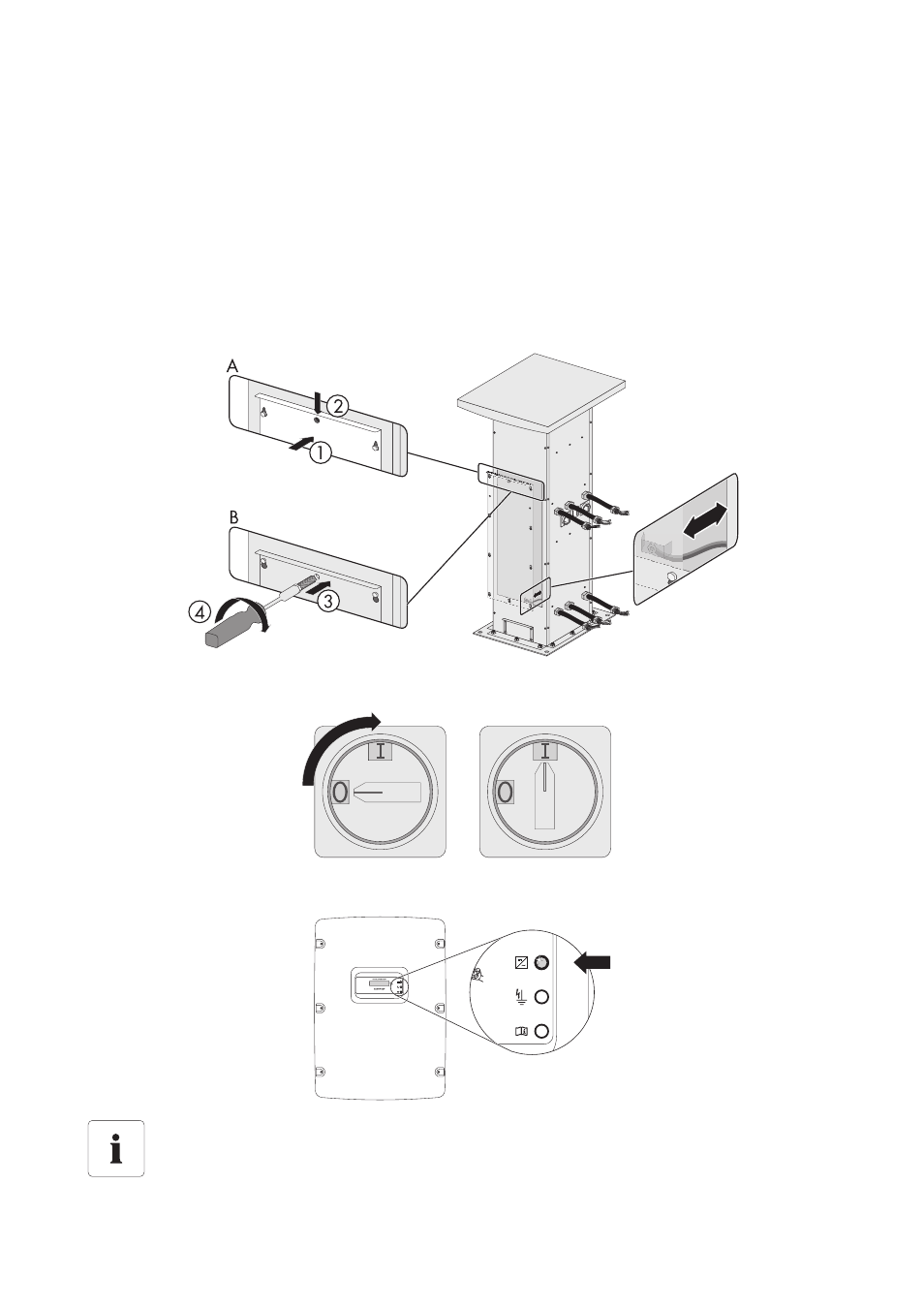
Closing the service access cover and starting the Sunny Tower
1. Fit the grounding cable back to the service access cover.
2. Place the service access cover over the screws (1).
3. Push down the service access cover (2).
4. Fasten the top middle screw of the service access cover (3).
5. Tighten all screws (4).
☑ The service access cover ist installed.
6. One after another switch on the AC/DC disconnector of each Sunny Boy to "1" (on).
7. Check the green LED on each Sunny Boy, to ensure that each one is operating correctly.
If the Sunny Boy displays other messages or blink codes, refer to the SB 6000US/
SB 7000US/SB 8000US manual for trouble shooting information.
Advertising