Silvercrest SFM 4 A1 User Manual
Page 65
Advertising
61
SFM 4 A1
GB
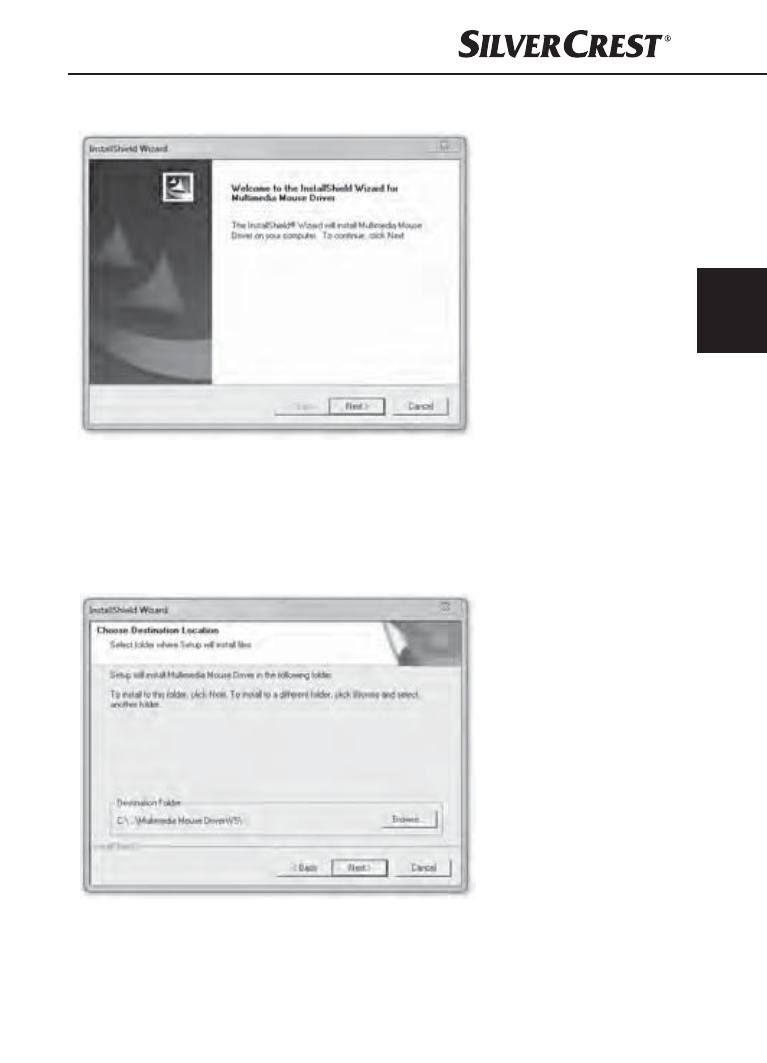
The start window of the installation wizard will be displayed.
♦
Click on the "Next >" button.
♦
In the next step, you can choose the destination
folder for the installation by using the "Browse"
button or selecting the suggested destination.
♦
Move on to the next step by clicking on the
"Next >" button.
IB_101410_SFM4A1_LB2.indb 61
14.07.14 15:33
Advertising