Step 3: hanging the tv set on the wall bracket – Silvercrest STW 32 - 60 A1 User Manual
Page 34
Advertising
GB
32
STW 32 - 60" A1
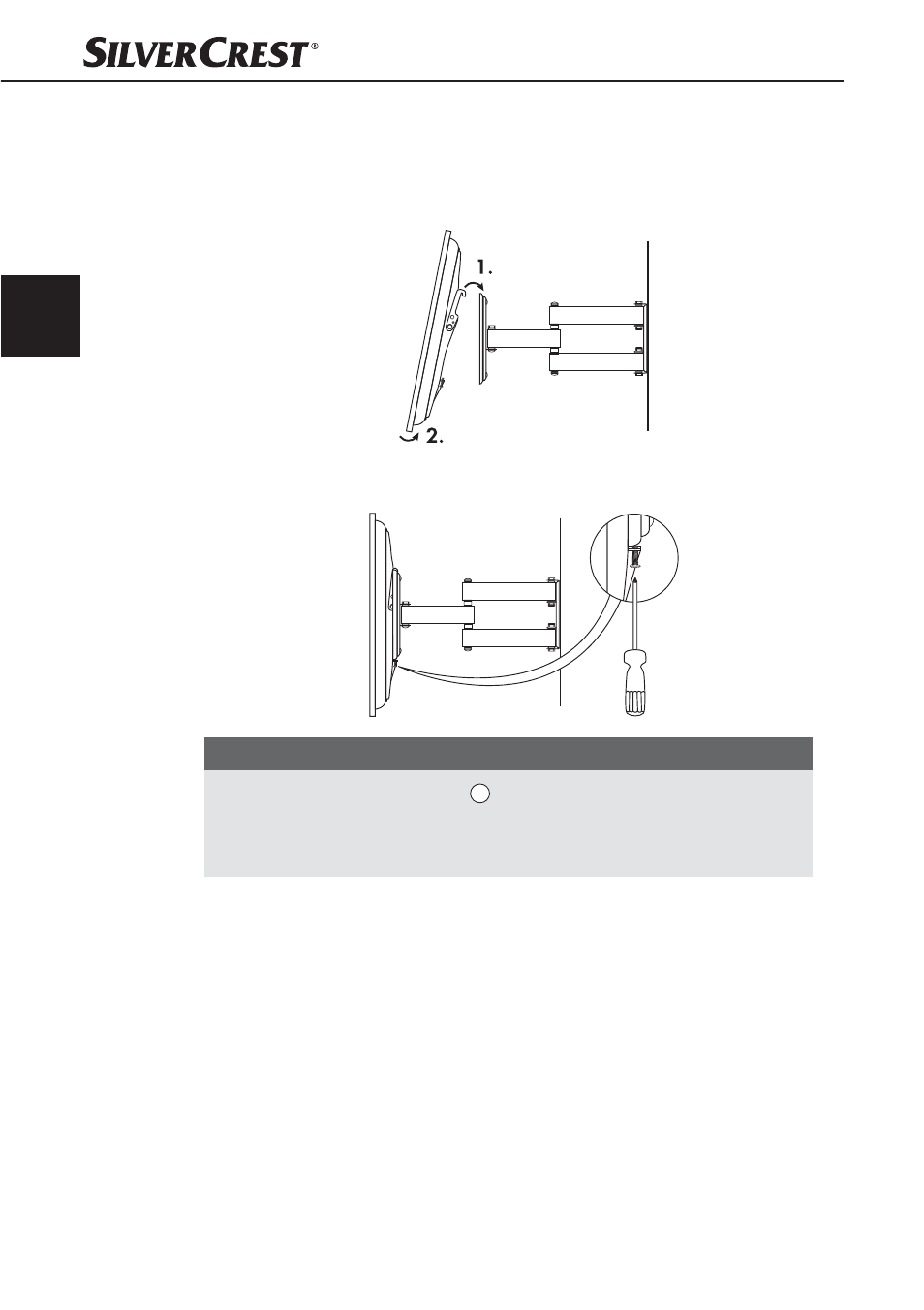
Step 3: Hanging the TV set on the wall bracket
♦
Now hang your TV set centred on the wall bracket as shown in the illustration.
♦
Hang the TV set at the top fi rst and then at the bottom. Let go of your TV set
slowly and carefully.
♦
If the TV set is correctly mounted on the bracket, fi x it in place with the two
retaining screws.
NOTE
►
Using the supplied Velcro strip
J
, you can route the cables of your TV set
safely and tidily.
►
Always allow enough room for the cables and make sure they cannot get
caught when you move the wall bracket.
IB_106956_STW32-60A1_LB2.indb 32
04.12.14 09:52
Advertising