Settings menu, Db e – MCZ Duo HYDRO AIR User Manual
Page 15
15
12-SETTINGS MENU
Technical Dept. - All rights reserved - Reproduction is prohibited
SETTINGS
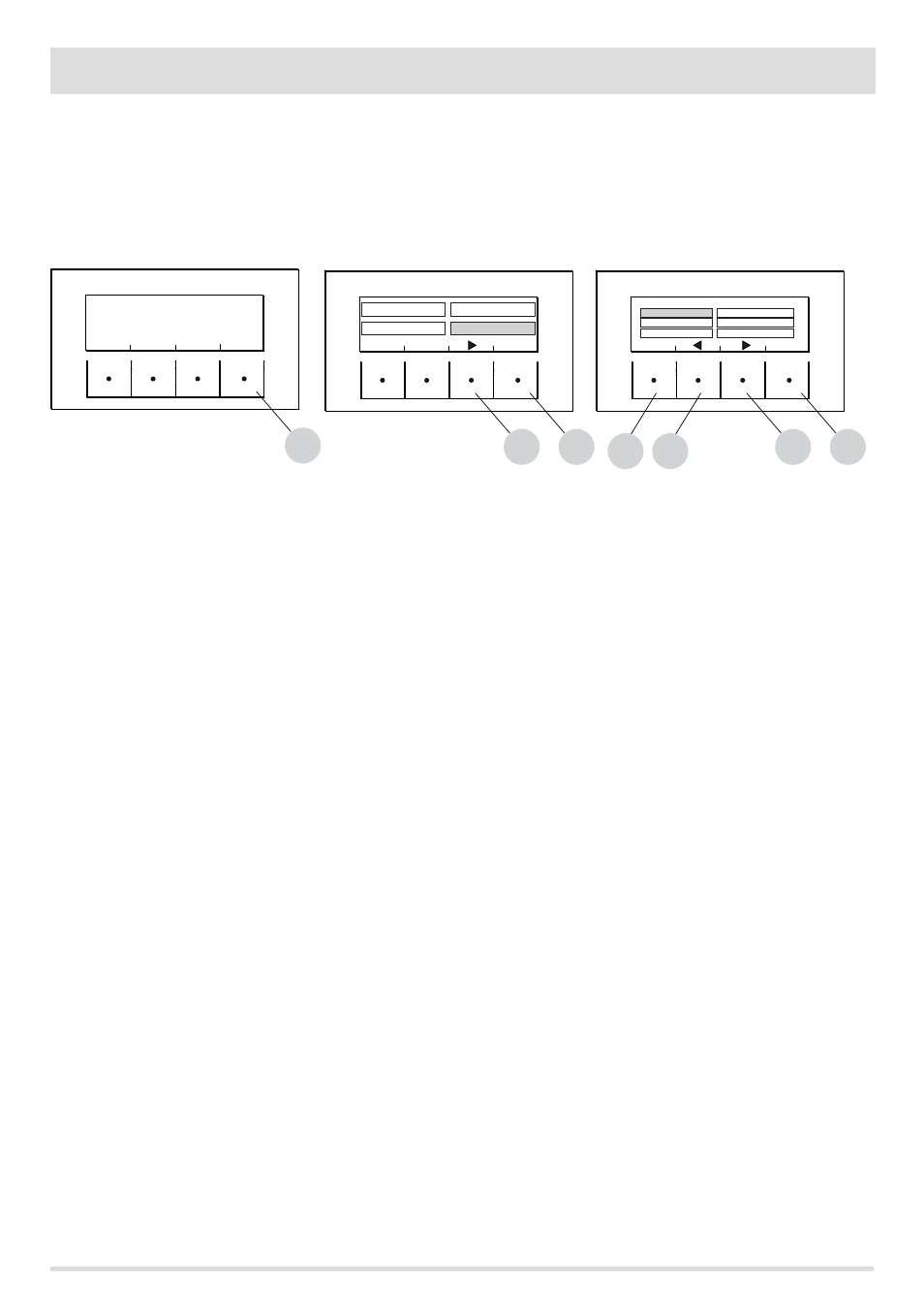
To enter the menu SETTINGS proceed as follows:
from the OFF screen , press the "E" Menu key, scroll with the "D" arrow key, up to the Settings item, press the ok "E" key, scroll again with
the "D" and/or "C" arrow key up to the chosen setting, press OK with the "E" key to enter the chosen menu.
It is possible to set the listed parameters from this screen. Each parameter has an info key to obtain brief information about the chosen
function.
•
SETTINGS
•
Auto Eco (default activated)
•
Hydro Air
•
Auger loading
•
Pellet recipe
•
Active +
•
Cleaning cycle
•
Language
•
date - time
•
Aux Input
•
aux output
•
Room Input
•
T. on Pump
•
Pump Pwm
•
Antifreeze function
•
Plt sensor (not available)
•
Modbus com.
•
Display
•
Technical menu (accessible by a specialized MCZ technician - password required)
•
Active +
•
Fume Analysis F
•
Calib.Active
•
Calib.S.fumes
•
Diagnostics
•
Parameters
•
Boll advance
•
Hour reset
MENU
E
OFF
ON
E
TEMPERATURES
INFORMATIONS
PROGRAMS
SETTINGS
EXIT
OK
D
B
E
AUTOECO
EXIT
OK
C
D
FEED SCR LOAD
ACTIVE PLUS
HYDRO-AIR
LOAD-RECIPE
CLEANING
SETTINGS