PLANET IM-1000 User Manual
Page 172
Advertising
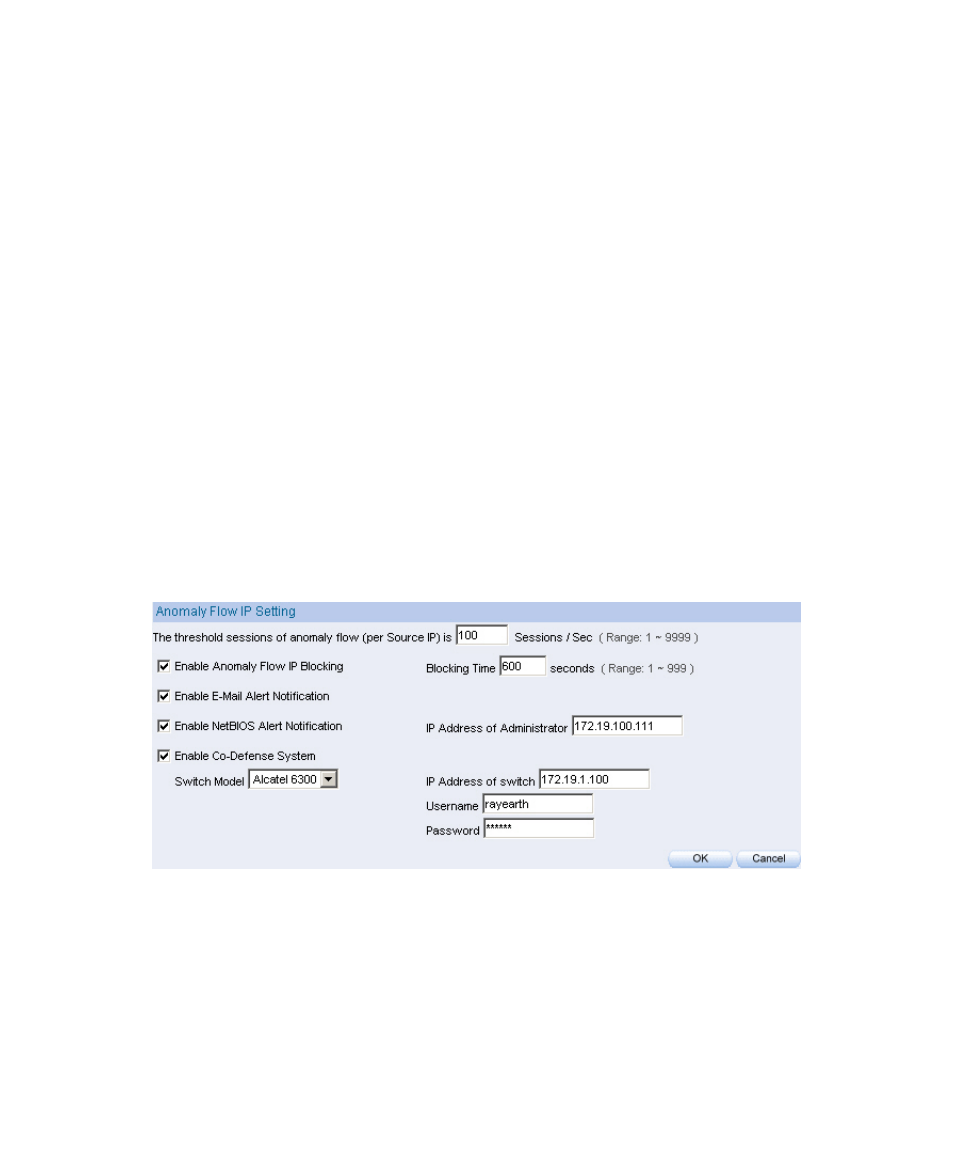
8.1 Setting
Set the anomaly flow setting alarm and block the intrusion packets which
sent by internal virus-infected PCs.
Step1. In Anomaly IP
Æ
Setting :
Set The threshold sessions of anomaly flow(per source IP) The
default setting is 100 Session / Sec
.
Select Enable Anomaly Flow IP Blocking , and set the Blocking
Time
The default setting is 60 seconds
.
Select Enable E-Mail Alarm Notification .
Select Enable NetBIOS Alarm Notification .
IP Address of Administrator, enter 172.19.100.254.
Select enable co-defense system, and enter the IP address of switch,
user name and password.
Click OK.
Anomaly flow IP setting in IM-1000
Advertising