PLANET SG-1000 User Manual
Page 141
Advertising
11.1
Make a single server that provides several services such as FTP,
Web, and Mail, to provide service by policy
STEP 1
Setting a server that provide several services in LAN, and set up the network
card’s IP as 192.168.1.100. DNS is External DNS Server.
STEP 2
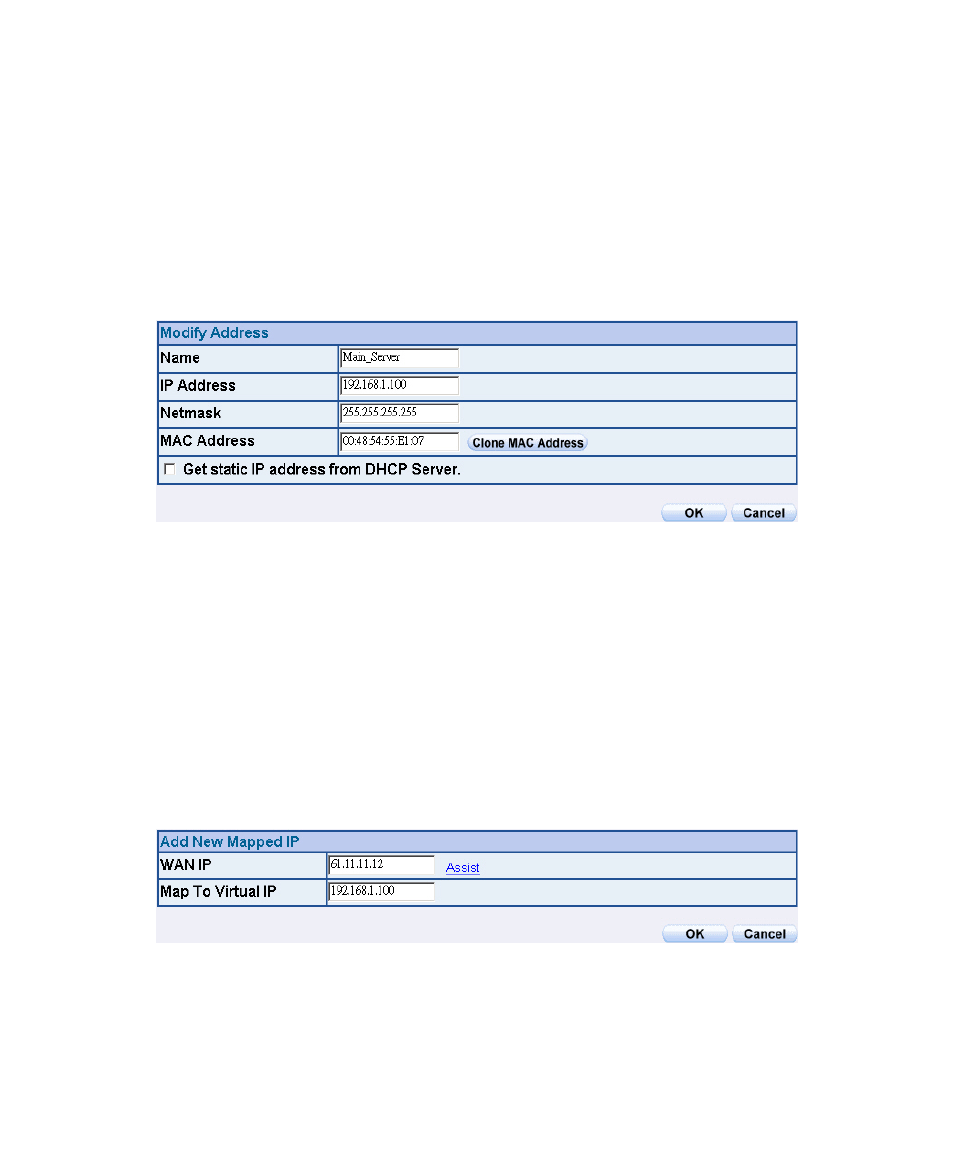
Enter the following setting in LAN of Address function:
Mapped IP Settings of Server in Address
STEP 3
Enter the following data in Mapped IP of Virtual Server function:
Click New Entry
WAN IP: Enter 61.11.11.12 (click Assist for assistance)
Map to Virtual IP: Enter 192.168.1.100
Click OK
Complete the setting of adding new mapped IP
Mapped IP Setting Web UI
Advertising