X-m1, Connecting the camera to other devices – FujiFilm X-M1 User Manual
Page 125
109
T
e
ch
nica
l Notes
Optional Accessories
Connecting the Camera to Other Devices
Connecting the Camera to Other Devices
■
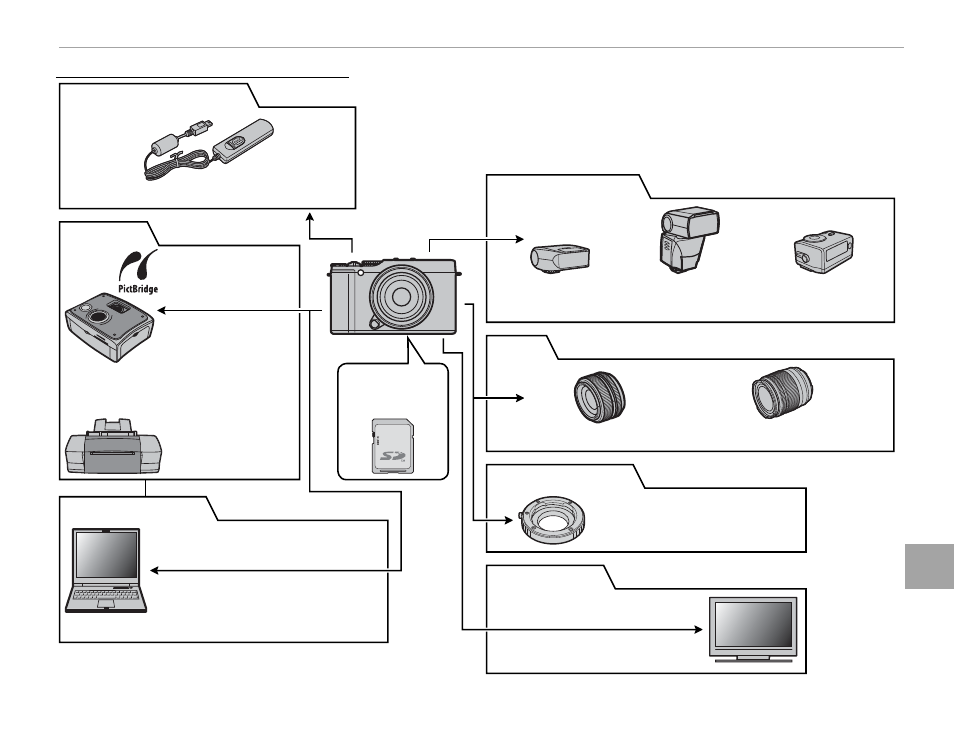
■ Computer Related
Computer Related
X-M1
Computer
†
■
■ Printing
Printing
Printer
†
PictBridge-compatible printer
†
■
■ Lens
Lens
XF-series lenses
*
XC-series lenses
*
* Available separately from FUJIFILM.
† Available separately from third-party suppliers. USB and HDMI
cables must be no more than 1.5 m (4.9 ft.) long.
USB cable
†
USB cable
†
SD/SDHC/SDXC
memory card
†
HDTV
†
■
■ Flash Photography
Flash Photography
EF-20 shoe mount
fl ash
*
EF-42 shoe mount
fl ash
*
EF-X20 shoe
mount fl ash
*
■
■ Remote Shutter Release
Remote Shutter Release
RR-90 remote release
*
■
■ M Mount Adapter
M Mount Adapter
FUJIFILM M MOUNT ADAPTER
*
■
■ Audio/Visual
Audio/Visual
HDMI cable
†