Sony PCM-A10 High-Resolution Audio Recorder User Manual
Page 518
(Playback)
To reset the items for [Playback] to the default values, select [Initialize]. These items are not reset to the default values
even if you select [Camera Settings Reset].
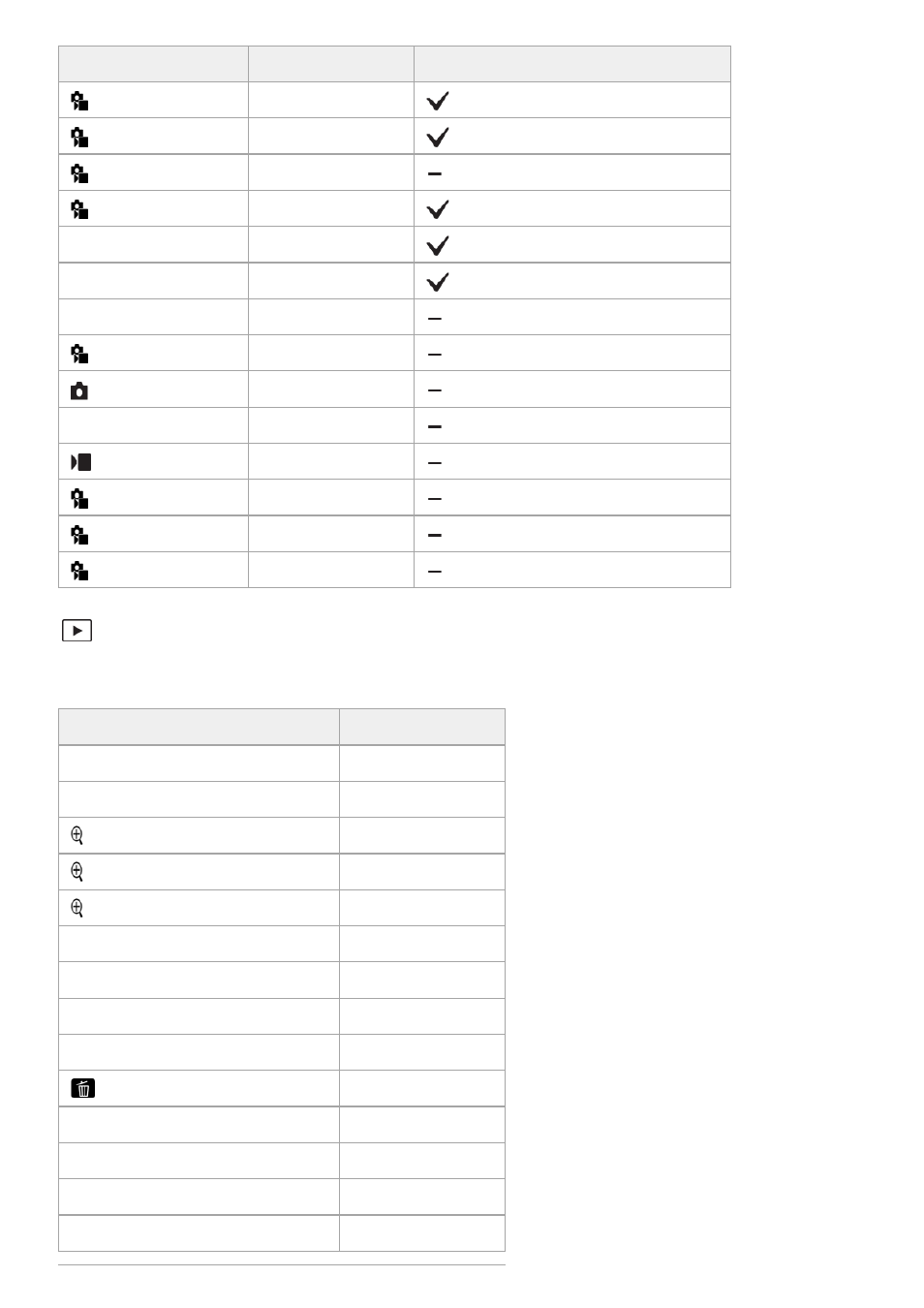
MENU items
Default setting value Resettable using [Camera Settings Reset]
Right/Left Eye Select
Auto
Sbj Recog Frm Disp.
Off
Face Memory
―
Regist. Face Priority
On
Focus Map
Off
Auto Magnifier in MF
On
Focus Magnifier
―
Focus Magnif. Time
No Limit
Initial Focus Mag.
x1.0
AF in Focus Mag.
On
Initial Focus Mag.
x1.0
Peaking Display
Off
Peaking Level
Mid
Peaking Color
White
MENU items
Default setting value
Select Playback Media
―
View Mode
Date View
Enlarge Image
―
Enlarge Initial Mag.
Standard. Mag.
Enlarge Initial Position
Focused Position
Protect
―
Rating
―
Rating Set(Custom Key)
―
Delete
―
Delete pressing twice
Off
Delete confirm.
"Cancel" first
Crop
―
Rotate
―
Copy
―
518
518
- UWP-D22 Camera-Mount Wireless Cardioid Handheld Microphone System (UC14: 470 to 542 MHz) 16mm Fisheye Conversion Lens for FE 28mm f/2 Lens UTX-P40 Wireless Plug-On Transmitter (UC25: 536 to 608 MHz) ZV-E1 Mirrorless Camera (White) ZV-E10 Mirrorless Camera (Black) LBN-H1 Airpeak Battery Station VCL-ECF2 Fisheye Converter For SEL16F28 and SEL20F28