Wiring diagram, Headphones connection, Iring diagram – NEC E558 55" Class 4K UHD Commercial LED TV User Manual
Page 29
English - 26
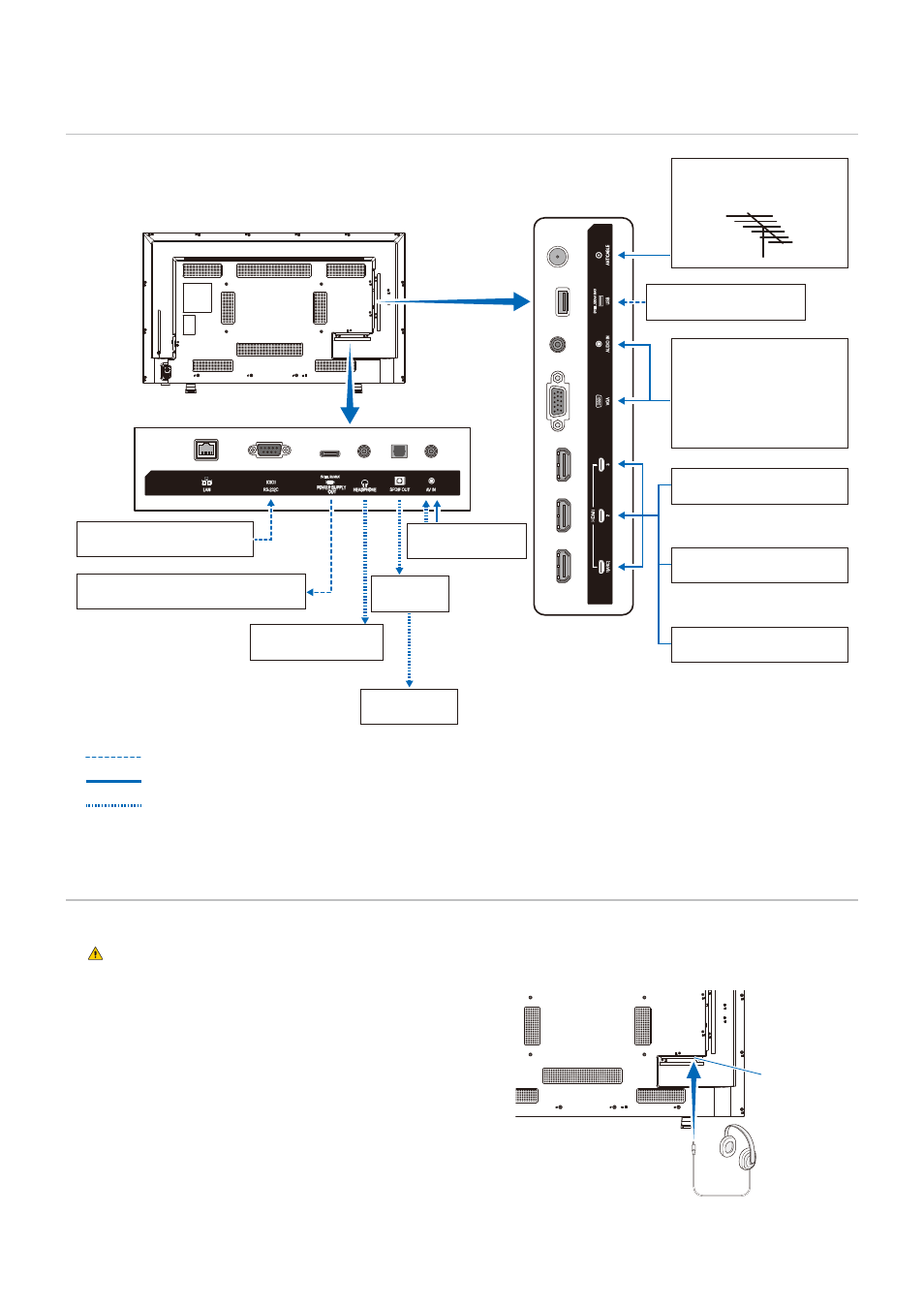
iring Diagram
Computer (RS-232C)
Video player
(composite)
Computer (HDMI)
Computer (stereo mini jack)
Computer (D-sub)
Video player (stereo mini-jack)
Video player (component)
USB storage device
VHF/UHF Antenna or Cable
TV Use 75-Ohm coaxial
cable
Video player (HDMI)
Blu-ray or DVD player (HDMI)
AV amplifier
External
speakers
Headphones
Power supply to external equipment: 5
V/3 A (max)
: Other signals
: Video signal
: Audio signal
Headphones Connection
When using headphones, connect them to the HEADPHONE terminal of the monitor.
CAUTIONN:
Do not connect the headphones while wearing them.
Otherwise, your ears may be injured depending on the sound volume.
NOTEN:
• Headphones with a stereo mini jack plug can
be connected to the monitor. If the plug of your
headphones is too large to enter the connector, buy
a 6.35 mm stereo jack plug to stereo mini jack plug
adapter in your audio store.
• The sound from the speakers is muted when
headphones are connected.
• Adjustment of the volume control as well as the
equalizer to other settings than the center position
may increase the ear-/headphones output voltage and
therefore the sound pressure level.
NOTEN:
When connecting the product to the video
output connector (component) of a video player
or another device, go to [Setup] in the OSD
menu -> [VGA Options] -> [VGA Mode], and
select [YPbPr].
HEADPHONE
terminal