Digital video connection, Ir connection – Philips T-Line 65BDL3552T 65" 4K Digital Signage Touchscreen Display User Manual
Page 31
Advertising
65BDL3552T/75BDL3552T/86BDL3552T
19
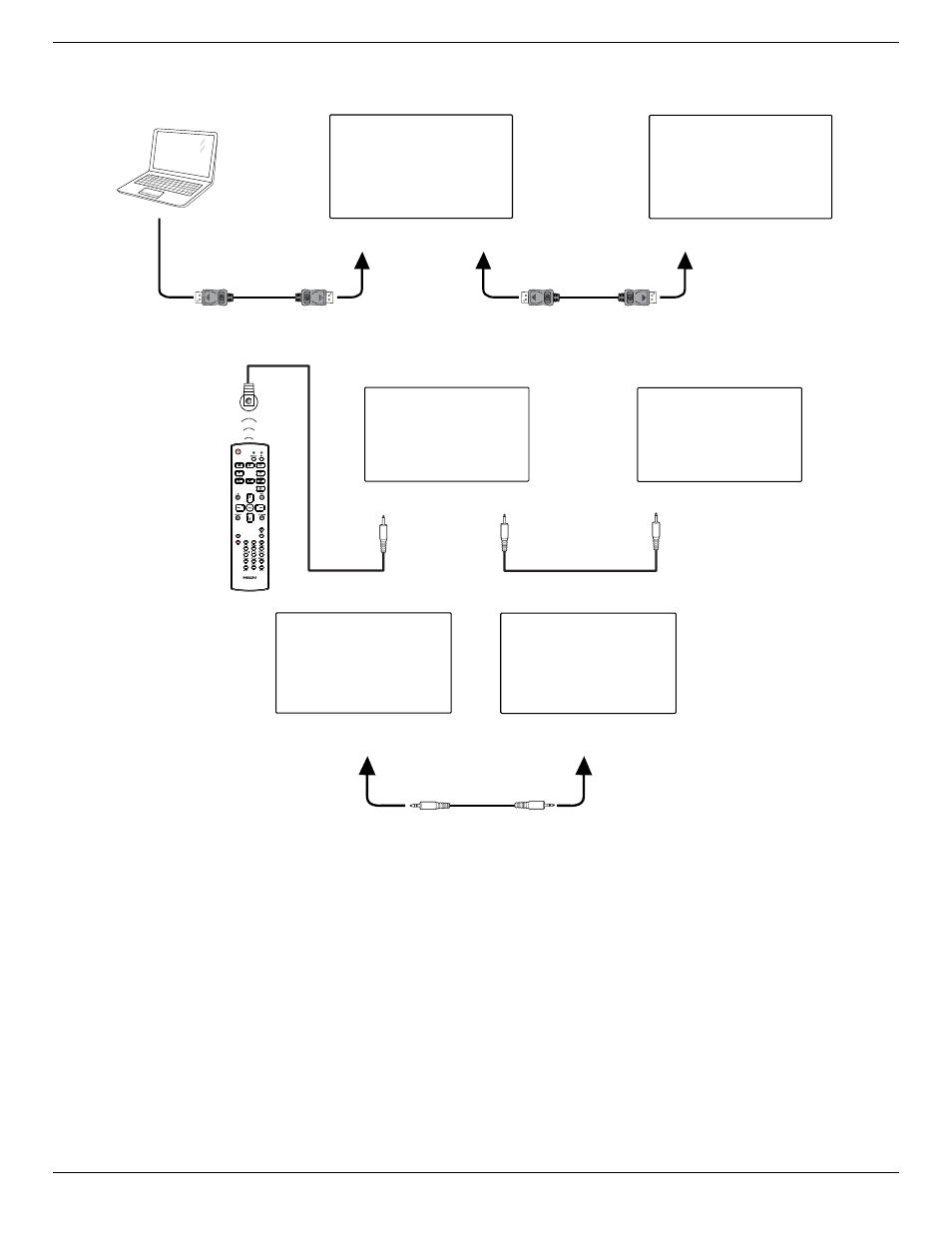
3.4.2. Digital video connection
Connect the [DP OUT] connector of DISPLAY 1 to the [DP IN] connector of DISPLAY 2.
PC
DISPLAY 1
DISPLAY 2
[DP IN]
[DP]
[DP OUT]
[DP IN]
3.5. IR connection
[IR IN]
External
IR Receiver
[IR IN]
[IR OUT]
DISPLAY 1
DISPLAY 2
[RS-232 OUT]
[RS-232 IN]
DISPLAY 1
DISPLAY 2
NOTE:
1. The remote control sensor of this display will stop working if the [IR IN] is connected.
2. IR loop through connection can support up to 9 displays.
3. IR in daisy chain via RS232 connection can support up to 9 displays.
Advertising