4 your vm-2hxl 1:2 hdmi distributor, 5 using the vm-2hxl 1:2 hdmi distributor, Your vm-2hxl 1:2 hdmi distributor – Kramer 1:2 HDMI Distribution Amplifier User Manual
Page 7: Using the vm-2hxl 1:2 hdmi distributor, Figure 1: vm-2hxl 1:2 hdmi distributor, Table 1: vm-2hxl 1:2 hdmi distributor features, 4your vm-2hxl 1:2 hdmi distributor, 5using the vm-2hxl 1:2 hdmi distributor
Your VM-2Hxl 1:2 HDMI Distributor
5
5
4
Your VM-2Hxl 1:2 HDMI Distributor
define the
VM-2Hxl
1:2 HDMI Distributor
:
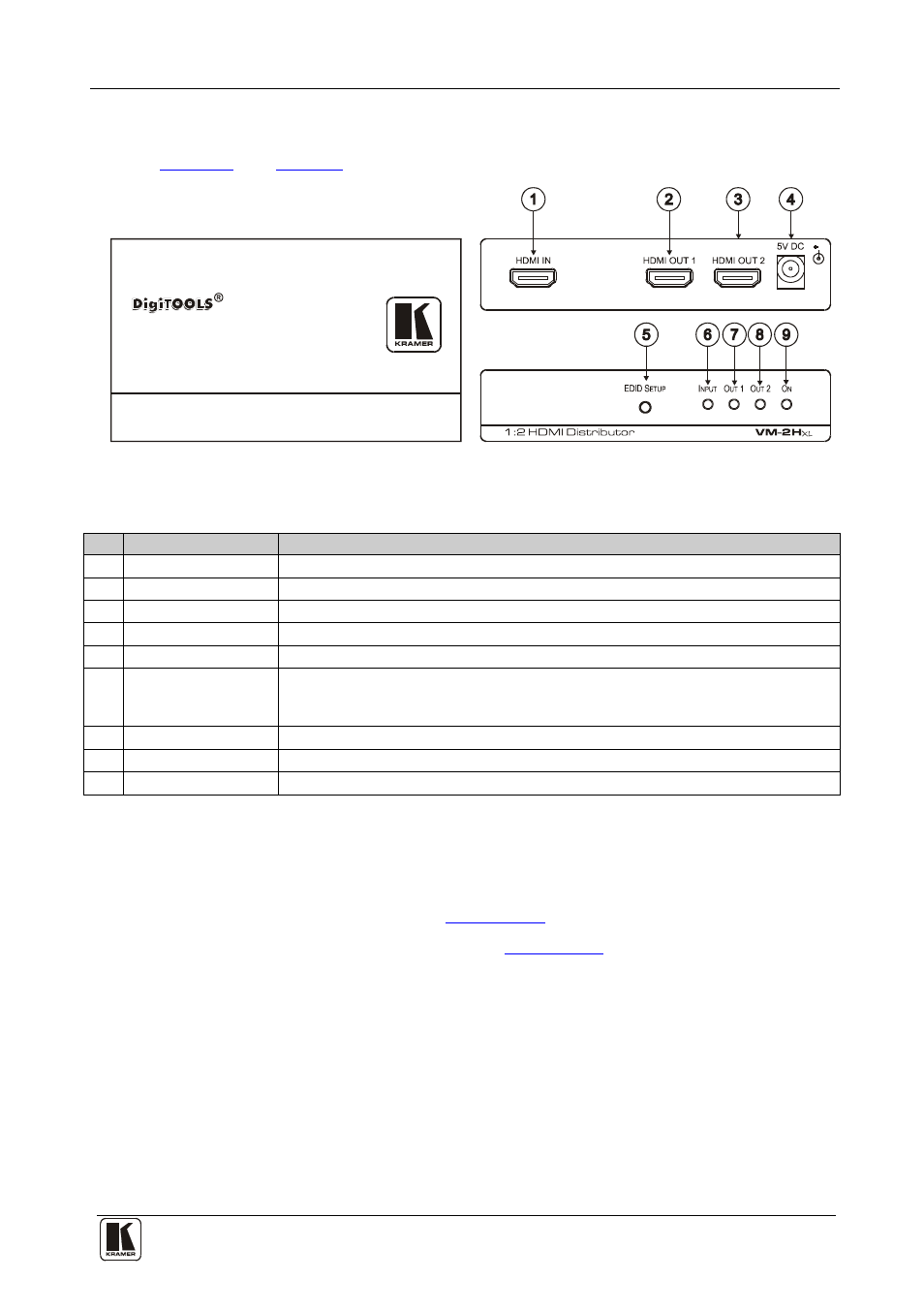
Figure 1: VM-2Hxl 1:2 HDMI Distributor
Table 1: VM-2Hxl 1:2 HDMI Distributor Features
#
Feature
Function
1
HDMI IN
Connects to the HDMI source
2
HDMI OUT1
Connects to the HDMI acceptor 1
3
HDMI OUT2
Connects to the HDMI acceptor 2
4
5V DC
+5V DC connector for powering the unit
5
EDID SETUP Button
Press for more than 3 seconds to acquire the EDID information from the display
6
INPUT
LED
Flashes when the stored EDID does not match the display device EDID;
illuminates when the EDID corresponds to the display device and that HDMI
source is active
7
OUT1
LED
Flashes during the EDID setup; illuminates when output 1 is connected
8
OUT2
LED
Flashes during the EDID setup; illuminates when output 2 is connected
9
ON
LED
Illuminates when receiving power
5
Using the VM-2Hxl 1:2 HDMI Distributor
This section describes how to:
•
Connect the
VM-2Hxl
(see
Section 5.1
•
Use the EDID SETUP button (see
Section 5.2